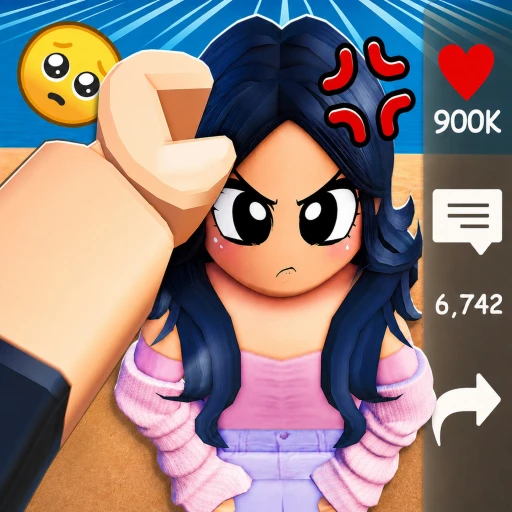
Clip It Guide (2026) — Make Clips, Grow a Following & Theme Packs
Clip It is Roblox's answer to TikTok — a short-form video network where you record clips inside Roblox, edit them with sound and effects, and share them to a discovery feed. With over 485 million visits and a billion-plus views, it is one of the platform's biggest social experiences. This guide covers how to record and edit clips, how the feed and hashtags drive discovery, the outfit and promote tools, and which theme and scene packs are actually worth your Robux.
In This Guide
What Is Clip It?
Clip It is a short-form video social experience by Neura — essentially TikTok built inside Roblox. You record clips using your Roblox avatar and the in-game world, edit them with sound, scenes, and text, then post them to a feed where other players watch, like, comment, and follow. It publicly launched in March 2024 and exploded, crossing a billion views and more than 8 million monthly active users. Today it sits at over 485 million visits, roughly 7,800 concurrent players, and nearly 489,000 favorites on place ID 11765402359.
It is not a game you "win" — it is a creation and social platform. The fun is making clips, discovering other people's content, and growing a following, the same loop that makes short-form video addictive everywhere else.

How to Make a Clip
Creating a clip is quick once you know the controls:
- Tap the plus (+) button at the bottom of the screen to start a new clip.
- Press the red button to record. Everything you do — your avatar's movement and the camera's movement — gets captured.
- Press the red button again to pause. Pausing lets you cut to a different scene, which is how you create jump cuts between shots.
- Repeat to stitch together a sequence, then move on to editing.
Because both avatar and camera movement are recorded, the best clips come from planning your shots — framing the camera deliberately and using pauses to jump between scenes rather than recording one long static take.

Editing: Sound, Scenes & Text
The editor is where clips become watchable. You can layer in:
- Sound — music and audio from the Creator Store to set the mood or sync to your visuals.
- Images — visuals from the Creator Store to overlay on your clip.
- Text — captions and on-screen text to tell a story or land a joke.
- Hashtags — your caption can include up to 3 hashtags that help viewers discover the clip through search and topic feeds.
Those three hashtags are your single biggest discovery lever, so choose them to match what your clip is actually about and what people are searching for.
The Feed, Hashtags & Growing a Following
You watch other players' clips by pressing the Feed button. From the feed you can like, dislike, comment on, or share clips, and follow creators so their content shows up in your feed. Growth works exactly like other short-form platforms: post consistently, use relevant hashtags so the right people find you, and make clips good enough that viewers like, share, and follow. Engaging with others — commenting and following back — helps build the audience that pushes your own clips further.
Outfits and the Promote Tool
Clip It has deep outfit-creating and outfit-sharing features, so a lot of the platform's culture is built around looks. There is also a promote tool that lets you add a button to your clip promoting accessories from the Roblox marketplace — genuinely useful if you make or sell UGC items, because viewers who like your character's outfit can buy the items in a couple of taps. If you're a creator on Roblox, Clip It doubles as a showcase and storefront for your avatar items.

Content Packs Worth Buying
Clip It is monetized through Robux content packs that expand your editing suite, plus the usual UGC sales. Rather than progression passes, these unlock creative tools and assets:
- Theme packs (Anime, Horror, Action, Influencer, K-Pop, Phonk and more) — bundles of scenes, songs, and dances built around a vibe. Buy the one that matches the content you actually make.
- Scene packs — sets of new backdrops to shoot your clips in, adding visual variety beyond the default world.
- Animation packs (Premium Dance, Action) — new avatar animations and dances to perform in your clips.
- 5 Min Clip Length & 100 Max Objects [Permanent] — a practical pass that raises your clip length and object limits, the most useful upgrade if you make longer or more elaborate clips.
None of these are required to start — you can make and post clips for free. They're creative upgrades, so buy based on the kind of content you make: the permanent length/objects pass for ambitious editors, and theme packs that match your niche. Confirm each pack's exact contents and current Robux price on its store page before buying.

Tips to Grow Faster
- Use all 3 hashtags well. They're your main discovery tool, so match them to your clip and to what people search.
- Hook the first second. Open with motion or a bold caption to win watch-time in the feed.
- Plan your shots. Frame the camera deliberately and use pauses for clean jump cuts.
- Post consistently. Regular clips give the feed more chances to surface you.
- Engage back. Comment, follow, and share to build the audience that boosts your clips.
- Lean into outfits. A strong avatar look is part of the culture and pairs well with the promote tool.
Does Clip It Have Codes?
As of June 26, 2026, Clip It has no codes and no code-entry system. It's a social creation platform monetized through content packs and UGC, not a game with redeemable rewards, so there are no codes to chase. We track the status on our Clip It codes page in case that ever changes.
How to Earn Free Robux for Clip It
The theme packs, scene packs, animation packs, and the length/objects pass all cost Robux, as do the UGC items you might want for your avatar. If you'd rather not spend out of pocket, you can earn Robux through Earnaldo by completing simple tasks and put it toward the packs and items that level up your clips. Here is how Earnaldo works.
Earn Free Robux While You Play
Want more Robux for Clip It and other Roblox games? Earnaldo lets you earn free Robux by completing simple tasks — no surveys spam, no downloads, just real rewards.
Frequently Asked Questions
No. As of June 2026, Clip It has no codes and no code-entry system. It is a social video creation platform monetized through content packs and UGC items, not a game with redeemable code rewards.
Clip It was made by Neura and lives on Roblox place ID 11765402359. It publicly launched in March 2024, crossed a billion views with over 8 million monthly active users, and now has more than 485 million visits.
Tap the plus (+) button to start, press the red button to record your avatar and camera movement, and press it again to pause and jump-cut to a new scene. Then edit with sound, images, and text before posting.
Use all three caption hashtags to match your content and what people search, hook viewers in the first second, post consistently, and engage with other creators by commenting, following, and sharing.
Content packs expand your editing suite: theme packs bundle scenes, songs, and dances around a vibe; scene packs add new backdrops; animation packs add avatar dances; and the permanent 5-minute length and 100-object pass raises your clip limits.
The promote tool lets you add a button to your clip that links to accessories from the Roblox marketplace. It is especially useful for UGC creators, since viewers who like your avatar outfit can buy the items in a couple of taps.
About This Guide
This guide is based on the live version of Clip It (place ID 11765402359) by Neura as of July 2026, drawing on the Clip It wiki, industry coverage of its launch and monetization, and the in-game store. Features and packs evolve, so confirm current pack contents in-game.