Launch Free Robux Guide (2026) — Codes, Tips & Strategy
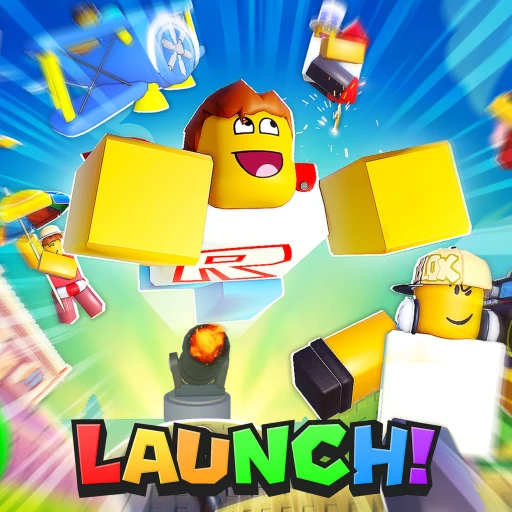
Launch by Moneybag Games is a Roblox flying simulator that nails the satisfying core loop of "number go up" better than most games in the genre. You build a launcher, catapult your character into the sky, fly as far as humanly possible while scooping up coins mid-air, land, pour those coins back into upgrades, and do it all over again. Each flight goes a little farther than the last. Each upgrade makes the next launch feel more powerful. It's the kind of game where you tell yourself "one more flight" and then look up to realize an hour has evaporated. The game is currently in beta, which means frequent updates, new content dropping regularly, and a community that's growing fast.
This guide breaks down everything you need to know about Launch in May 2026: how the upgrade system works, which stats matter most at each stage, every active code, tips for reaching the farthest biomes, and the pet system that most players underestimate. We'll also cover how some players use Earnaldo to pick up free Robux for optional game passes, though this guide is focused almost entirely on the game itself and how to play it well.
Table of Contents
1. What Is Launch?
Launch belongs to the launcher/flying simulator genre on Roblox — a category that includes games like Cannon Simulator and various "send your character flying" experiences. The premise is straightforward: you stand on a launcher pad, adjust your settings, and fire yourself into the sky. Gravity does the rest. Your job is to optimize the flight so you travel the maximum possible distance before touching down.
What separates Launch from simpler launcher games is its layered progression system. You aren't just upgrading one number. There are three core stats on your launcher — power, angle, and aerodynamics — and they interact with each other in meaningful ways. A high-power launcher with poor aerodynamics sends you screaming upward and then plummeting straight back down. A perfectly tuned aerodynamics setup with weak power barely gets you off the pad. Finding the right balance between the three stats is where the real strategy lives.
On top of the launcher stats, there's a full pet companion system, a rebirth/prestige mechanic, trail effects, event-limited launchers, distance-based biomes to discover, and a global leaderboard for the longest single flight. For a game with such a simple concept, there's a surprising amount to chew on.
Here's a quick snapshot of where Launch stands right now:
The game is developed by Moneybag Games and has been receiving consistent updates since entering beta. New launcher skins, additional pets, biome expansions, and balance adjustments land every week or two. That cadence means the meta shifts regularly, and players who stay current with patch notes tend to progress faster than those who don't. You can play Launch here: Launch on Roblox.

2. Getting Started — Your First 30 Minutes
When you first spawn into Launch, you'll appear next to a basic launcher pad in the hub area. The hub contains your launcher, the upgrade shop, the pet menu, the codes button, and the leaderboard display. Everything you need is within a few steps of the spawn point, which is a nice quality-of-life touch that many Roblox games miss.
Your starter launcher has minimal power, a fixed 45-degree angle, and zero aerodynamics upgrades. Your first flight will probably send you about 50-100 meters — barely enough to clear the starting field. That's fine. The point of the first few flights is to collect enough coins to start the upgrade cycle.
The First Upgrade Priority
Coins spawn mid-air as floating collectibles. Fly through them to pick them up automatically. After landing, you'll have a handful of coins to spend. Here's the order that works best for the first 10 minutes:
- Power Level 1-5: Each power upgrade adds noticeable distance to your flights. This is your biggest return on investment early on. Get power to level 5 before touching anything else.
- Angle Adjustment: Once you have some power, the ability to tweak your launch angle opens up. Start at 45 degrees and experiment. At low power levels, 45 degrees remains optimal, but having the option matters as you progress.
- Aerodynamics Level 1-3: Your first few aerodynamics upgrades reduce drag significantly. The difference between zero aero and level 3 aero is easily 200-300 extra meters at the same power level.
- Power Level 6-10: Now circle back to power. With aerodynamics supporting your flights, each power upgrade translates to even more distance than it did at the start.
- Your First Pet: By this point you should have enough coins to hatch a basic pet egg. Even a common pet gives a passive boost — usually 5-10% more coins per flight or a small distance multiplier.
This sequence gets you through the early game efficiently. Within about 20-30 minutes of active play, you should be consistently hitting 1,000+ meter flights and earning enough coins per run to upgrade something meaningful every two or three launches.
Understanding the Flight Arc
Your character follows a parabolic arc after being launched. The shape of that arc depends entirely on your three stats. Power determines the initial velocity — how fast you leave the pad. Angle determines the trajectory — how steep or shallow you fly. Aerodynamics determines how quickly air resistance slows you down.
At the most basic level: higher power and higher aerodynamics mean longer flights. But the angle stat adds a strategic dimension that most new players overlook. A 45-degree angle gives the theoretical maximum distance in a vacuum, but Launch doesn't simulate a vacuum. Air resistance is a real mechanic in this game, and it disproportionately affects high-altitude flights. That means a slightly lower angle — say 35-40 degrees — can actually outperform 45 degrees once your power gets high enough, because your character spends more time in the dense coin zones at lower altitudes.
Redeem Codes Immediately
Before you get deep into upgrading, hit the codes button and redeem every active code. The boosts and rewards from codes give you a head start that compounds with every flight. We cover all current codes in the codes section below, but the short version is: enter LAUNCH and SUPERNOOB right away. Free resources on your very first session make a real difference in how quickly you ramp up.

3. Key Features — Upgrades, Pets, Biomes & Rebirth
Launch has more depth than its simple premise suggests. Four interconnected systems drive the game's progression, and understanding how they feed into each other is the key to consistent, efficient growth. Here's each system broken down.
Launcher Upgrades — The Three Pillars
Your launcher has three stats, and they scale differently as you level them up:
| Stat | What It Does | Scaling | Priority |
|---|---|---|---|
| Power | Increases launch velocity | Linear — each level adds a flat amount | High (early & mid game) |
| Angle | Adjusts launch trajectory | Unlocks degree increments | Medium (fine-tuning) |
| Aerodynamics | Reduces air drag | Diminishing returns per level, but compounds with power | High (mid & late game) |
The interplay between power and aerodynamics is where things get interesting. Power adds raw force, but without aerodynamics, that force gets eaten by drag almost immediately. Think of power as your ceiling and aerodynamics as how much of that ceiling you actually get to use. Upgrading both in tandem produces far better results than dumping everything into one stat.
Angle upgrades are cheaper than the other two and worth picking up opportunistically. Every few degrees of adjustment unlocked gives you another knob to turn when you're fine-tuning your setup for specific biome targets. Don't ignore them entirely, but don't prioritize them over the other two stats either.
Trail Effects — More Than Cosmetic
Trail effects are the colorful streaks that follow your character during flight. While they're primarily cosmetic, certain premium trails — earned through events or the in-game shop — provide a tiny passive bonus to coin magnetism radius. That means coins slightly off your flight path still get collected. It's a small advantage, but over hundreds of flights it adds up noticeably. The default trail is fine for most players, but if you're optimizing every edge, keep an eye out for event trails that offer the magnetism bonus.
Pet Companions — Your Silent Multipliers
Pets are where a lot of players leave free progress on the table. Every pet provides a passive boost that applies automatically during flights. Common pets might give a 5% coin boost, while rare and legendary pets can provide 25-50% distance multipliers, coin multipliers, or both. You equip one pet at a time, and it follows your character during the flight animation.
The pet system uses an egg-hatching mechanic. You spend coins on eggs of increasing rarity tiers, and each egg hatches into a random pet from that tier's pool. The approximate hatch rates look like this:
| Egg Tier | Common | Uncommon | Rare | Legendary |
|---|---|---|---|---|
| Basic Egg | 70% | 25% | 4.5% | 0.5% |
| Premium Egg | 40% | 35% | 20% | 5% |
| Mythic Egg | 10% | 30% | 40% | 20% |
Don't waste coins on premium or mythic eggs early on. Basic eggs are cheap, and even a common pet with a 5% coin boost pays for itself within a few flights. Save the expensive eggs for after your first rebirth, when your coin income is high enough that the cost doesn't set back your upgrade progress.
One important detail: pets survive the rebirth reset. This makes pre-rebirth egg hatching a smart strategy. Before you rebirth, dump your remaining coins into as many eggs as you can afford. Any pets you hatch carry over as permanent boosts for your next run, essentially converting coins that would have been wiped into lasting value.
Biomes — Unlocked by Distance
The world of Launch isn't just empty sky. Different biomes appear at specific distance thresholds, and each biome has its own visual theme, coin density, and bonus collectibles. Reaching a new biome for the first time gives a one-time coin reward that's usually worth several flights of income.
The biome progression looks roughly like this:
| Biome | Distance | Key Feature |
|---|---|---|
| Green Fields | 0 – 500m | Starter zone, basic coin spawns |
| Desert Dunes | 500 – 2,000m | Higher coin density, dust trail particles |
| Mountain Peaks | 2,000 – 5,000m | Gem deposits, altitude bonuses |
| Cloud Layer | 5,000 – 15,000m | Floating coin clusters, wind currents |
| Storm Zone | 15,000 – 50,000m | Lightning bonus coins, turbulence mechanic |
| Space | 50,000m+ | Maximum coin multiplier, zero drag |
Reaching the Cloud Layer is a reasonable mid-game goal. Most players hit it after upgrading power to level 20 or so and aerodynamics to around level 15, combined with a pet that has at least a 10% distance boost. The Storm Zone and Space are end-game targets that generally require multiple rebirths to reach consistently.
Each biome also has unique visual elements — desert sand swirls, mountain snow particles, lightning flashes in the Storm Zone — that make reaching new distances feel rewarding beyond just the stat gains. It's a small touch, but it makes progression feel tangible rather than abstract.
Rebirth / Prestige System
Rebirth is the prestige mechanic in Launch, and it's the single biggest multiplier in the game. When you rebirth, you lose all your launcher upgrades, coins, and distance progress. In return, you gain a permanent multiplier that boosts your coin earnings and flight distance going forward. The first rebirth gives a 2x multiplier. Each subsequent rebirth increases it further.
The math behind rebirth is simple but powerful. After your first rebirth, you earn coins at twice the rate. That means you reach your pre-rebirth upgrade levels in roughly half the time. After your second rebirth, the multiplier stacks again, and you reach your previous peak even faster. By the fourth or fifth rebirth, you can blast through the entire early and mid-game in a single sitting.
When should you rebirth? The general rule is: rebirth when your upgrade costs are taking more than 5-6 flights each to afford. At that point, the multiplier from rebirth will accelerate you past your current position faster than grinding out each individual upgrade would. For most players, the first rebirth happens naturally after reaching the Mountain Peaks biome around 5,000 meters.

4. Tips to Fly Farther Than Everyone Else
The difference between average players and top-leaderboard players in Launch isn't just upgrade levels — it's decision-making. Here are the strategies that separate efficient flyers from everyone grinding blindly.
Prioritize Coins Per Minute, Not Distance Per Flight
This is the single most important mindset shift. Your goal isn't to fly as far as possible on every single launch. Your goal is to maximize the coins you earn per minute of play time. Sometimes that means launching at a sub-optimal angle that keeps you in a dense coin zone rather than overshooting into empty sky. Track your coin income over 10 flights at different angle settings and compare. The angle that produces the highest 10-flight coin total is your optimal grinding angle, even if it's not your maximum distance angle.
Short, fast flights through coin-dense areas often earn more per minute than long, dramatic flights that spend most of their time coasting through empty air at high altitude. Save the big distance pushes for when you're targeting a new biome or a leaderboard position.
Don't Neglect Aerodynamics in Mid-Game
Many players fall into the trap of dumping all coins into power during mid-game. Power upgrades feel satisfying because the distance number goes up immediately. But aerodynamics has a compounding effect — each level makes all your power upgrades more effective. If you're finding that power upgrades are giving diminishing returns, switch to aerodynamics for a few levels. You'll often find that your distance jumps more from three aerodynamics levels than it would from three power levels at the same cost.
A good benchmark: your aerodynamics level should be within 5-10 levels of your power level at all times. If the gap is wider than that, you're leaving distance on the table.
Use Event Launchers When Available
Launch runs limited-time events that introduce special launchers with unique properties. Event launchers are usually free to claim during the event window and sometimes have stat profiles that outperform the standard launcher at certain progression stages. Always grab the event launcher when one is available, even if you don't plan to use it immediately. Events don't return, and the launcher might become best-in-slot after a future balance patch.
Angle Optimization by Stage
Your optimal angle changes as your stats grow. Here's a rough guide:
| Power Level | Aero Level | Best Angle Range |
|---|---|---|
| 1-10 | 0-5 | 43-45 degrees |
| 10-20 | 5-15 | 40-43 degrees |
| 20-30 | 15-25 | 37-40 degrees |
| 30+ | 25+ | 33-37 degrees |
These ranges are approximate and depend on your specific pet bonuses and rebirth multiplier, but they give you a solid starting point. The trend is clear: as you get stronger, lower angles outperform higher ones because your character has enough power and aero to travel horizontally through coin-dense zones rather than arcing up and over them.
Leaderboard Strategy
The global leaderboard tracks your single longest flight. If you're chasing a leaderboard position, you want a completely different setup than your daily grinding setup. For leaderboard attempts, max out power and aerodynamics equally, set your angle to whatever produces maximum distance (typically 35-37 degrees at high stat levels), and equip your best distance-boost pet. Save leaderboard attempts for after a rebirth when your multiplier is highest.
Reaching the Space biome on a leaderboard attempt is the goal. Once you cross 50,000 meters and enter the zero-drag Space environment, your character essentially coasts indefinitely until they encounter a celestial landing zone. The longest flights in the game come from players who enter Space with maximum momentum.
Server Hopping for Fresh Coin Fields
Coin spawns reset when you join a new server. If you're on a server where the low-altitude coin fields feel picked over, hopping to a fresh server can noticeably boost your coin-per-flight rate for the first several launches. This matters most during active grinding sessions where you're doing rapid short flights.
5. All Active Launch Codes (July 2026)
Codes in Launch give you free boosts, coins, and special rewards. They're entered through the codes button on the left side of your screen in the hub area. Codes are case-sensitive, so type them exactly as shown. For a full, regularly updated list, visit our Launch codes page.
| Code | Reward | Status |
|---|---|---|
| LAUNCH | Free boost | Active |
| SUPERNOOB | Special reward | Active |
Both codes are confirmed working as of May 18, 2026. Moneybag Games typically releases new codes with each major update, so check back after patches for fresh freebies. If a code isn't working, make sure you're entering it exactly as shown — no extra spaces, correct capitalization.
How to Redeem Codes in Launch
- Open Launch: Join a server through the Roblox game page and wait for the hub area to load completely.
- Find the Codes Button: Look for the codes icon on the left side of your screen. It's usually represented by a gift box or social media icon near the other menu buttons.
- Enter the Code: Type or paste the code exactly as shown into the text field. Codes are case-sensitive, so match the capitalization precisely.
- Hit Redeem: Click the redeem button. If the code works, you'll see a confirmation popup and the reward will be added to your account immediately.
- Check Your Inventory: Boosts appear in your active effects bar at the top of the screen. Coins go directly to your balance. Special rewards may appear in your pet collection or launcher skin inventory.
If a code says "invalid" or "expired," double-check the spelling first. If it's correct and still not working, the code has likely been retired. Moneybag Games removes codes without announcement, so time-sensitive redemption is important.
6. How to Earn Free Robux for Launch
Launch is fully free-to-play, and you can reach every biome, max every rebirth tier, and hatch every pet without spending Robux. That said, the game does offer optional game passes — things like auto-collect (coins fly to you automatically during flights), a 2x coin boost, and exclusive launcher skins. These passes cost Robux, and if you'd rather not spend real money on them, there are legitimate ways to earn Robux for free.
Earnaldo is a platform where you earn Robux by completing simple tasks like surveys, watching videos, and trying out apps. The Robux you earn is real and transfers directly to your Roblox account. It's not instant wealth — expect to earn enough for a game pass after a few sessions of task completion — but it's a straightforward way to pick up passes without a credit card. You can also check our guide on how to get free Robux for additional legitimate methods beyond Earnaldo.
If you're going to buy one game pass in Launch, the auto-collect pass offers the best value for most players. It removes the need to manually fly through coins, which means you can focus purely on optimizing your angle and power settings without worrying about coin collection paths. The 2x coin boost is the second-best option and stacks multiplicatively with rebirth multipliers, which makes it increasingly powerful as you progress.
Want Free Robux for Launch Game Passes?
Earn Robux by completing surveys and tasks on Earnaldo. No password required, no scams — just free Robux sent to your account.
7. Advanced Strategy — Rebirth Optimization & Biome Pushing
Once you've got the basics down and you're comfortably reaching the Cloud Layer on most flights, it's time to think about long-term optimization. The gap between a casual player and someone consistently climbing the leaderboard comes down to rebirth timing and stat allocation strategy.
Optimal Rebirth Timing
There's a mathematical sweet spot for when to rebirth that most players miss. The rule of thumb: rebirth when your time-to-next-meaningful-upgrade exceeds the time it would take to reach the same upgrade level after rebirthing. In practice, this means if it takes you more than 15-20 flights to afford your next power or aerodynamics level, and your rebirth multiplier would be 2x or higher, you should rebirth now.
The 2x multiplier from the first rebirth means you'll earn back to your current upgrade level in roughly half the flights it originally took. Beyond that point, you'll be in new territory with higher income than you've ever had. Some players try to push as far as possible before their first rebirth, thinking they'll get more value. This is almost always a mistake. Early rebirths are the most impactful because the jump from 1x to 2x earnings is a 100% increase. Later rebirths have incrementally smaller percentage gains. Front-loading your rebirths accelerates everything that comes after.
Stat Allocation After Rebirth
After rebirth, your coin income is doubled (or more, depending on rebirth level) but your launcher is back to base stats. The upgrade path changes slightly post-rebirth because the multiplier makes aerodynamics relatively more valuable earlier. Here's the adjusted priority:
| Phase | Upgrade Focus | Reasoning |
|---|---|---|
| Flights 1-10 | Power (to level 5) | Get off the ground quickly |
| Flights 11-25 | Aerodynamics (to level 8) | Your 2x multiplier makes aero upgrades pay off faster |
| Flights 26-50 | Power and Aero equally | Keep both stats climbing together for maximum synergy |
| Flights 50+ | Whatever's cheapest per meter gained | Compare cost-per-meter of each stat and buy the efficient one |
By your second or third rebirth, you'll blast through the first 50 flights so quickly that the early allocation barely matters. At that point, just alternate between power and aero and enjoy the ride.
Pushing to Space
The Space biome at 50,000+ meters is the ultimate goal for most Launch players. Reaching it requires a specific combination of stats and preparation. You'll need roughly power level 35+, aerodynamics level 30+, and at least three rebirths for the multiplier stack. A legendary distance-boost pet brings the requirement down slightly — maybe two rebirths with a strong pet.
The trick to reaching Space is that the Storm Zone (15,000-50,000m) has a turbulence mechanic that can cut your flight short if your aerodynamics aren't high enough. Turbulence reduces your effective aerodynamics by a flat amount, so if your aero is barely enough to maintain flight in the Cloud Layer, the Storm Zone will kill your momentum well before you hit 50,000 meters. Make sure your aerodynamics are at least 5-10 levels above the minimum needed for Cloud Layer before attempting a Space push.

Event Launcher Management
Event launchers rotate in and out with limited-time events. Some past events have introduced launchers with unique properties — one had a built-in coin magnet, another had reduced drag in specific biomes. The key with event launchers is to always claim them during the event window, even if the stats don't look amazing at the time. Moneybag Games has a track record of buffing older event launchers in subsequent updates, so a launcher that seems mediocre today might become the best option next month.
Store your event launchers in the launcher collection menu and swap between them when experimenting with different biome targets. Some launchers are better for short grinding runs, while others are optimized for distance pushing. Having options gives you flexibility that single-launcher players don't have.
Leaderboard Climbing — The Final Push
The global leaderboard in Launch tracks your single best flight distance. If you're serious about climbing it, here's the approach that consistently works. Build up 3-4 rebirths and max out your stats for each rebirth cycle. Then, on your final push, equip your best distance-boost pet, set your angle to 35 degrees, and send it. Don't worry about coins during a leaderboard attempt — pure distance is all that matters.
If you reach the Space biome, the zero-drag environment there means your character essentially flies forever until they land on a celestial object. The longest flights in the game come from players who enter Space with enough momentum to coast for tens of thousands of additional meters. That's the difference between a 50,000-meter flight and a 120,000-meter flight — it's all about how much speed you carry when you cross the Space threshold.
8. Frequently Asked Questions
Yes, Launch is completely free to play. You can upgrade your launcher, collect pets, reach every biome, and rebirth multiple times without spending Robux. Optional game passes exist for convenience boosts like auto-collect and 2x coins, but they don't gate any content.
As of May 2026, active codes include LAUNCH (free boost) and SUPERNOOB (special reward). Enter them through the codes button on the left side of your screen. Codes expire without warning, so redeem them as soon as possible.
Rebirthing resets your launcher upgrades, coins, and distance progress but grants a permanent multiplier to all future earnings and flight distance. Each rebirth level increases the multiplier. Most players rebirth for the first time after reaching the Mountain Peaks biome at around 5,000 meters.
The best pet depends on your progression stage. Early on, any common pet with a coin boost is valuable. In mid-game, look for pets with distance multipliers. End-game players chase legendary pets that combine both coin and distance boosts with a rebirth bonus. Check the pet index in-game to see exact stat values for each pet.
The Space biome starts at approximately 50,000 meters. Reaching it requires a heavily upgraded launcher with high power, optimized angle settings, strong aerodynamics, and ideally a few rebirths under your belt. Most players reach Space after their third or fourth rebirth.
The optimal angle depends on your power and aerodynamics stats. At low power, 45 degrees gives maximum distance. As you upgrade power and aerodynamics, lowering the angle to 30-35 degrees can yield better results because your character spends more time in the air at altitudes where coin density is higher. Experiment in 2-3 degree increments to find your sweet spot.
Yes, Launch features a global leaderboard for longest single flight and a server-based leaderboard for total distance accumulated. Your best flight distance persists across sessions. Top leaderboard players typically have 100,000+ meter single flights after multiple rebirths.
Launch is currently in beta and receives updates roughly every one to two weeks. Updates typically include new launcher skins, pet additions, biome expansions, balance changes, and fresh codes. Follow the developer Moneybag Games on Roblox or join their community group to get notified about new updates.