Last checked: September 6, 2026
Zombie Island Codes (September 2026) — All Active & Expired Codes
Looking for free Diamonds in Zombie Island? We have every working code listed below. Zombie Island currently has 11 active codes that hand you Diamonds to unlock classes and upgrade your loadout — two of them, Challenge and Trade, are new since our last check. The game only launched its full Release update in June 2026, so grab the codes now and check back as new ones drop.
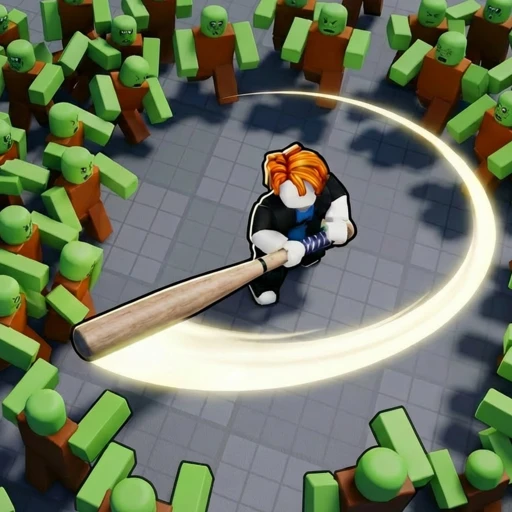
Zombie Island is a wave-based co-op survival game on Roblox. You and your squad are the last survivors on a fallen island, holding out against zombie hordes that grow harder every wave. Diamonds are the currency that ties the game together — you spend them to unlock classes like the Rescue Medic and to upgrade your weapons — which is exactly why a free code matters when you are just starting out.
Codes in Zombie Island come from the developer and are posted on the game's official Discord, usually tied to updates and milestones. Read on for the full active list, the redeem steps, and where new codes come from.
All Active Zombie Island Codes (September 2026)
Here is every currently working code for Zombie Island. Redeem it right away to claim your free Diamonds:
| Code | Reward | Status |
|---|---|---|
| Challenge | 1,000 Diamonds — NEW | Active |
| Trade | 1,000 Diamonds — NEW | Active |
| Soul | 1,000 Diamonds | Active |
| AirStrike | 1,000 Diamonds | Active |
| Katana | 1,000 Diamonds | Active |
| ArcSpider | 1,000 Diamonds | Active |
| MIMICCORE | 1 Mythical Core | Active |
| Zombie | 1,000 Diamonds | Active |
| Summer | 1,000 Diamonds | Active |
| UPD1 | 1,000 Diamonds | Active |
| Release | 1,000 Diamonds | Active |
All Expired Zombie Island Codes
None of the eleven codes above has expired, and every one of them was re-confirmed working on September 6, 2026. Two other strings are worth a warning rather than a table row. Game.Guide logged Singularity as added on September 5 and Fusion as added on September 6, and marked both expired the same day they appeared — while Roblox Den still lists both as working. We are not publishing either one: a code that two trackers cannot agree is alive within twenty-four hours of its own release is not something to send you into a lobby for. If they hold up, they will be in the table above at the next check.
The names are at least plausible. The live experience is titled [🔮Singularity] Zombie Island, so Singularity matches the current update the way Release and UPD1 matched theirs. That makes it a likely real code with a very short life, which is exactly the pattern to expect here.
| Code | Status |
|---|---|
| No codes have expired yet. The active codes above are still working. | |
🎁 Zombie Island codes expired or empty-handed?
Codes come and go — earning is forever. Earnaldo pays you real Robux for playing Roblox games and finishing simple tasks. Free to join, no human verification, cash out from your very first point.
Earn Robux instead →How to Redeem Codes in Zombie Island
Redeeming codes in Zombie Island takes a few taps inside the Store. Follow these steps to claim your free Diamonds:
- Open Zombie Island on Roblox and wait for the game to fully load.
- Click the Store icon on the left side of the screen.
- Scroll to the bottom of the Store until you see the code box.
- Type the code exactly as it appears, matching the capitalization.
- Press the green Claim button to submit. Your Diamonds will be added right away.
PCGamesN's code writer, who redeemed on August 31, 2026, describes a shorter route to the same box: from the lobby, click the present icon at the top of the screen. If the Store route above does not show you a code field, try that one.
If you see an error after entering a code, double-check the spelling and capitalization, since these codes are case-sensitive. Also make sure you have not already redeemed it on your account, because each code can only be used once per player. If it still fails, try rejoining the server to refresh your connection.
Where Do Zombie Island Codes Come From?
Knowing where codes originate helps you grab them before they expire. The Zombie Island developer releases codes through a couple of official channels:
Game Updates and Milestones: The Release code is tied directly to the game's June 2026 Release update. New codes tend to follow updates and visit or like milestones, so a fresh code often lands right when a new patch goes live.
The Official Discord: New codes are posted on the game's official Discord first. Joining it means you catch new codes before they spread to third-party sites, and it is the single most reliable place to watch.
Because Zombie Island only launched its full Release update in June 2026, the code list is still short, which is normal for a new game. Expect that to change as the developer hits visit and favorite milestones and ships further updates. A title growing as fast as this one — already near 1.28 million visits and roughly 1,872 concurrent players — tends to celebrate those milestones with fresh Diamond codes, so checking back regularly pays off.
Are Zombie Island Codes Safe to Use?
Yes. The in-game code system is the only legitimate way to claim free rewards in Zombie Island, and it lives entirely inside the game's own Store. You never enter your Roblox password anywhere to redeem a code, and you never visit an outside site to make one work. Anything that asks for your login details or promises free Robux in exchange for a code is a scam — the real codes give Diamonds, nothing more.
Stick to codes pulled from the in-game description and the official Discord, or verified lists like this one. We test codes before listing them and move dead ones to the expired table, so you are not wasting time typing in codes that no longer work. If a code ever fails for you despite matching the capitalization exactly, it is far more likely you have already redeemed it than that the page is wrong, since each code is one use per account.
Zombie Island Tips for Spending Your Diamonds
The code gives you a head start, but spending the 1,000 Diamonds well is what turns it into real progress. Here is how to get the most out of them:
Unlock a Class Your Squad Needs
Diamonds unlock classes, and the most valuable pick is usually the role your team is missing. If your squad already has solid damage but keeps wiping because downed players stay down, the Rescue Medic support class is worth more than another damage option. Coordinate before the run so you are not all stacking the same class.
Upgrade Your Loadout Early
Diamonds also upgrade your weapons, and early upgrades pay off fastest because better damage means faster wave clears, which means more Diamonds, which compounds into more upgrades. Horde density rises every wave, so keep your loadout climbing in step with the difficulty rather than hoarding currency.
For the full wave-survival, class, and weapon breakdown, read our Zombie Island guide, or see how the game stacks up in our Zombie Island vs Zombie Uprising comparison.
Earn Free Robux While You Play
Want Robux for cosmetics and extras in Zombie Island? Earn free Robux through Earnaldo and spend it on your favorite items without spending real money.
Frequently Asked Questions
Open the Store icon on the left side of the screen, scroll to the bottom to the code box, type the code exactly as shown, and press the green Claim button. Codes are case-sensitive, so match the capitalization.
Yes, Release is an active Zombie Island code as of September 6, 2026 and it grants 1,000 Diamonds. It is joined by Challenge and Trade (both new), AirStrike, Katana, ArcSpider, Zombie, Summer, Soul and UPD1, which each also give 1,000 Diamonds, plus MIMICCORE, which grants a Mythical Core instead. You spend Diamonds to unlock classes and upgrade your loadout, so they are a strong free head start.
Zombie Island codes are case-sensitive, so type them exactly as shown, capital letters included. If a code still fails, it may have already been redeemed on your account, since each code is one use per player, or it may have expired.
No. As of September 6, 2026 all eleven codes we list are still working. Two newer strings, Singularity and Fusion, are disputed: Game.Guide logged each as expiring the same day it appeared, while Roblox Den still lists both as active. We are not publishing either until the trackers agree, and we will move codes to the expired list the moment they stop functioning.
New Zombie Island codes are posted on the game's official Discord, usually tied to updates and milestones. Joining the Discord is the fastest way to catch new codes before they spread to third-party sites.
Zombie Island codes currently give Diamonds, the in-game currency used to unlock classes and upgrade your loadout. The active Release code gives 1,000 Diamonds.
For everything else Zombie Island, head to the Zombie Island hub. You can also play the game directly on Roblox.