Pack an Order! Roblox — Guides, Codes & Tips (2026)
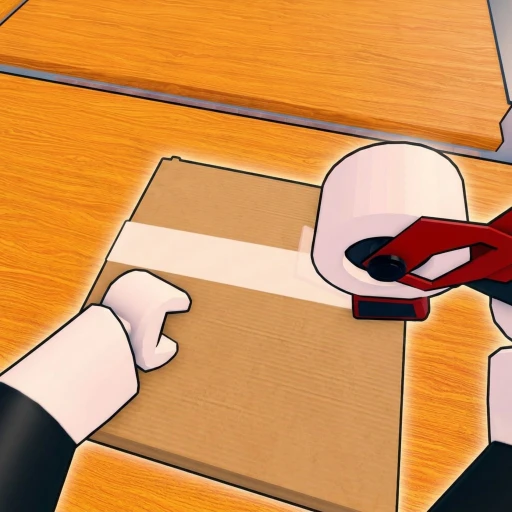
Welcome to the Earnaldo hub for Pack an Order!, the co-op warehouse job simulator by the group lost to pc to game. Built on place ID 133880823575739, it has passed 1.07 million visits and runs in servers of up to 12 players. Below you’ll find our full guide, the honest codes status, a head-to-head with Work at a Pizza Place, and a fast way to earn free Robux.
💸 Playing Pack an Order? Get paid for it
Codes come and go — earning is forever. Earnaldo pays you real Robux for playing Roblox games and finishing simple tasks. Free to join, no human verification, cash out from your very first point.
Earn Robux instead →All Pack an Order! Guides & Articles
Tap any card below to jump to the full article.
Pack an Order! Guide (2026)
Packing orders, PC controls, Speed/Reach/Carry upgrades, and co-op tips.
CodesPack an Order! Codes (2026)
The honest answer: no code system, and how to progress instead.
ComparisonPack an Order! vs Work at a Pizza Place
A fast timed packing rush versus a relaxed role-based pizza-shop classic.
Earn Free Robux on Earnaldo
Complete quick tasks and earn Robux for passes, cosmetics, or any Roblox game — no surveys spam, no downloads.
Why Play Pack an Order!?
Pack an Order! stands out because it turns a simple idea — find the toys, pack the box, load the truck — into a fast, high-pressure loop with real momentum. Orders pile up faster than one player can clear them, so every second counts, and your coins funnel into Speed, Reach, and Carry Capacity upgrades that compound over time. In servers of up to 12 players you can split the work into a coordinated crew, which is exactly why it has passed 1.07 million visits since its June 30, 2026 release under the group lost to pc to game.
Spotted a new update or a code system launch for our pages? Share it in the Earnaldo Discord and we’ll fold it into the cluster. For the full breakdown, read our guide, check the codes page, and see how it compares in Pack an Order! vs Work at a Pizza Place. You can also open the game on Roblox.
Frequently Asked Questions
Pack an Order! (place ID 133880823575739) is a co-op warehouse job simulator by the group lost to pc to game. Your store is flooded with customer orders, so you find toys on the shelves, pack every box correctly, and load the delivery trucks before the clock runs out. You can play solo or with up to 12 players, earn coins, upgrade Speed, Reach, and Carry Capacity, and climb the leaderboards. It has passed 1.07 million visits since its June 30, 2026 release.
No. Pack an Order! has no code system and no active codes as of July 2026, and the developer lost to pc to game has not released any. See our codes page for the honest, updated status.
Read each order carefully and inspect items before packing so you never waste time on a wrong toy, upgrade Carry Capacity and Speed first because they cut the most time off every order, learn the shelf layout to route efficiently, and split roles when playing co-op. Fast, accurate packing and smart upgrades are the whole skill.
No. The packing, coin-earning, and upgrade loop is fully playable for free, and there are no codes to redeem. You can top the fastest-crew leaderboards through normal play — success comes from packing speed and coordination, not spending.
Explore the Cluster
Start with our full Pack an Order! guide for packing and upgrade tips. Check the codes page for the honest status, then read Pack an Order! vs Work at a Pizza Place. When you are ready to bank Robux for passes and cosmetics, learn how to get free Robux in 2026, or open the game on Roblox.