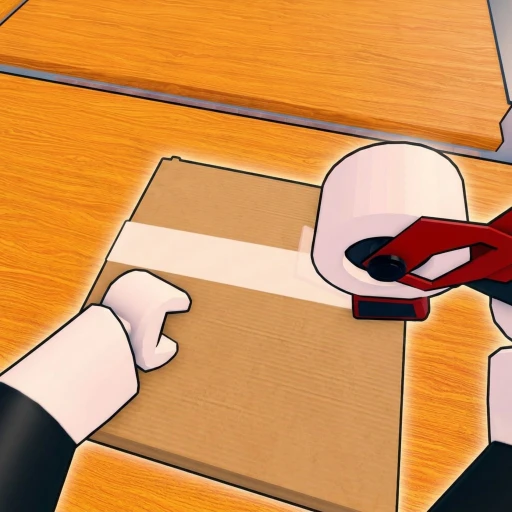
Pack an Order! Free Robux Guide (2026) — Packing, Upgrades & Co-op Tips
Pack an Order! is a co-op warehouse job simulator by the group lost to pc to game on place ID 133880823575739. Your store is flooded with customer orders, so you find toys on the shelves, pack every box correctly, and load the delivery trucks before the clock runs out. Created June 30, 2026, it runs in servers of up to 12 players and has already passed 1.07 million visits. This July 2026 guide covers the packing loop, PC controls, Speed/Reach/Carry upgrades, co-op play, why there are no codes, and how to earn free Robux.
In This Guide
What Is Pack an Order!?
Pack an Order! is a warehouse job simulator built around one busy, satisfying loop: reading a customer order, sprinting to the right shelves, packing the box correctly, and loading the delivery truck before time runs out. Built by the group lost to pc to game on place ID 133880823575739 and created June 30, 2026, it has passed 1.07 million visits and sits around 3,500 concurrent players with an 86% like rating. You can tackle the order backlog solo or team up with as many as 12 players per server.
What makes it click is the pressure. Orders pile up faster than one person can clear them, so every second counts — you are constantly deciding which toys to grab, how to route between shelves and trucks, and when to spend coins on upgrades. It plays like a fast, arcade-y take on a job sim, rewarding smart movement and clean packing over idle waiting.

How the Game Works
The core loop is read → gather → pack → load. A customer order appears telling you which toys it needs, you find those items on the shelves, pack them into the box in the right combination, then load the finished box onto a delivery truck. Every completed order earns coins, which you reinvest into upgrades that make the next order faster.
- Read the order — check exactly which toys the box needs before you move.
- Find toys on the shelves — locate each item across the warehouse.
- Pack the box correctly — a wrong item wastes time, so pack accurately.
- Load the delivery truck — get the box out before the clock runs down.
- Earn coins and upgrade — reinvest to pack faster and climb leaderboards.
PC Controls
Pack an Order! is quick to pick up on PC. The controls are built for moving items fast, so learning them early shaves seconds off every order:
- E / Left Click — Pick Up / Pack Item.
- Q — Drop the item you are carrying.
- R — Cycle through the active orders.
- Scroll Wheel — Cycle between the items you are carrying.
- Right Click / Y — Inspect an item to confirm it matches the order.
Upgrades & Abilities
Your coins go into three main upgrades: Speed, Reach, and Carry Capacity. Speed lets you sprint between shelves and trucks, Reach lets you grab items from further away without repositioning, and Carry Capacity lets you hold more toys per trip so you make fewer runs. On top of those, you can unlock abilities that let you pack faster and clear orders in bulk.
Most players lean into Carry Capacity and Speed first, because holding more items and moving quicker cuts the most time off each order. Reach is a strong follow-up once you know the shelf layout. Stacking these upgrades is exactly how the fastest crews clear the backlog and set record leaderboard times.

Pack an Order! Codes
Pack an Order! has no codes and no code redemption system as of July 2026. The developer lost to pc to game has not released any promo codes, and there is no code box in the game. Any website listing “Pack an Order codes” is copying them from a different game — they will not work here. For the full, honest breakdown, see our Pack an Order! codes page, which we update the moment a real code system launches.
Tips for July 2026
- Inspect before you pack. One wrong toy wastes more time than a quick check.
- Upgrade Carry Capacity and Speed early. Fewer trips and faster movement compound.
- Learn the shelf layout so you route between items and trucks efficiently.
- Split roles in co-op — gatherers, packers, and truck-loaders clear orders faster.
- Chase clean, fast orders to climb the fastest-crew leaderboards.
How to Earn Free Robux
Pack an Order! has no codes, so if you want Robux for cosmetics or optional passes, you need another source. Earnaldo lets you earn free Robux by completing quick tasks — no surveys spam and no downloads. Learn more about how Earnaldo works or read how to get free Robux in 2026.
Earn Free Robux for Pack an Order!
Pack an Order! has no codes — but for cosmetics and optional passes you need Robux. Earnaldo lets you earn free Robux by completing simple tasks — no surveys spam, no downloads.
Frequently Asked Questions
Pack an Order! (place ID 133880823575739) is a co-op warehouse job simulator by the group lost to pc to game, created on June 30, 2026. Your store is flooded with customer orders, so you find toys on the shelves, pack every box correctly, and load the delivery trucks against the clock. You can play solo or team up with up to 12 players, earn coins, unlock upgrades, and climb the leaderboards for the fastest warehouse crew. It has already passed 1.07 million visits.
No. As of July 2026 Pack an Order! has no code redemption system and no verified active codes. The developer lost to pc to game has not released any, so any site listing "Pack an Order codes" is almost certainly copying them from a different game. Progress comes from packing orders quickly, earning coins, and upgrading your Speed, Reach, and Carry Capacity — not from codes.
When a customer order appears you read what it needs, find those toys on the shelves, pick them up, and pack them into the box in the right combination. On PC you use E or Left Click to pick up and pack items, Q to drop, R to cycle through orders, the Scroll Wheel to cycle carried items, and Right Click or Y to inspect an item. Fill the box correctly, then load it onto the delivery truck before the timer runs out.
You can upgrade Speed, Reach, and Carry Capacity, plus unlock abilities that let you pack faster. Speed helps you sprint between shelves and trucks, Reach lets you grab items from further away, and Carry Capacity lets you hold more toys per trip so you make fewer runs. Most players prioritise Carry Capacity and Speed first because they cut the most time off every order.
Yes. Servers hold up to 12 players, so you can split the workload as a crew — some players gather toys, others pack boxes, and others load trucks. Good coordination clears the order backlog much faster than playing solo, which is how the top warehouse crews climb the fastest-time leaderboards.
Not really. The whole loop — packing orders, earning coins, and buying Speed, Reach, and Carry upgrades — is fully playable for free. There are no codes to redeem, and success comes down to how fast and accurately you pack rather than spending. Optional purchases can speed things up, but you can top the leaderboards through normal play.
Next, check the honest Pack an Order! codes page, see how it stacks up in Pack an Order! vs Work at a Pizza Place, or visit the Pack an Order! hub. You can also open the game on Roblox.