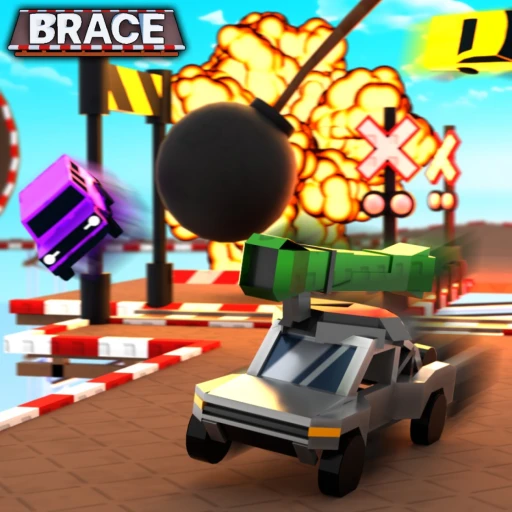
Brace Beginner Guide (2026) — Start Here
Brace flips the racing genre on its head: instead of driving a track someone designed, you drive the track everyone on the server just built together. It's fast, it's chaotic, and it's racked up more than 28 million visits as of July 2026 because no two races ever play out the same way.
If your first few rounds were a mess of flipped cars and missed ramps, that's the game working as intended — and it clicks fast once you understand the two-phase loop. This guide covers the build-and-race cycle, the controls, powerups, the three currencies, and the 10 mistakes that trip up new players. For free Money, Gems, and Keys, keep our Brace codes page open.
Table of Contents
Your First 30 Minutes
Brace runs on a simple two-phase loop: build the track, then race the track. Every round, all players take turns adding a single randomly generated part to a shared course — a ramp, a turn, an obstacle, or a trap. Once everyone has placed their piece, you race across the contraption the whole lobby just cobbled together.
That collaborative chaos is the entire appeal. You never know what's coming next, because half the track was built by strangers trying to sabotage you. Here are the controls to learn first:
| Action | PC Control | When |
|---|---|---|
| Drive / Steer | W A S D | Racing |
| Handbrake | Shift | Racing (sharp turns) |
| Use Powerup | E | Racing |
| Rotate Piece | R | Build mode |
| Move Camera Up / Down | E / Q | Build mode |
The controls feel slippery at first — Brace's driving is deliberately twitchy compared to other Roblox car games. Don't fight it for an hour expecting it to feel like a polished sim. Instead, head into settings and adjust your steering sensitivity until the car responds the way you expect. That one tweak fixes most of the early frustration.
Core Mechanics Explained
The Build Phase
Each round opens with the build phase. You get to pick one part from a randomly generated set and place it on the growing track. Use R to rotate the piece and the camera controls to line it up where you want. Your placement becomes part of the course everyone has to drive.
This is where a little strategy hides. You can place a ramp that helps the flow, or you can drop an obstacle or trap right where opponents will struggle — just remember you have to drive the same track. Smart players place pieces they already know how to clear, turning their own placements into an advantage they've effectively pre-practiced.
The Race Phase
Once the track is built, everyone races to the finish. Because the course is a patchwork of random parts, the race rewards adaptability over memorization. You'll hit jumps at bad angles, find traps mid-corner, and need to recover from wipeouts on the fly. The handbrake (Shift) is your best friend for tightening turns and lining up ramps you'd otherwise overshoot.
Crashing isn't the end of a race — it's expected. What separates good Brace players from new ones is how quickly they recover, reorient, and keep moving after a wipeout instead of panicking and over-correcting into another crash.
Powerups, Vehicles, and Currencies
During races you'll grab powerups, triggered with E, that add to the chaos — speed and disruption tools you can save for the right moment. Use them with intent rather than the instant you pick them up; a powerup held until a tricky section is worth far more than one burned on a straightaway.
You can customize your ride with wraps and parts, but here's the key thing for new players: vehicles in Brace are largely cosmetic. They don't hand you wins on raw speed, so don't grind for a "faster" car. The game runs on three currencies — Money, Gems, and Keys. Keys unlock special crates in the shop that contain vehicles and cosmetics. Spend on what looks good to you, not on a stat advantage that isn't really there.
10 Beginner Mistakes to Avoid
These are the slip-ups that show up constantly in new Brace players. Fix them and you'll finish more races and place higher.
- Never touching the settings. Brace's default steering feels twitchy. New players blame the game instead of adjusting sensitivity. Tune your steering first — it's the single biggest quality-of-life fix.
- Ignoring the handbrake. Shift is essential for tight turns and lining up ramps. Players who only use WASD oversteer and fly off the track constantly. Learn to tap the handbrake into corners.
- Placing parts you can't clear. Dropping a brutal trap feels clever until you wipe out on it too. Place pieces you actually know how to drive so your own track sections become an advantage.
- Burning powerups instantly. Using a powerup the moment you grab it wastes it. Hold it for a tricky section or a moment when it actually swings the race.
- Panicking after a crash. Wipeouts are part of every race. Over-correcting after one crash usually causes a second. Calmly reorient and rejoin the track.
- Chasing a 'faster' car. Vehicles are mostly cosmetic. Grinding currency for a car you think is quicker is wasted effort. Spend on cosmetics and crates you like instead.
- Overshooting ramps. Flooring it into every jump sends you sailing past the landing. Ease off before big ramps so you land on the track, not in the void.
- Tunnel-visioning on first place. Early on, just finishing teaches you more than fighting for the lead. Learn the handling, then start racing for position.
- Skipping the codes. Brace hands out Money, Gems, and Keys through reward codes. New players who ignore them start with far less to spend in the shop.
- Fighting the chaos. Brace is meant to be messy. Players who expect a clean racing sim get frustrated. Lean into the unpredictability — adapting on the fly is the actual skill the game rewards.
Best Starter Strategy
Here's the approach I'd give any new Brace driver for their first few sessions.
Step 1: Fix Your Controls
Before anything else, open settings and dial in your steering sensitivity. Drive a couple of races, tweak again, and repeat until the car turns the way your brain expects. Everything downstream gets easier once the handling stops fighting you.
Step 2: Just Finish (First 10 Races)
Forget placement for your first ten races. Focus entirely on reaching the finish line — clearing ramps, surviving traps, and recovering from crashes. Use the handbrake into every sharp turn. You're building car control, not chasing trophies.
Step 3: Build Smart
Start paying attention to the build phase. Place parts you know how to clear, rotate them with R to line up clean angles, and treat your own placements as pre-practiced sections. A track with a few pieces you're confident on is a track you'll do well on.
Step 4: Time Your Powerups
Once your driving is steady, get deliberate with powerups. Hold them for tricky sections or for the final stretch where positions get decided. For active reward codes and the full game overview, check our Brace codes page and the Brace hub.
Wondering how Brace compares to a more traditional Roblox driving game? Our Brace vs Driving Empire comparison breaks down the gameplay loops, progression, and which one fits your style.
When to Spend Robux (and When Not To)
Brace is free-to-play, and because vehicles are mostly cosmetic, you don't need to spend a single Robux to be competitive. The shop sells crates, cosmetics, and game passes, so here's how to think about it.
What's Worth It
If you play Brace regularly and you've already got your controls dialed in, a game pass that boosts your currency income is the most sensible buy — it speeds up how fast you unlock crates and cosmetics. Vehicle wraps and cosmetic parts are fine purely for looks, since they don't affect how you finish; grab them because you like the style.
What's Not Worth It (Yet)
Don't spend chasing a performance edge, because there isn't a meaningful one to buy — cars don't win races on stats. And don't spend anything before your driving is solid; a flashy car won't fix oversteering into every corner. Earn currency through races and codes first, then spend on whatever looks good. For more ways to stretch your Robux, read our Brace free Robux guide.
Earn Free Robux While You Play
Want more Robux for Brace and other Roblox games? Earnaldo lets you earn free Robux by completing simple tasks — no surveys, no downloads, just real rewards.
Frequently Asked Questions
Brace is a chaotic racing game on Roblox with more than 28 million visits as of July 2026. Every round, all players on the server collaboratively build the track from randomly generated parts — adding ramps, obstacles, and traps — and then race across the contraption everyone just made. You can play it on the official Roblox game page.
Drive with WASD, use Shift as a handbrake, press E to use a powerup while racing, and press R to rotate a piece in build mode. In build mode, Shift speeds up the camera and E or Q move the camera up and down. The controls feel chaotic at first, so adjust your steering sensitivity in settings if needed.
Before each race, every player takes turns adding one randomly generated part to the shared track. You pick a single piece — a ramp, a turn, an obstacle, or a trap — and place it on the growing course. Once everyone has placed their part, the race begins on whatever the server built together.
Vehicles in Brace are bought from the shop and are largely cosmetic — they don't make you win on raw speed. Success comes from driving skill, smart use of powerups, and handling the chaotic tracks. Spend your currency on crates and cosmetics you like rather than chasing a "faster" car.
Brace has three currencies: Money, Gems, and Keys. Keys unlock special crates in the shop that contain vehicles and cosmetics. Reward codes hand out all three, so redeeming active codes is the fastest free way to stock up early. Our Brace codes page tracks the current list.
Earnaldo lets you earn free Robux by completing simple tasks — no surveys, no shady downloads. You can spend that Robux on vehicle wraps, crates, and game passes in Brace without paying real money. Visit Earnaldo to get started.