Last updated: July 18, 2026
Build A Keyboard Beginner Guide (2026) — Start Here
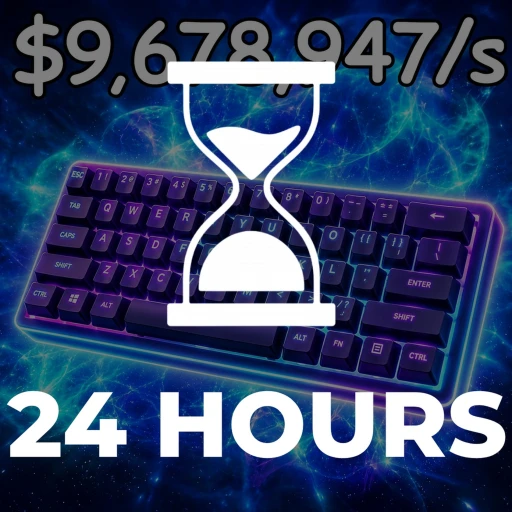
Build A Keyboard is an idle tycoon on Roblox where you roll for rare keycaps, hire workers to automate the grind, and upgrade a keyboard setup that keeps paying you cash even while you are offline. Made by the group BAKGAME, it had around 2,659 players online and roughly 5.77 million total visits as of July 18, 2026, which makes it a smaller but steadily active experience.
The loop is simple to start and easy to slow yourself down in if you spend cash in the wrong order. This guide walks through your first session, breaks down every core system in plain terms, and lists the beginner mistakes that quietly cap your income.
Table of Contents
Your First 30 Minutes
When you first spawn in, you own a small keyboard plot and a single roll unlocked. Your only job at the start is to generate cash, and the fastest way to do that is to keep the setup working rather than admiring it. Everything else builds on that base.
Start by rolling for keycaps. Rolling is how you pull new keycaps into your collection, and better keycaps feed a stronger setup. Spend your early cash on rolls and the cheapest available upgrades instead of hoarding it, because a bigger income now snowballs into far more later.
Once you have a little income coming in, hire your first worker. Workers automate collection so your farm keeps producing without you clicking, which is the whole point of an idle tycoon. A single early worker often pays for itself quickly and frees you to focus on upgrades.
Before you close the game, redeem any active codes and grab the current rewards. Codes hand out things like XP, Dumpling Crates, and short money boosts, all of which speed up these opening minutes. Our Build A Keyboard codes page keeps the working list current so you are not chasing expired ones.
Quick start order: roll a few keycaps, buy the cheapest upgrade you can afford, hire one worker, then redeem codes. Repeat that cycle and let a money boost run while you are actively playing so it is not wasted.
Core Mechanics Explained
Build A Keyboard has a handful of connected systems. Understanding how each one feeds the others is what separates slow players from fast ones.
Rolling and keycaps
Rolling is the collection engine. Each roll pulls a keycap of varying rarity, and rarer keycaps make your setup look better and support higher earnings. This is the part of the game most players chase, since a strong keycap collection is both the flex and the foundation of your income.
Workers and automation
Workers are hired helpers that automate your keyboard farm. Instead of manually collecting, you let workers run the process so cash accrues on its own. Adding and improving workers is one of the most reliable ways to raise passive output as a beginner.
Upgrades and expansion
Upgrades raise how much your setup earns, and expansion adds more room to grow. Reinvesting cash into these two things is the main driver of progress. The game is built around a steady cycle of earn, upgrade, expand, then earn more from the larger operation.
Offline earnings
Your keyboard keeps earning while you are offline, which the developer calls out directly in the game description. That means logging in after a break usually hands you a lump of accumulated cash. It rewards checking in regularly rather than marathon sessions.
Cash, XP, and leaderboards
Cash is the primary currency you spend on rolls, workers, and upgrades. XP levels you up so you can unlock better progress, and codes are a common way to grab a chunk of it early. Growing your income also climbs the in-game leaderboards, which is the long-term goal.
Dumpling Crates
Dumpling Crates are special reward containers that drop keycaps for your collection. You can earn them through codes such as the Dumpling Crate reward, which is a free way to pad out your keycaps early. They are worth opening rather than sitting on, since a bigger collection supports a stronger setup.
10 Beginner Mistakes to Avoid
Most early stalls come from a few repeatable errors. Fixing these will keep your income curve climbing.
- Hoarding cash. Sitting on money does nothing. Reinvest into upgrades, workers, and rolls so your income compounds instead of stalling.
- Skipping workers. Trying to run everything manually wastes the game's core strength. Hire a worker as soon as you can afford one.
- Ignoring offline earnings. Log in regularly to bank accumulated cash rather than leaving it uncollected for days.
- Wasting money boosts. A 2x Money boost only helps if you are actively earning during it. Trigger it right before an active play session, not before you log off.
- Rolling with no plan. Rolling is good, but do not blow every coin on rolls while your income upgrades sit unbought. Balance the two.
- Chasing expired codes. Codes rotate and expire, so copying an old list wastes time. Use a maintained codes list instead.
- Neglecting expansion. A cramped setup caps your ceiling. Expand when the option is affordable so upgrades have somewhere to scale.
- Forgetting to redeem XP codes. XP rewards level you up faster and are free. Redeem them on day one through the settings menu.
- Overspending Robux too early. You do not need to pay to progress at the start. Learn the loop first before considering any purchase.
- Playing in short bursts only. Combine offline banking with occasional active sessions to run boosts and rack up rolls, rather than only doing one or the other.
Best Starter Strategy
The strongest beginner plan is a tight reinvestment loop. Roll for keycaps, buy the cheapest upgrade you can afford, and hire or improve a worker whenever the cost is reasonable. Keep cycling and your passive income climbs on its own.
Treat offline time as a feature. Because your keyboard earns while you are away, a good rhythm is to spend accumulated cash on upgrades at login, set things running, then return later to a fresh pile. That pattern fits busy schedules better than long single sessions.
Save your money boosts for moments you are actually online and spending. Pairing a boost with a burst of rolling and upgrading squeezes far more value out of it than letting it tick during downtime. Small timing habits like this add up over a week of play.
If you want to see how this loop compares to a similar keycap game, our Build A Keyboard vs Spin a Keycap breakdown covers the differences in pacing and collection depth. Fans of the genre can also check Spin a Keycap directly to decide which grind suits you.
When to Spend Robux (and When Not To)
You do not need to spend Robux to enjoy Build A Keyboard or to make real progress. The core loop of rolling, upgrading, and automating is entirely playable for free, and offline earnings mean patience substitutes for spending. Learn the systems before you open your wallet.
If you do choose to spend, treat it as a convenience rather than a requirement. The safest purchases are ones that permanently improve your rate of progress, and the riskiest are impulse buys made before you understand what actually bottlenecks your income. Give yourself a few sessions first.
If you would rather not spend real money at all, you can earn Robux for free and use that instead. Our Build A Keyboard free Robux guide and the general how to get free Robux in 2026 walkthrough both cover legitimate methods. That way any in-game purchase costs you nothing out of pocket.
Earn Free Robux for Build A Keyboard
Want Robux for boosts or upgrades without spending a cent? Earnaldo lets you earn free Robux by completing simple tasks.
FAQ
Build A Keyboard is an idle tycoon game by BAKGAME where you roll to collect rare keycaps, hire workers to automate your keyboard farm, and upgrade and expand your setup to earn cash. Your keyboard keeps earning while you are offline, and you climb the leaderboards by growing your income. As of July 18, 2026 it had around 2,659 players online and roughly 5.77 million total visits.
Reinvest almost everything into upgrades and workers early on. Workers automate collection so your income keeps growing while you do other things, and upgrades raise how much each part of your setup pays out. Rolling for better keycaps and using money-boost rewards during active play compounds those gains faster than saving cash in the bank.
Yes. Codes give rewards such as XP, Dumpling Crates, and short 2x Money boosts, and they are redeemed through the settings menu. Because codes rotate and expire, check our regularly updated Build A Keyboard codes page for the current working list rather than relying on any single article.
Yes. The developer states that your keyboard earns while you are offline, so logging back in usually gives you a batch of accumulated cash. That makes regular short check-ins an effective way to progress without needing long play sessions.
No. The full loop of rolling, upgrading, automating with workers, and banking offline cash works without spending anything. Robux purchases are optional conveniences, and you can cover them with free Robux from our Build A Keyboard free Robux guide if you want them.
No, they are separate games with a similar keycap-collecting theme. Build A Keyboard leans into tycoon-style automation and offline earnings, while Spin a Keycap centers on its spinning collection loop. Our Build A Keyboard vs Spin a Keycap comparison covers which one fits your play style.
Ready to jump in? You can launch Build A Keyboard on Roblox and start rolling, then come back to the Build A Keyboard hub for more guides as your setup grows.