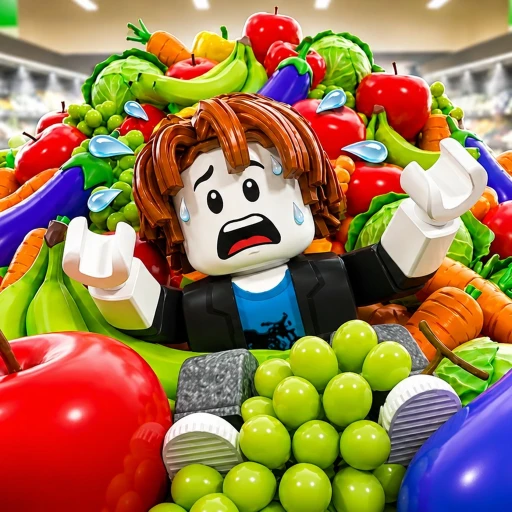
Clean the Supermarket (Roblox) Guide – Sort Fast, Best Upgrades & Cash
Clean the Supermarket drops you in a store buried under 1,000+ scattered items and pays you cash to put each one back on the right shelf. This guide gets you clearing aisles fast: the exact controls, a routing method that beats random pickups, and the upgrade order that makes your cash snowball. No fluff, no fake codes — just how to play well.
In This Guide
Start Playing Clean the Supermarket
Clean the Supermarket is a sorting and organizing game by Tidyverse (a verified-badge group) where you walk into a supermarket in complete chaos and put it back in order. It launched on June 15, 2026 and scaled fast: over 56.2 million visits, more than 289,000 favorites, and a 93% like rating (78,776 likes to 5,923 dislikes) on place ID 120450743769548 (as of August 13, 2026). Servers hold up to 15 players, so you are cleaning alongside a busy store full of other stockers.
To get in: open the game, spawn into the trashed store, and start grabbing the items scattered across the floor and aisles. There is no tutorial wall — you can begin earning Points (the in-game currency) within seconds. The pitch is pure, oddly relaxing satisfaction: sort, organize, and restore 1,000+ supermarket items back onto their shelves. It sounds easy until the shelves start stretching farther than they should and the mess keeps coming. Every item you place earns Points, which you reinvest to become the ultimate stocker — the same brain-tickling appeal behind cleaning hits like the one in our Clean the Supermarket vs Clean The Library comparison. If you want a ranked breakdown of what to buy, our Clean the Supermarket tier list grades every upgrade and pass.

Learn the Sort-and-Pay Loop
The core loop of Clean the Supermarket is short and addictive: pick up a misplaced item, find its correct shelf, place it, and get paid. The store starts in chaos with products dumped everywhere, and your job is to restore order one item at a time.
1. Sort and Place
Grab a scattered item and put it back where it belongs on the shelf. Each correct placement earns cash and chips away at the mess.
2. Earn and Reinvest
Use the cash you earn to buy upgrades that raise how much you carry, how fast you move, and how much each placement pays.
3. Scale Up
As you upgrade, the store gets bigger and the shelves stretch farther, so a stronger stocker clears more in less time. The goal is to become the ultimate stocker who can restore an entire chaotic store fast.

Master the Controls
Clean the Supermarket uses simple controls on both PC and console, so you can jump straight into sorting:
- PC: E to interact (pick up items), F to drop, T to wipe your save, and Click to place an item.
- Console: RT to interact and place, B/O to drop, and the D-Pad for abilities.
The T (Wipe Save) control is a hard reset, so be careful with it — it clears your progress rather than tidying the store. For everyday play you only need interact and place, and the rest comes down to working the aisles efficiently.
Clear the Store Fast
Speed in Clean the Supermarket is about routing, not rushing. The players who clear fastest treat it like a delivery run rather than picking up random items:
- Work one aisle at a time. Clear a section completely before moving on instead of zig-zagging across the whole store.
- Carry full loads. Pick up as many items as your capacity allows per trip so you make fewer walks to the shelves.
- Group by destination. Grab items that belong to the same shelf together to cut down on backtracking.
- Prioritize carry and speed upgrades early. They compound every run by letting you move more product per minute.
- Let the magnet do the walking. Items within magnet range pull toward you, so position yourself between clusters instead of chasing each product on foot.

Buy the Best Upgrades First
Clean the Supermarket runs on the classic earn-and-upgrade loop, so where you spend your first Points decides how fast you snowball. The stats that matter most map directly to the same numbers the paid passes boost:
- Item Holding (carry capacity) — how many items you can hold at once, the single biggest boost to clearing speed. This is the exact stat the VIP pass raises by +3 and the paid holding passes raise by +5 and +50, so it is the number to grow first with Points.
- Movement speed — cover the stretching aisles faster, which stacks with bigger loads.
- Points per item — earn more from every placement to fund the next tier sooner (the 2x POINTS pass doubles exactly this).
- Magnet range — the magnet vacuums nearby items toward you instead of making you walk to each one; extending it means fewer wasted steps per aisle.
The rhythm is to alternate between Item Holding and speed until you can haul big loads quickly, then top up your Points-per-item multiplier so each run banks more. Exact upgrade costs are not published by the developer and shift with balance patches, so grow Item Holding whenever you can afford the next tier rather than chasing a fixed price sheet — in an organizing game, throughput is everything, and throughput comes from holding more, moving faster, and earning more per placement. For the full ranked order, see the Clean the Supermarket tier list.
Avoid the Common Mistakes
Most players lose time to the same handful of habits. Fix these and your cash-per-minute climbs without any extra effort:
- Do not zig-zag. Finish one aisle before starting the next — scattered pickups across the store waste more time than they earn.
- Do not walk empty-handed. Every trip back to the shelves should be a full load; a single item per trip is lost cash.
- Do not skip capacity. Buying carry upgrades first beats almost every other early purchase for clearing speed.
- Do not press T by accident. The T (Wipe Save) key is a hard reset that wipes your progress, not a cleanup tool.
- Do not hoard cash. Spend it on the next upgrade the moment you can afford it so the snowball never stalls.
- Do not chase cosmetics early. Nothing that fails to speed up the sort-and-place loop is worth your first stacks of cash.
Decide If Game Passes Are Worth It
Clean the Supermarket is free to play and the full loop is playable without spending a single Robux. If you do want to speed up the grind, these are the live game passes and their Robux prices (as of August 13, 2026):
| Game Pass | Price | What it does |
|---|---|---|
| +5 Max Holding | 29 Robux | Hold 5 more items per trip — the cheapest throughput boost. |
| VIP | 199 Robux | +3 Item Holding plus a VIP chat tag. |
| 2x POINTS (OP!) | 199 Robux | Doubles the Points you earn from every placement. |
| Equip 2 Pets! | 299 Robux | Run two pets at once for stacked bonuses. |
| Robot Vacuum (PERMANENT) | 299 Robux | A permanent auto-collect helper. |
| Infinite Magnet Range | 399 Robux | Your magnet pulls items from anywhere in the map. |
| +50 Max Holding | 399 Robux | Hold 50 more items per trip — a huge carry jump. |
| Helper (PERMANENT) | 599 Robux | Auto-stocks 3 items at a time on INSANE and higher difficulty maps. |
| INFINITE POINTS | 799 Robux | Removes the Points ceiling entirely. |
None are required to clear the store, but the best value for actual clearing speed is 2x POINTS (199) and the holding passes — +5 Max Holding (29) is a near-free upgrade, and +50 Max Holding (399) compounds every single run. Infinite Magnet Range (399) is the biggest quality-of-life buy if you dislike walking to each item, while Helper (599) only earns its keep once you are grinding the INSANE difficulty maps. Buy carry and Points passes before pets or cosmetics.
Passes are priced in Robux. If you want them without spending out of pocket, you can earn Robux through Earnaldo by completing simple tasks — see how it works — and put it straight toward the +50 Max Holding and 2x POINTS passes.
Check for Codes
Clean the Supermarket has no verified active codes as of August 13, 2026, and the developer has not published a code list. Be careful with searches here: most "supermarket codes" results online are for different games like Supermarket Simulator, Supermarket Together, or My Supermarket — those codes will not work in Clean the Supermarket. We track the real status on our dedicated Clean the Supermarket codes page and list any legitimate code the moment one is confirmed, so bookmark it instead of trusting random lists.
Earn Free Robux While You Play
Want more Robux for Clean the Supermarket and other Roblox games? Earnaldo lets you earn free Robux by completing simple tasks — no surveys spam, no downloads, just real rewards.
Frequently Asked Questions
Pick up the 1,000+ scattered items in a chaotic store and place each one back on its correct shelf for cash. Reinvest that cash into upgrades that increase how much you carry, how fast you move, and how much each placement pays, then repeat as the store keeps growing.
On PC: E to interact and pick up items, F to drop, T to wipe your save, and Click to place. On console: RT to interact and place, B/O to drop, and the D-Pad for abilities. Be careful with T, since it resets your progress.
Buy carry capacity first so you can haul more items per trip, then movement speed to cover the aisles faster, and finally cash-per-item to fund the next tier of upgrades. Throughput is everything in a sorting game, and it comes from carrying more, moving faster, and earning more per placement.
More Clean the Supermarket
Clean the Supermarket Hub
Every guide, code check, and tip for the game in one place.
CodesClean the Supermarket Codes
The honest, up-to-date answer on whether any codes exist.
Tier ListClean the Supermarket Tier List
Every upgrade and game pass ranked from best to skip.
ComparisonClean the Supermarket vs Clean The Library
Two sorting games compared on pace, upgrades, and replay value.
ComparisonCarpet Cleaning Simulator vs Clean the Supermarket
Carpet restoration versus grocery tidying — which relaxes best.
ComparisonClean the Squishies vs Clean the Supermarket
Co-op squishy collectathon versus supermarket restock-and-clean.
About This Guide
This guide is based on the live version of Clean the Supermarket (place ID 120450743769548) by Tidyverse, drawing on the in-game experience, the Roblox experience page, and the live game-pass store as of August 13, 2026. As a frequently updated game, upgrades, passes, and prices may change — confirm current details in-game. Start with our Clean the Supermarket hub for everything else on the game.