Mojave Valley Free Robux Guide (2026) -- Tips, Codes & Strategies
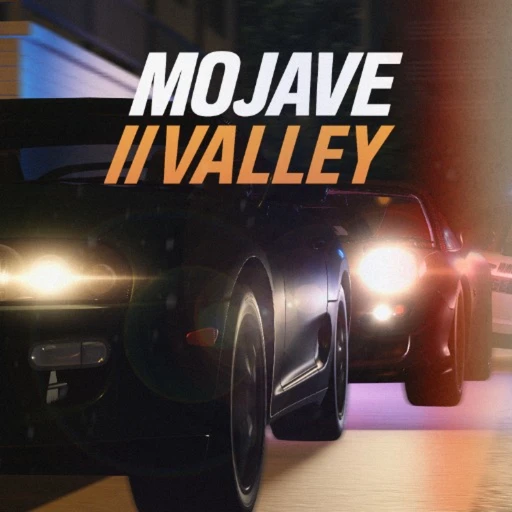
Mojave Valley is a realistic California roleplay experience on Roblox that has quietly built a dedicated player base of over 11 million total visits. Set in a desert town inspired by Mojave, California, the game stands apart from typical Roblox roleplay titles by emphasizing realistic driving mechanics, manual gear shifting, and an authentic small-town atmosphere. If you have ever wanted to cruise through sun-scorched desert roads in a properly modeled car with working turn signals and hazard lights, this is the game that delivers on that promise.
Formerly known as "Compton," Mojave Valley underwent a full rebrand that shifted the setting and tone while keeping the core driving simulation and roleplay systems intact. The result is a unique blend of life simulation, driving game, and open-world sandbox that rewards players who take the time to learn its systems. This guide covers every active code, breaks down the driving controls, maps out the best job strategies, and explains how players use Earnaldo to earn free Robux for optional in-game purchases.
Table of Contents
- Mojave Valley Overview -- What Makes This Game Different
- All Active Mojave Valley Codes (July 2026)
- How to Redeem Codes in Mojave Valley
- Beginner Guide -- Your First Hour in Mojave Valley
- Driving Controls & Vehicle Mechanics Explained
- Jobs & Money-Making Strategies
- Cars, Houses & Property System
- Advanced Tips & Strategies for 2026
- Earning Free Robux for Mojave Valley
- Frequently Asked Questions
1. Mojave Valley Overview -- What Makes This Game Different
Most Roblox roleplay games drop you into a generic suburban town and hand you a menu of houses and vehicles. Mojave Valley takes a different approach. The map is built around the geography and vibe of a real California desert town, complete with long stretches of highway, gas stations, and the kind of flat, sun-baked terrain that makes you feel the heat through your screen. The developer drew direct inspiration from Mojave, CA, then layered in fictional elements to keep the world interesting for repeat visits.
The game launched under the name "Compton" before the developer rebranded it to better match the desert setting and distance it from any real-world associations. That rebrand was not just cosmetic -- it came with map redesigns, new vehicles, and a refined job system that gives the game its current identity.
Here is a snapshot of where Mojave Valley stands right now:
| Stat | Value |
|---|---|
| Total visits | 11+ million |
| Genre | Roleplay / Driving Simulation |
| Developer | Unknown (formerly "Compton" dev) |
| Platform support | PC, Mobile, Console |
| Active codes | 4 (July 2026) |
| Key feature | Realistic car controls with gear shifting |
| Map inspiration | Mojave, California |
| Former name | Compton |
What keeps players coming back is the driving model. Cars in Mojave Valley are not the floaty, arcade-style vehicles you find in most Roblox games. They have manual transmissions, functional turn signals, hazard lights, horns, and headlights. Driving actually requires skill, which means the learning curve is steeper than something like Brookhaven RP, but the payoff is a driving experience that feels genuinely satisfying once you get the hang of it.

2. All Active Mojave Valley Codes (July 2026)
Mojave Valley releases codes at visit milestones, which means new codes drop whenever the game hits a major player count threshold. As of May 2026, there are 4 active codes that give free in-game cash. These codes are case-sensitive, so you need to type them exactly as shown below.
| Code | Reward | Status |
|---|---|---|
| TENMILLION | Free in-game cash | Active |
| ELEVENMILLION | Free in-game cash | Active |
Note: The developer has confirmed 4 active codes as of July 2026. We have verified the two milestone codes listed above. Two additional codes may be available through the game's community channels. We will update this table as new codes are confirmed. Codes are case-sensitive -- type them exactly as shown.
The pattern so far is clear: each time Mojave Valley crosses a million-visit milestone, the developer drops a new code. Given that the game recently passed 11 million visits, expect a TWELVEMILLION code at some point in the coming months. Bookmark this page and check back -- we update our code tables as soon as new codes go live.
Unlike games such as Grow a Garden where codes expire quickly, Mojave Valley codes tend to stay active for extended periods. That said, there is no guarantee they will last forever, so redeem them as soon as you start playing.
3. How to Redeem Codes in Mojave Valley
Redeeming codes in Mojave Valley is straightforward. Follow these steps:
- Launch Mojave Valley on Roblox and wait for the game to fully load.
- Open the game menu and locate the codes or promo code input section.
- Type the code exactly as shown -- remember, codes are case-sensitive. For example, type TENMILLION, not "tenmillion" or "TenMillion."
- Press the submit or redeem button to claim your reward.
- Check your in-game wallet to confirm the cash was added to your balance.
If a code does not work, double-check your spelling and capitalization. Codes that have expired will typically show an error message. If you are playing on mobile, make sure autocorrect is not changing the code text before you submit it.

4. Beginner Guide -- Your First Hour in Mojave Valley
Your first session in Mojave Valley will feel different from most Roblox games. There is no tutorial pop-up walking you through every button, and the driving controls take genuine practice. Here is how to spend your first hour productively instead of wandering aimlessly.
Step 1: Redeem Codes Immediately
Before doing anything else, redeem every active code. The free cash from TENMILLION and ELEVENMILLION gives you a meaningful head start. This money is the difference between walking everywhere for your first thirty minutes and being able to afford a basic vehicle right away.
Step 2: Learn the Map Layout
Mojave Valley's map is modeled after a real desert town, which means it is spread out. The central town area has most of the shops and services, while job locations are scattered across the wider map. Spend five minutes driving or walking around to get your bearings. Pay attention to road names and landmarks -- this is a game where knowing the map layout pays real dividends, since faster travel between job sites means more money per hour.
Step 3: Get a Starter Job
Entry-level jobs are your bread and butter early on. They do not pay much compared to what you will earn later, but they provide steady income with minimal requirements. Look for job locations near the center of town so you can minimize travel time. The key here is consistency -- pick one job and stick with it until you have built up enough cash to buy your first car.
Step 4: Buy Your First Car
A car is not a luxury in Mojave Valley -- it is a necessity. The map is too spread out to navigate on foot efficiently, and having a vehicle opens up job locations that are simply too far to reach otherwise. Buy the cheapest reliable car you can find, and resist the temptation to save up for a fancy vehicle. Getting mobile early accelerates everything else in the game.

5. Driving Controls & Vehicle Mechanics Explained
The driving system in Mojave Valley is what separates it from every other roleplay game on Roblox. This is not a "press W to go forward" situation. Cars have realistic controls that take practice to master, and understanding them is essential if you want to play the game effectively.
Core Driving Controls (PC)
On PC, the driving controls include:
- Gear shifting -- Manual transmission is the default. You need to shift up through gears to gain speed and shift down when slowing or climbing hills. Starting in first gear and working up is how driving works here.
- Turn signals -- Left and right turn signals work independently. Using them is not required by the game, but it adds to the roleplay immersion and is considered good etiquette in the community.
- Hazard lights -- Activate these when you are stopped on the road or dealing with an emergency scenario in roleplay.
- Horn -- A quick tap works for getting attention. Holding it down will annoy everyone in the server, so use it sparingly.
- Headlights -- Essential for night driving. The game does have a day/night cycle, and visibility drops significantly after dark.
Mobile Driving Controls
Mobile players get on-screen buttons for all the same functions, but the layout takes time to get comfortable with. The biggest challenge on mobile is gear shifting while steering simultaneously. Practice in a quiet area of the map before hitting busy roads. Some players find it helpful to adjust their screen sensitivity in Roblox settings before playing Mojave Valley specifically.
Console Controls
Console support means Xbox and PlayStation players can jump in, though the controller mapping for gear shifting feels different from PC. The triggers handle acceleration and braking, while bumpers or D-pad buttons manage signals and gears. Spend a few minutes in a parking lot learning the button layout before heading onto the main roads.
Pro tip: Gear shifting matters more than you think. If you stay in first gear while trying to reach top speed, your car will red-line and you will barely move. Shift up progressively as your speed increases, just like a real manual transmission car. Players who master this will outrun anyone who is mashing the gas in the wrong gear.
6. Jobs & Money-Making Strategies
Money in Mojave Valley comes primarily from working jobs, with code redemptions providing occasional bonuses. The job system is designed around realistic employment -- you go to a location, perform tasks, and get paid. There is no auto-clicker or AFK farm strategy here. You actually have to play.
Entry-Level Jobs
These are available from the start and require no prerequisites. They pay modestly but provide the initial cash flow you need to get established. The smart move is to find entry-level jobs clustered near each other so you can switch between them without long drives.
Mid-Tier Jobs
Once you have some experience and a reliable car, mid-tier jobs become viable. These tend to be located further from the town center, which is why having a vehicle is a prerequisite in practice even if the game does not explicitly require one. The pay bump is significant enough to make the extra travel time worthwhile.
Hidden Job Locations
The map has several job locations that are not immediately obvious. Exploring off the main roads and checking buildings that look abandoned or out of the way can reveal opportunities that most new players miss entirely. The community has mapped out some of these spots, but part of the fun is discovering them yourself.
A solid money-making strategy for your first few days looks like this:
- Redeem all active codes for your initial cash boost.
- Work the closest entry-level job until you can afford a starter car.
- Use the car to access mid-tier jobs with better pay.
- Explore the map systematically to find hidden job locations.
- Save strategically -- car first, then house, then upgrades.
For comparison, games like Southwest Florida use a similar earn-and-spend loop, but Mojave Valley's job locations are more spread out across its desert map, which makes vehicle ownership even more critical to efficient money-making.
7. Cars, Houses & Property System
The vehicle and property systems in Mojave Valley are where your earned cash goes. Both are designed to give you tangible goals to work toward, and both affect your gameplay experience in meaningful ways.
Vehicles
Cars in Mojave Valley are not just cosmetic. Different vehicles have different handling characteristics, top speeds, and fuel efficiency. The realistic driving model means that upgrading from a beat-up starter car to a mid-range sedan actually feels different behind the wheel. Higher-end vehicles handle turns better, shift smoother, and look significantly better on the desert roads.
The vehicle progression is paced well. You will not be driving a supercar on day one, and that is intentional. The game wants you to feel the upgrade as you work your way up. Each new car purchase should feel like a meaningful achievement, and in Mojave Valley, it does.
Houses & Property
The property system lets you buy and customize houses around the map. Houses serve as your spawn point, storage location, and roleplay base. Location matters -- houses near the town center give you quicker access to jobs and services, while properties on the outskirts offer more privacy for roleplay scenarios.
The general advice is to buy a car before a house. Mobility is more valuable than a home base in the early game, and you can always park your car somewhere central as a makeshift base until you have enough saved for a property you actually want.

8. Advanced Tips & Strategies for 2026
Once you have the basics down -- codes redeemed, first car purchased, job income flowing -- these strategies will help you progress faster and get more out of each session.
- Master gear shifting early. The skill ceiling on driving in this game is surprisingly high. Players who can smoothly shift through gears while navigating turns will travel between jobs faster and handle police chases (roleplay or otherwise) much better than players who treat the car like an arcade game.
- Use turn signals for immersive roleplay. This sounds trivial, but it signals (no pun intended) to other players that you are taking the roleplay seriously. Players who use signals and follow traffic norms tend to get invited into better roleplay groups and scenarios.
- Explore the full map before settling on a house location. There are parts of the map that most players never visit because they stick to the central town. Some of the best property locations and hidden job sites are out in the desert stretches that require a solid vehicle to reach.
- Join the community for roleplay events. Organized events with other players are where Mojave Valley really shines. Car meets, desert races, emergency response scenarios, and town hall meetings are all things the community regularly puts together.
- Practice touchscreen driving on mobile. If you primarily play on mobile, dedicate a session purely to driving practice. The touchscreen controls are workable but require muscle memory that only comes with repetition. Practice shifting gears on an empty stretch of highway until it becomes second nature.
- Save codes for when you need them. While I generally recommend redeeming codes right away (in case they expire), if you already have enough starting cash, saving a code for later means you will not waste any of the reward on a capped wallet. Check whether there is a cash cap before deciding.
- Watch for milestone announcements. New codes drop at visit milestones. Following the developer's Roblox profile or joining the game's social channels ensures you catch new codes within hours of release instead of days.
The players who progress fastest in Mojave Valley are the ones who treat it as a driving game first and a roleplay game second. Mastering the vehicle controls opens up everything else, from efficient job grinding to impressive roleplay scenarios that put you at the center of the server's social dynamics.
9. Earning Free Robux for Mojave Valley
While Mojave Valley is free to play and does not rely heavily on paid game passes, having some Robux in your account is always useful on Roblox -- whether for avatar items, other game passes, or supporting developers you enjoy. Earnaldo is a platform where Roblox players earn free Robux by completing simple tasks like surveys, watching videos, and trying out apps. The Robux goes directly to your Roblox account, and the platform is designed specifically for the Roblox community.
Plenty of Mojave Valley players use Earnaldo to earn Robux without spending real money. It is not a get-rich-quick scheme -- you will not earn thousands of Robux overnight -- but consistent use adds up, and it is a legitimate way to fund your Roblox spending without reaching for a credit card.
Earn Free Robux with Earnaldo
Complete tasks, earn points, and withdraw real Robux to your account. Thousands of Roblox players already use Earnaldo daily.
10. Frequently Asked Questions
Is Mojave Valley free to play on Roblox?
Yes, Mojave Valley is completely free to play. You can drive cars, work jobs, buy houses, and explore the full map without spending any Robux. In-game currency is earned through jobs and redeemable codes, so real money is never required to progress.
What are the active Mojave Valley codes in May 2026?
As of May 2026, the confirmed active codes are TENMILLION and ELEVENMILLION. Both give free in-game cash. The developer has indicated there are 4 active codes total, with additional codes potentially available through community channels. All codes are case-sensitive.
How do you redeem codes in Mojave Valley?
Open the game menu and find the codes or promo section. Type the code exactly as shown (codes are case-sensitive), then press submit. The reward appears in your in-game wallet instantly. If a code fails, check your spelling and make sure autocorrect has not changed any letters.
What was Mojave Valley called before?
Mojave Valley was formerly known as "Compton." The developer rebranded the game to better match its desert California setting. The rebrand included map redesigns, new vehicles, and a refined job system alongside the name change.
How do the driving controls work in Mojave Valley?
Mojave Valley features realistic driving controls that go well beyond the standard Roblox vehicle system. Cars have manual gear shifting, functional turn signals, hazard lights, a horn, and headlights. On PC you use keyboard shortcuts, mobile uses on-screen buttons, and console maps these functions to controller inputs. Gear shifting is the most important mechanic to learn -- it directly affects your speed and acceleration.
Can you play Mojave Valley on mobile and console?
Yes. Mojave Valley supports PC, mobile (iOS and Android), and console platforms. The driving controls adapt to each platform. PC offers the most precise control, but mobile and console are fully playable once you get comfortable with their respective control layouts. Mobile players should spend time practicing the touchscreen gear-shifting controls specifically.
How do you earn money fast in Mojave Valley?
Redeem all active codes first for a free cash boost. Then work entry-level jobs consistently until you can afford a starter car. With a vehicle, you can access higher-paying job locations faster, which increases your hourly earnings significantly. Exploring the map to discover hidden job sites also gives you access to less crowded, potentially better-paying positions.
How many total visits does Mojave Valley have?
Mojave Valley has surpassed 11 million total visits as of July 2026. The game releases new codes at major visit milestones (10 million, 11 million, etc.), so hitting new thresholds benefits the entire player base through free rewards.
Mojave Valley fills a niche that few other Roblox games occupy. The combination of realistic driving mechanics, a California desert setting, and a grounded job-and-property system creates a roleplay experience that feels more mature and intentional than the typical sandbox offering. Whether you are here for the driving, the roleplay, or just a break from combat-heavy Roblox games, Mojave Valley is worth your time -- especially now that you have the codes and strategies to hit the ground running.
For more Roblox game guides, check out our articles on Brookhaven RP, Southwest Florida, Driving Empire, and Grow a Garden.