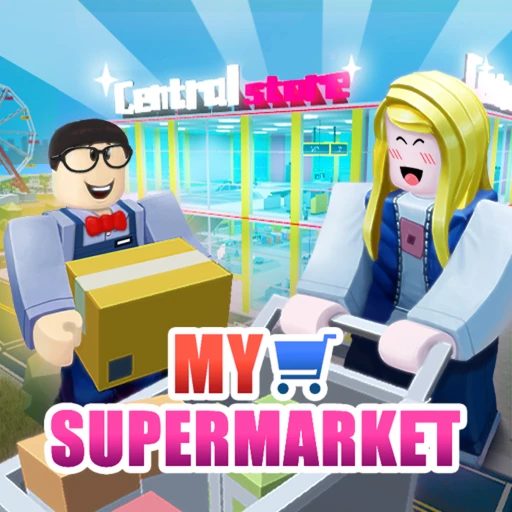
My Supermarket Free Robux Guide (2026) -- Tips, Codes & Strategies
My Supermarket by Rock Panda Games has crossed 160 million visits on Roblox, making it one of the most popular tycoon games on the platform. This guide covers every game pass, all working codes, store-building strategies, and how to earn free Robux for upgrades in 2026.
In This Guide
What Is My Supermarket on Roblox?
My Supermarket is a tycoon and simulation game on Roblox developed by Rock Panda Games. It launched in December 2020, and after 12 major content updates, it has accumulated over 160 million total visits. The game gives you a plot of land and challenges you to build, stock, and manage a fully functional supermarket from scratch.
The core loop is straightforward: claim land, build shelves and cash registers, purchase inventory from the Central Store, hire employees, and serve customers who walk in looking for products. Revenue from sales goes back into expanding your floor space, adding new product categories, upgrading equipment, and hiring additional staff. The cycle scales naturally -- a small corner shop in your first session can grow into a multi-section retail operation within a few hours of play.
What separates My Supermarket from other Roblox tycoon games is the depth of its management systems. You're not just clicking buttons to make money appear. You need to keep shelves stocked before customers arrive, manage employee assignments across restocking and checkout roles, balance your product mix between high-volume staples and high-margin specialty items, and time your expansions so you don't overextend your cash reserves.
The game also includes areas outside your store. The map features the Central Store where you purchase inventory, The Maze for exploration, and The Racetrack for a change of pace. These side activities provide breaks from store management while offering additional rewards.

Getting Started: Building Your First Store in 2026
Your first 30 minutes in My Supermarket determine how quickly you can scale. Rushing into expensive products or large floor plans before establishing a steady income stream is the most common mistake new players make. Here's how to set up your store the right way from the start.
Step 1: Claim Your Land and Place the Basics
When you first join a server, claim an available plot. Your starting cash is limited, so prioritize placing 1-2 cash registers near the store entrance and 4-6 basic shelving racks. Position the registers close to the door so customers can check out efficiently without wandering around looking for a place to pay.
Start by stocking affordable, high-demand products: bread, vegetables, and canned goods. These items sell quickly and require minimal upfront investment. Avoid the temptation to stock expensive specialty products right away -- you need consistent sales volume before you can afford the inventory costs of premium items.
Step 2: Visit the Central Store
The Central Store sits in the middle of the map, next to The Maze and The Racetrack. This is where you purchase all your inventory. Buy in bulk whenever possible. Each delivery incurs shipping fees, so placing one large order is significantly cheaper than multiple small orders throughout the day.
For your first few restocks, stick to 3-4 product types at most. Managing a narrow product range is easier when you don't yet have employees handling restocking. Once you can afford to hire staff, expand your product selection gradually.
Step 3: Serve Your First Customers
Customers enter your store, browse shelves for items they want, pick up products, and head to the register. If a shelf is empty, they leave without purchasing. If the checkout line is too long, they get frustrated and may abandon their items. Your job during the early game is keeping shelves full and checkout lines moving.
Before your first restocking employee arrives, your customers each day should not consume more than two shelves worth of any single product. As long as you maintain at least two completely full shelves per item, you won't need to panic about restocking during peak traffic.
Money-Making Strategies for My Supermarket (2026)
Building wealth in My Supermarket requires understanding the relationship between product margins, customer volume, employee efficiency, and store expansion timing. Here are the strategies that generate the fastest returns in the current version of the game.
High-Volume Staples Strategy
Stock your store primarily with affordable everyday products: bread, pasta, canned goods, fresh vegetables, and drinking water. These items have lower per-unit margins but sell at a much higher volume than specialty products. A store that sells 200 loaves of bread per day at a small profit per loaf outearns a store that sells 10 premium items per day at a higher margin.
This strategy works particularly well in the early and mid game when your floor space is limited. High-volume products also mean your employees stay busy, which makes your staff investment more cost-effective.
Product Mix Optimization
As your store grows, introduce higher-margin categories alongside your staples. Frozen foods, pet food, snacks, and specialty items attract different customer profiles and increase your average transaction value. The goal is a balanced mix where staples drive foot traffic and specialty items drive profit per customer.
Arrange your store so customers walk past high-margin items on their way to the staples. Placing chips, snacks, and drinks near the entrance or along the main aisle increases impulse purchases. Keep bread and vegetables toward the back so customers pass through more of your inventory on the way.
Bulk Purchasing and Shipping Savings
Every order from the Central Store includes a shipping fee. Consolidating your purchases into fewer, larger orders saves a significant amount over time. Instead of ordering each product category separately, calculate your needs across all products and place one combined order. The shipping savings compound over dozens of restocking cycles.
Track which products run out fastest and order proportionally more of those items. Over-ordering slow-moving products ties up cash that could be invested elsewhere. Under-ordering fast sellers means empty shelves and lost sales.

Employee Management Guide for My Supermarket (2026)
Employees are the backbone of any successful supermarket in this game. Without them, you're manually restocking shelves and running registers yourself, which limits how large your store can grow. Here's how to hire, assign, and optimize your workforce.
Hiring Your First Staff
Your first hire should always be a restocking employee. Keeping shelves full is the single most impactful action for revenue, and delegating that task frees you to focus on expansion, layout optimization, and purchasing decisions. Your second hire should be a cashier to handle the checkout line.
Staff members are available through two channels: purchasing them through the in-game hiring system, or redeeming promotional codes. The code LIKEPANDADB2 unlocks a free Susan Staff Member, which is one of the first things every new player should redeem.
Staff Roles and Assignments
Employees can be assigned to specific tasks: restocking shelves, operating cash registers, and cleaning floors. Each role directly impacts customer satisfaction and store efficiency. An understaffed checkout creates long lines that drive customers away. Empty shelves from insufficient restocking staff mean missed sales on every product that runs out.
As a general rule, maintain a 2:1 ratio of restockers to cashiers during the early and mid game. Restocking is the bottleneck for most growing stores. Once your shelves stay full consistently, shift the ratio closer to 1:1 and add cleaning staff to maintain store appearance.
The Golden Restock Rack
The endgame goal for restocking efficiency is the Golden Restock Rack. This premium equipment allows employees to restock shelves in 0.1 seconds -- effectively instant restocking. The catch is its price tag: $1,000,000 in-game currency. It's a massive investment, but it eliminates restocking bottlenecks entirely and lets you scale your store to sizes that would be unmanageable with standard equipment.
Save for the Golden Restock Rack once your daily revenue exceeds $50,000. At that rate, you'll reach the million-dollar threshold in roughly 20 play sessions. The productivity boost it provides pays for itself within a few days of use through increased sales from consistently full shelves.
Store Layout and Optimization in 2026
A well-designed store layout directly affects your revenue per customer. My Supermarket gives you full control over where shelves, registers, decorations, and walkways go. The difference between a random layout and an optimized one can be a 30-40% increase in daily revenue.
Customer Flow Principles
Customers enter through the front door and navigate to shelves containing products they want. They pick up items, continue shopping if more products catch their attention, and head to the nearest register when done. Your layout should guide customers past as many product categories as possible before they reach checkout.
The classic supermarket trick works in My Supermarket too: place essential, high-demand products (bread, vegetables, water) toward the back of the store. Customers walking to the back pass through aisles of higher-margin products, increasing the chance they pick up additional items along the way.
Register Placement
Place registers near the front entrance, but slightly off to one side rather than directly blocking the doorway. This creates a natural flow where customers enter, shop through the store, and loop back to the front for checkout. Multiple registers should be grouped together rather than scattered throughout the store, as grouping allows a single cashier to monitor wait times across all lanes.
Aisle Width and Navigation
Leave enough space between shelving rows for customers to pass each other without getting stuck. Cramped aisles cause customer pathfinding issues where shoppers block each other, leading to longer visit times and more frustrated customers. Two character widths between shelf rows is the minimum for smooth traffic flow.
If you're playing alongside titles in the same genre, our Supermarket Simulator guide covers layout principles that transfer well to My Supermarket. The Restaurant Tycoon 2 guide also has relevant tips on customer flow optimization in tycoon-style games.

All Working Codes for My Supermarket (July 2026)
My Supermarket codes are released by Rock Panda Games to celebrate community milestones, typically when the game reaches a certain number of likes. Codes reward cash, staff members, buffs, and decorative items. Here are all known codes as of July 2026.
How to Redeem Codes
- Launch My Supermarket on Roblox.
- Click the gear icon in the upper-right corner to open Settings.
- Navigate to the Codes tab within the Settings menu.
- Paste the code into the text field (codes are case-sensitive).
- Press Enter to claim your reward.
| Code | Reward | Status |
|---|---|---|
| LIKEPANDADB2 | Susan Staff Member | Active |
| LIKEPANDARX2 | Free Reward | Active |
| LIKEPANDALA2 | Free Reward | Active |
| RPGLIKES500LD | 500 Likes Reward | Active |
| RPGLIKES1000XJ | 1,000 Likes Reward | Active |
| LIKES2000FF | 2,000 Likes Reward | Active |
| LIKES3000KN | 3,000 Likes Reward | Active |
| LIKES5000HN | 5,000 Likes Reward | Active |
| LIKES7500SJ | 7,500 Likes Reward | Active |
| RPGLIKES200SW | 200 Likes Reward | Active |
| LOVEPANDA2022 | Valentine's Day Reward | Expired |
Rock Panda Games releases new codes when the community hits like milestones. We check for new My Supermarket codes daily and update this table as soon as new ones are confirmed. Always copy and paste codes directly rather than typing them -- a single character error will cause the redemption to fail.
My Supermarket Game Pass Breakdown (2026)
My Supermarket offers 7 game passes through the Roblox store. These range from starter bundles for new players to premium status passes for dedicated players. Here's what each pass costs and whether it's worth the Robux.
VIP -- 400 Robux
The VIP pass is the flagship premium purchase. At 400 Robux, it provides a gold chat font with a special VIP logo next to your name, a server-wide notification when you join a game, and the ability to toggle your VIP tag on or off through Settings > Display. It's primarily a social and cosmetic pass rather than a gameplay advantage, but the visibility it provides makes it popular among regular players who want to stand out in servers.
Super Boss -- 400 Robux
Also priced at 400 Robux, the Super Boss pass gives you an additional status tier with its own tag and display options. Like VIP, Super Boss players can hide their tag in Settings > Display. The pass stacks with VIP for players who want both status indicators. Super Boss represents a commitment to the game and signals experience to other players in the server.
Starter Kit -- 200 Robux
The Starter Kit is designed for new players who want to skip the initial grind. For 200 Robux, you receive a bundle of essential store equipment: wooden cash registers, shelving racks for carrots, pumpkins, tomatoes, chips, raw meat, pet food, bread, and drinking water, plus decorative items including Bamboo plants, Chinese Roses, and striplights. This pass saves several hours of early-game grinding by providing the infrastructure that would otherwise take multiple sessions to afford.
Jukebox -- 150 Robux
The Jukebox pass lets you play music in your supermarket. At 150 Robux, it adds ambiance to your store and gives you control over the soundtrack while you manage operations. Customers and visiting players can hear the music while in your store, making it a fun addition for players who spend extended sessions building and managing.
Super Customer -- Price Varies
This pass enhances the customer experience within your store. Super Customers bring in higher-value transactions and interact with your products differently than standard customers. The exact benefits scale with your store size and product range.
Cash Cow -- Price Varies
The Cash Cow pass provides income-boosting benefits that accelerate your earning potential. For players focused on reaching endgame content like the Golden Restock Rack ($1,000,000 in-game), the Cash Cow can significantly reduce the grind time needed to hit major financial milestones.
Wishing Coupon Tree -- Price Varies
This unique pass adds a Wishing Coupon Tree to your store. The tree generates special coupons that provide various bonuses and rewards over time. It functions as a passive income and bonus generator, making it a long-term investment for players who log in consistently.
For the full list of current pass prices, visit the My Supermarket game page on Roblox and check the Store tab.
Advanced Tips and Tricks for My Supermarket (2026)
Once your store is running and profitable, these advanced strategies will push your operation to the next level.
Expand floor space before product range: Adding more shelves of products you already sell is more profitable than introducing new products into a cramped store. Each new product category requires its own shelf space, inventory management, and restocking attention. Expand your square footage first, then diversify your product mix into the new space.
Time your restocking cycles: Customer traffic in My Supermarket follows patterns. Heavy traffic periods drain shelves faster. Schedule your bulk orders from the Central Store just before peak traffic begins, so your shelves are at maximum capacity when the most customers arrive. Running out of stock during peak hours costs more in lost revenue than running out during slower periods.
Use decorations strategically: Decorative items like Bamboo, Chinese Roses, and striplights from the Starter Kit aren't just cosmetic. A well-decorated store creates a more appealing environment. Place decorations at the entrance to make a strong first impression and along main aisles to differentiate sections of your store.
Monitor employee efficiency: Not all employee assignments are equal. A restocking employee assigned to a high-traffic aisle works harder and generates more value than one assigned to a slow-moving section. Rotate your best employees to your highest-volume product areas. If a particular aisle consistently runs out before others, assign an additional restocker there rather than adding staff to an already-stable section.
Save strategically for the Golden Restock Rack: The $1,000,000 price tag on the Golden Restock Rack makes it the most expensive single purchase in the game. Don't save for it at the expense of growth. Instead, reinvest profits into store expansion until your daily revenue plateaus, then start setting aside a percentage of each day's earnings toward the Rack. A store generating $80,000-$100,000 per day can afford to save 20-30% without slowing growth.
Explore The Maze and The Racetrack: These map areas offer rewards and a change of pace from store management. The Maze contains hidden rewards that can boost your store's early progress. The Racetrack provides a competitive minigame. Both are worth visiting during slower business periods rather than idle-sitting in your store.
If you enjoy tycoon games with management depth, our Grow a Garden guide covers another Roblox tycoon with similar strategic elements that transfer well between games.

How to Earn Free Robux for My Supermarket
My Supermarket's game passes range from 150 Robux for the Jukebox to 400 Robux for VIP and Super Boss. Buying all available passes would cost well over 1,500 Robux total. If you don't want to spend real money, there are legitimate ways to earn Robux without pulling out a credit card.
Earnaldo lets you earn free Robux by completing straightforward tasks like surveys and offers -- no generators, no downloads, just verified rewards that transfer directly to your Roblox account for game passes like the Starter Kit or VIP.
Earn Free Robux for My Supermarket
Want the VIP pass, Starter Kit, or Jukebox without spending real money? Earnaldo lets you earn free Robux through simple tasks -- real rewards you can use on any game pass.
Frequently Asked Questions
Open Settings by clicking the gear icon in the upper-right corner, go to the Codes tab, paste the code into the text field, and press Enter. Codes are case-sensitive, so copying and pasting is recommended over manual typing.
The VIP pass costs 400 Robux and gives you a gold chat font with a special VIP logo, a server notification when you join, and the option to show or hide your VIP tag in Settings > Display. It's a cosmetic and social status pass without direct gameplay advantages.
Start with high-demand, low-cost products like bread, vegetables, and canned goods. Keep all shelves fully stocked before customer waves arrive, hire restocking employees first, and buy inventory in bulk from the Central Store to minimize shipping fees. Expand floor space only after you have consistent daily revenue.
My Supermarket was developed by Rock Panda Games, a Roblox development group. The game launched in December 2020 and has received 12 major content updates through 2026, growing to over 160 million total visits on the platform.
The Starter Kit costs 200 Robux and provides a complete set of early-game equipment: wooden cash registers, shelving racks for 9 product types (carrots, pumpkins, tomatoes, chips, raw meat, pet food, bread, drinking water, and ice cubes), plus decorative items like Bamboo, Chinese Roses, and striplights.
Hire employees through the staff management menu and assign them to roles: restocking shelves, operating registers, or cleaning. Keep a 2:1 ratio of restockers to cashiers in the early game. You can also get free staff through codes -- LIKEPANDADB2 unlocks Susan Staff Member at no cost.
The Golden Restock Rack is the top-tier restocking equipment in My Supermarket. It costs $1,000,000 in-game currency and allows employees to restock shelves in 0.1 seconds. The price tag is high, but the instant restocking eliminates the biggest bottleneck in scaling your store to maximum size.
Both games involve managing a supermarket, but they focus on different aspects. My Supermarket by Rock Panda Games emphasizes tycoon-style empire building with land claiming, employee management, and extensive customization across 12 updates of content. Supermarket Simulator focuses more on day-to-day operations like cashiering and shelf stocking. My Supermarket has been live since December 2020 and offers significantly more content overall.
About This Guide
This My Supermarket guide was last updated on June 1, 2026. All codes, game pass prices, and strategies reflect the current version of the game (Update 12). Rock Panda Games regularly updates My Supermarket with new content, balance changes, and promotional codes tied to community milestones. We'll revise this guide when significant updates go live.
Found a new code or have a strategy we missed? Drop by our Discord community and let us know. You can also visit the official My Supermarket game page on Roblox for the latest developer announcements from Rock Panda Games.