Last checked: June 10, 2026
Obby Creator Free Robux Guide (2026) — Build, Share & Earn Tips
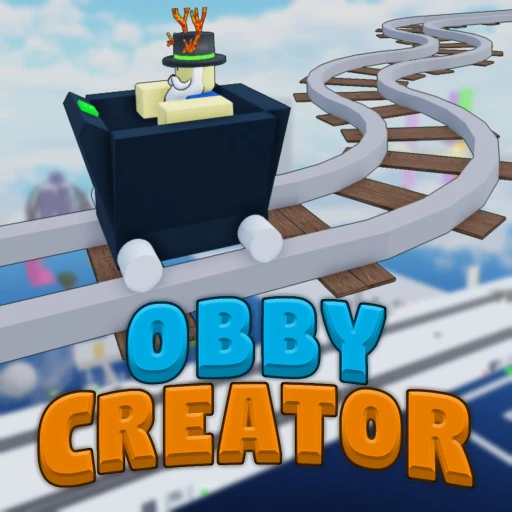
Obby Creator by Whirlpool Studio is one of the most unique experiences on Roblox. Instead of just playing obstacle courses, you get to build them from scratch using a drag-and-drop editor packed with over 100 parts and obstacles. You design the stages, set the difficulty, publish the finished product, and watch real players attempt your creation. It combines the satisfaction of building with the competitive edge of obby gameplay, and it has attracted a massive community of creators and players who keep coming back to both build and challenge themselves.
This guide breaks down everything you need to know about Obby Creator in 2026: how to design obbies that actually get played, which game passes deliver real value, advanced building techniques that separate basic courses from standout creations, and strategies for growing your player base. Whether you just discovered the game or you have been building for months, there is something here that will sharpen your approach.
Table of Contents
What Is Obby Creator?
Obby Creator sits in the Creation/Obby genre on Roblox, and it occupies a space that very few other games fill. The core loop is straightforward: you open the builder, construct an obstacle course stage by stage, publish it, and then other players can find and play your creation. At the same time, you can browse thousands of obbies built by the community and try to complete them yourself.
The game was developed by Whirlpool Studio and has grown steadily since its launch. The building tools are accessible enough for complete beginners to place their first platform within seconds, but deep enough that experienced builders spend hours perfecting a single stage. The part library includes over 100 distinct obstacles and building components, ranging from basic blocks and wedges to lava bricks, spinning platforms, moving kill parts, conveyor belts, and timed disappearing floors.
What makes Obby Creator different from just playing pre-made obbies like Tower of Hell is the creative ownership. You are not just running through someone else's course. You are the architect. You decide whether stage 7 has a precision wall jump or a series of shrinking platforms over a void. You control the pacing, the aesthetics, and the overall feel. And when players leave comments or your obby climbs the leaderboards, that feedback loop is genuinely rewarding in a way that pure gameplay experiences rarely match.

Getting Started: Your First Obby
When you first load into Obby Creator, you land in a lobby where you can choose between building a new obby or playing existing community creations. Hit the build button and you get dropped into an empty workspace with a toolbar at the top and a parts panel on the side. The interface is clean and the controls are intuitive even if you have never used a building tool before.
Understanding the Workspace
The workspace is your blank canvas. You start with a spawn point where players will begin your obby, and from there you build outward. Each stage is essentially a checkpoint-to-checkpoint section that players need to navigate. The camera can be rotated freely, and you can zoom in and out to get precise placement on individual parts.
Parts snap to a grid by default, which keeps everything aligned and prevents those frustrating situations where a platform is one pixel off and players keep sliding off the edge. You can toggle the grid for finer control when you need it, but for your first build, keep it on. Grid-snapped stages are cleaner and more consistent, and players can feel the difference.
Placing Your First Parts
Open the parts panel and you will see categories like Platforms, Obstacles, Decorations, and Effects. Start with basic platforms. Place a series of blocks leading away from the spawn point, spacing them so players need to jump between them. This is the foundation of every obby — the simple jump sequence. Get comfortable with selecting, placing, rotating, and resizing parts before you start adding complexity.
Once you have a basic path laid out, add your first checkpoint. Checkpoints are critical because they save the player's progress. Without them, falling on stage 15 sends someone back to stage 1, and most players will quit before they attempt that again. Place checkpoints between every stage or every two stages depending on difficulty.
Your First 20 Stages
Twenty stages is the ideal length for a first obby. It is long enough to provide a satisfying experience and short enough to stay within the default part limit without upgrades. Here is a rough blueprint for how to structure those 20 stages:
Stages 1-5: Tutorial Zone. Simple platform jumps with generous spacing. Use bright, welcoming colors. No kill parts. The goal is to let players get comfortable with the movement and camera controls in your specific obby.
Stages 6-10: Introduction to Obstacles. Start adding basic hazards — a single lava strip to jump over, a moving platform that follows a predictable path, a conveyor belt that pushes players sideways. Each stage should introduce one new mechanic, not three at once.
Stages 11-15: Mid-Game Challenge. Combine the mechanics from the first half. A moving platform over lava. A conveyor belt leading to a precision jump. Tighter spacing between platforms. Players who made it this far are invested, so you can push the difficulty up noticeably.
Stages 16-19: High Difficulty. This is where your obby gets serious. Disappearing platforms, narrow walkways, timed sections, multiple kill parts in sequence. Players expect the difficulty to ramp hard in the back third of an obby. Deliver on that expectation.
Stage 20: The Finale. Your hardest and most memorable stage. Make it visually distinct from everything before it. Change the color scheme, add particle effects, make the platform shapes unusual. Players remember the last stage more than any other, so put your best design work here.
The Complete Building Guide
Building a functional obby is step one. Building a good obby requires understanding how the tools work together and what separates a forgettable course from one that players bookmark and share with friends.
Part Types and When to Use Them
The 100+ parts in Obby Creator fall into several functional categories. Knowing which ones to reach for and when makes the difference between a chaotic mess of obstacles and a well-designed course.
| Part Category | Examples | Best Used For |
|---|---|---|
| Static Platforms | Blocks, Wedges, Cylinders, Spheres | Core stage structure and pathways |
| Kill Parts | Lava Bricks, Spikes, Laser Beams | Hazards that reset player to checkpoint |
| Moving Parts | Sliding Platforms, Rotating Arms, Elevators | Dynamic stages that require timing |
| Effect Parts | Speed Pads, Jump Pads, Conveyors | Altering player movement mid-stage |
| Decorative Parts | Neon Blocks, Transparent Panels, Signs | Visual polish and stage theming |
| Trigger Parts | Disappearing Blocks, Timed Doors | Stages that require quick reactions |
A common beginner mistake is overloading stages with kill parts. If every surface is lava and every gap has spikes, the stage stops being challenging and starts being annoying. The best obbies use kill parts strategically — they define the boundaries of the path rather than filling every open space with danger. Think of kill parts as walls, not wallpaper.

Color and Visual Design
The visual design of your obby matters more than most builders think. Players make a judgment about quality within the first five seconds of spawning in. If they see a random pile of gray blocks with scattered red kill parts, they are likely to leave before finishing the first stage. If they see a cohesive color scheme with clear visual language — safe platforms in one color family, hazards in another — they know this obby was built with care.
Pick a color palette of 3-4 base colors and stick with it. Use one color for safe platforms, one for hazards, one for decorative elements, and one for backgrounds or walls. You can shift the palette between sections to create visual variety without breaking consistency. For example, stages 1-10 might use blue and white with red hazards, while stages 11-20 shift to purple and black with orange hazards. The transition signals to players that they are entering a new phase of the obby.
Camera Considerations
This is one of the most overlooked aspects of obby design. Every stage needs to be playable with the default camera angle. If a player has to wrestle with the camera to see the next platform, your stage has a design problem regardless of how clever the obstacle layout is.
Test each stage from multiple camera angles. Pay attention to situations where walls block the view of upcoming platforms. Avoid placing critical jumps directly behind tall objects. If a stage requires the player to jump toward the camera (so they cannot see where they are landing), either redesign the approach angle or add a visual indicator like a glowing trail that shows the landing zone.
Designing the Perfect Difficulty Curve
The difficulty curve is the single most important factor in whether players finish your obby or quit halfway through. A well-tuned curve keeps players in a flow state where each stage feels just hard enough to be satisfying without being frustrating enough to make them leave.
Study the leaderboards. The obbies with the highest completion rates are not the easiest ones — they are the ones with the smoothest difficulty progression. Players are willing to attempt hard stages if the stages leading up to them properly prepared them for the challenge.
The Three-Death Rule
A useful guideline for calibrating difficulty: if an average player dies more than three times on a single stage, that stage is probably too hard for its position in the obby. Stage 3 should be beatable for most players on the first attempt. Stage 10 might take two or three tries. Stage 18 can take five or more attempts. But if stage 5 is killing players eight times, they are going to leave before they see all the creative work you put into stages 15 through 20.
This does not mean every stage needs to be easy. It means difficulty needs to escalate predictably. A spike in difficulty in the middle of the obby feels unfair because the player has not been trained for it. The same obstacle placed near the end feels like a deserved challenge.
Pacing and Rest Stages
Not every stage should push the player to their limit. After a sequence of three or four challenging stages, insert a breather — a stage that looks impressive but is mechanically simple. A long straight walkway with cool visual effects. An easy jump sequence with a great view. These rest stages serve two purposes: they give players a moment to recover mentally, and they make the next hard stage feel harder by contrast.
The best obbies follow a wave pattern: easy, medium, hard, rest, medium, hard, harder, rest. Each wave peaks higher than the last, but the rests prevent player fatigue from accumulating to the point of quitting.
Game Passes Breakdown
Obby Creator offers several game passes that expand your building capabilities. Understanding what each one does and whether it is worth the investment depends on how seriously you approach building.
Part Limit Expansion
This is the most impactful game pass for builders. The default part limit restricts the total number of objects you can place in a single obby. For short 10-15 stage courses, the default limit is fine. But once you start building 30+ stage obbies with detailed decorations, themed sections, and complex obstacle arrangements, you will hit the ceiling fast. The Part Limit expansion raises that ceiling significantly, giving you room to build the kind of detailed, lengthy obbies that perform well on the leaderboards.
If you plan to build more than two or three obbies, this is the first game pass worth purchasing. More parts means more stages, more detail, and ultimately more player engagement because your obbies feel more complete and polished.
Archimedes Plugin
The Archimedes Plugin unlocks curved and arched building tools. Standard parts in Obby Creator are straight — blocks, wedges, rectangles. With Archimedes, you can create smooth arcs, spiral staircases, curved bridges, and circular platforms. This opens up an entirely different visual style that makes your obbies stand out immediately.
From a gameplay perspective, curved surfaces create different jump dynamics than flat ones. A curved ramp changes how players approach a gap. An arched bridge creates a natural rhythm to jumps that flat platforms cannot replicate. If you enjoy the creative side of building and want your obbies to have architectural flair, Archimedes delivers.
Reflect Plugin
The Reflect Plugin lets you mirror and duplicate sections of your obby. Select a group of parts, choose an axis, and the plugin creates an exact mirror copy. This is a massive time-saver for symmetrical designs and for stages where the left and right halves share the same structure.
Beyond symmetry, the Reflect Plugin is useful for rapid iteration. Build one half of a challenge, mirror it, then modify the mirrored version slightly to create a variation. You can produce two distinct stages from one design session, which is particularly valuable when you are building longer obbies and need to maintain quality across 30 or 40 stages without burning out creatively.
Cash Boosts
Cash boosts increase the in-game currency you earn from playing community obbies. This currency is used within Obby Creator for cosmetic items and builder upgrades. If you primarily play other people's obbies rather than building your own, cash boosts help you unlock items faster. For dedicated builders, the other three game passes offer more tangible value.
| Game Pass | Primary Benefit | Best For |
|---|---|---|
| Part Limit Expansion | More parts per obby | Builders creating long or detailed obbies |
| Archimedes Plugin | Curved & arched building tools | Creative builders wanting unique visuals |
| Reflect Plugin | Mirror & duplicate sections | Efficient builders doing symmetrical designs |
| Cash Boosts | Faster currency from playing | Players focused on community obbies |

Advanced Building Techniques
Once you have the basics down and a few published obbies under your belt, these techniques will push your builds to the next level.
Theming Your Obby
The most-played obbies on the leaderboards almost always have a strong theme. A volcano obby where every stage features lava, ash-colored platforms, and increasingly intense red and orange lighting. A space obby with floating asteroids, low-gravity jump pads, and dark backgrounds dotted with neon stars. A haunted house obby with dark corridors, disappearing floor sections, and eerie color palettes.
Theming gives players a reason to keep going beyond the gameplay itself. They want to see what the next section of the volcano looks like. They want to know if the space obby ends on a different planet. Narrative curiosity, even without explicit storytelling, is a powerful retention tool.
Creating Illusions of Complexity
Experienced builders know that complexity and perceived complexity are different things. A stage with 15 kill parts scattered randomly looks complex but plays chaotically. A stage with 4 well-placed kill parts and a moving platform looks simple but creates genuine strategic decisions about timing and path choice.
Focus on stages that feel like puzzles rather than reflex tests. Where should the player wait for the platform to cycle back? Which gap should they jump first? Is there a shortcut for players willing to take a bigger risk? These micro-decisions elevate your obby from a series of jumps to an experience that players think about between stages.
Multi-Path Design
Instead of a single linear path through each stage, consider offering two routes of different difficulty. A safe route with more platforms and an easier rhythm, and a risky route that is shorter but requires precise timing. This approach accommodates different skill levels within the same obby and adds replayability because players will come back to try the route they skipped.
Multi-path design does consume more parts, so the Part Limit expansion game pass becomes more valuable if you want to build this way consistently. The tradeoff is worth it for the player engagement it generates.
Using Effects for Gameplay Clarity
Neon parts, particle effects, and color-changing materials are not just decorative — they can serve gameplay purposes. A neon trail on the edge of a safe platform tells players exactly where they need to land. A particle effect on a kill part draws attention to hazards that might otherwise blend into the background. A color change that pulses on a timed platform signals when it is about to disappear.
The strongest builders use visual effects as communication tools. Every effect in the obby tells the player something useful. Nothing is purely random decoration — it all serves the design.
Growing Your Player Count
Building a great obby is half the battle. Getting players to find it and play it is the other half. Obby Creator has a leaderboard system and a browsing interface where players discover new obbies, but standing out in a crowded library requires deliberate effort.
Naming and Presentation
Your obby's name is its first impression. Generic names like "My Obby" or "Hard Obby 2" disappear into the noise. Specific, descriptive names perform better: "50-Stage Volcano Escape," "Speed Run: Neon Nightmare," "Impossible Tower - No Checkpoints." The name should tell players what to expect so they can self-select based on the experience they are looking for.
The thumbnail matters just as much. If Obby Creator gives you the option to set a custom thumbnail or preview image, use it. Show the most visually impressive stage in your obby. Players scroll through dozens of options when browsing — the one with the thumbnail that catches their eye gets the click.
Testing Before Publishing
Never publish an obby you have not played through completely at least three times. Each playthrough serves a different purpose:
First playthrough: Can every stage be completed? Are there any impossible jumps or broken checkpoints? Fix any showstoppers.
Second playthrough: Is the difficulty curve smooth? Mark any stages that feel significantly harder or easier than their neighbors and adjust.
Third playthrough: Play for enjoyment. Is this fun? Would you want to finish this obby if someone else built it? If you find yourself getting bored or frustrated at any point, that section needs work.
Studying the Leaderboards
Spend time playing the top obbies on the leaderboards. Do not just run through them — study them. How long is each stage? How much space is between platforms? What kinds of obstacles appear at which points in the difficulty curve? How do they handle visual transitions between sections?
You are not looking to copy these obbies. You are looking to understand the design patterns that work. Successful obbies share common traits: clean visuals, smooth difficulty progression, consistent checkpoint placement, and stages that introduce one challenge at a time. Once you internalize these patterns, they show up naturally in your own builds.
Playing Community Obbies
While building is the headline feature, Obby Creator also serves as a massive library of player-made obbies. Playing community creations is valuable both as entertainment and as research for your own builds.
Finding Quality Obbies
The leaderboard ranks obbies by player count and completion metrics. Obbies near the top have been vetted by thousands of players, so quality is generally high. But some of the most creative builds sit further down the list because they cater to niche audiences or were published recently and have not accumulated players yet.
Browse by category when you can. Speed run obbies test raw mechanical skill. Themed obbies prioritize atmosphere and visual storytelling. Troll obbies use fake-outs and misdirection for comedic effect. Each category has its own design language, and playing a variety of styles broadens your understanding of what the building tools can do.
Learning From Other Builders
Every obby you play is a free tutorial. When a stage impresses you, stop and examine it. How did the builder achieve that effect? What part types are they using? How are the kill parts arranged relative to the safe path? How does the spacing between platforms create rhythm?
Take mental notes or write down ideas that you want to adapt into your own builds. The strongest Obby Creator builders are the ones who play the most community obbies because they have the widest reference library of design solutions to draw from.
If you enjoy the obby gameplay side and want to compare the experience to other Roblox obbies, check out our guides on Tower of Hell and Build a Boat for Treasure — both offer different takes on the obstacle course format that can inform your building approach in Obby Creator.

Earning Free Robux as an Obby Creator Player
Obby Creator itself does not directly pay you Robux for building obbies. Your creations live within the Obby Creator experience, not as standalone Roblox games, so the Roblox Developer Exchange program does not apply here. However, the skills you develop in Obby Creator — level design, pacing, obstacle placement, visual theming — transfer directly to Roblox Studio if you ever decide to build and publish your own standalone obby game.
For players who want to earn free Robux alongside their Obby Creator sessions, platforms like Earnaldo offer a straightforward path. You complete tasks and offers on the platform and receive Robux that you can use across any Roblox experience, including purchasing game passes in Obby Creator. It is a practical way to fund your Part Limit expansion or Archimedes Plugin without spending real money.
The connection between Obby Creator and earning Robux is indirect but real. The better you get at building obbies, the more transferable design knowledge you accumulate. Players who master difficulty curves, visual communication, and stage pacing in Obby Creator have a significant head start if they move into Roblox Studio development, where monetization through game passes and in-game purchases becomes possible. Obby Creator is, in many ways, a training ground for future Roblox developers.
If you are interested in other Roblox games where your creative skills translate to earning potential, our Grow a Garden guide covers another creation-focused experience with its own approach to player-driven content.
Earn Free Robux for Obby Creator Game Passes
Want to unlock Part Limit expansion, the Archimedes Plugin, or other game passes without spending real money? Earnaldo lets you earn free Robux through simple tasks.
Game Pass Priorities for Different Budgets
If you are earning Robux through Earnaldo or any other method and need to prioritize which game passes to buy first, here is the order that delivers the most value:
First purchase: Part Limit Expansion. This removes the biggest constraint on your building and immediately lets you create longer, more detailed obbies. Every other upgrade builds on top of having more parts to work with.
Second purchase: Archimedes Plugin. Curved building tools open up design possibilities that are simply impossible with standard parts. Your obbies will look and play differently from the majority of community creations, which helps with visibility on the leaderboards.
Third purchase: Reflect Plugin. The mirroring tool is a productivity multiplier. It does not unlock new capabilities as dramatically as Archimedes, but it saves significant building time on every project going forward.
Fourth purchase: Cash Boosts. Only worth it if you spend a lot of time playing community obbies and want cosmetic items or builder upgrades faster. Skip this entirely if you are primarily a builder.
Frequently Asked Questions
Obby Creator is a Roblox experience developed by Whirlpool Studio that lets players build their own obstacle courses (obbies) using a drag-and-drop editor with over 100 parts and obstacles. You can publish your obbies for the community to play, and you can also play obbies built by other players. It combines creative building with traditional obby gameplay.
Around 20 stages is the sweet spot for a first obby. This gives you enough room to build a proper difficulty curve — starting easy, ramping up in the middle, and finishing with a satisfying challenge — without overwhelming new players or running into part limit issues on the default settings.
The Part Limit expansion game pass increases the maximum number of parts you can place in a single obby. The default limit restricts how complex your builds can get, so this pass is essential if you want to create longer obbies with detailed decorations, multiple routes, and 30+ stages.
Yes, you can add game pass functionality within your obby including skip stage, speed boost, gravity coil, and VIP perks. These are in-game features powered by Obby Creator's systems that enhance the player experience within your course.
Focus on quality first — test every stage thoroughly, ensure the difficulty ramp is fair, and add visual variety. Give your obby a clear descriptive title and a strong thumbnail. Share it on social media and Roblox community groups. Study the layout and pacing of popular obbies on the leaderboards to understand what players enjoy and apply those patterns to your own builds.
The Archimedes Plugin is a game pass that unlocks advanced building tools, specifically the ability to create curved and arched structures. It lets you bend and rotate parts along arcs, which opens up much more creative and visually interesting obby designs compared to standard straight-line building. Spiral staircases, curved bridges, and circular platforms all become possible.
Yes, Obby Creator is completely free to play. You can build obbies, publish them, and play community creations without spending any Robux. The game passes like Part Limit expansion, Archimedes Plugin, and Reflect Plugin are optional upgrades that add extra building capabilities but are not required to enjoy the game.
The Reflect Plugin game pass lets you mirror and duplicate sections of your obby. Select a group of parts, choose an axis, and the plugin creates an exact mirror copy. This is particularly useful for creating symmetrical designs, doubling obstacle patterns, or quickly building matching halves of a course without placing each part individually.