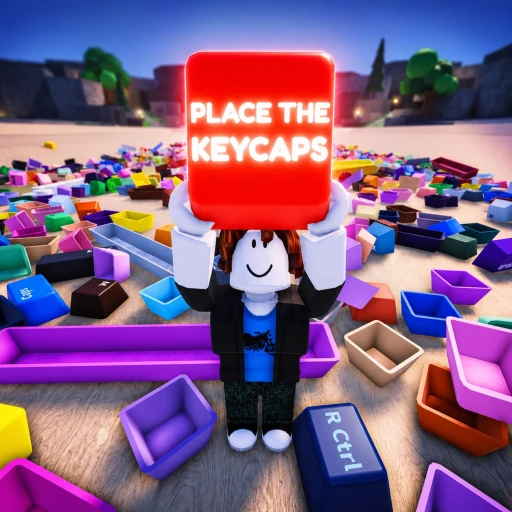
Place the Keycaps! Free Robux Guide (2026) — Sorting, Carry Passes & the Codes Truth
Place the Keycaps! is a satisfying scavenger-hunt sorting game by the group KEYBOARDS!!!!! on place ID 103060898621269, where you grab keycaps from a pile and drop them onto the right board to complete keyboard collections. Still in beta since its June 24, 2026 launch, it has already stacked 3.8 million visits and a huge 31,900 favorites at a 95% rating, running near 10,700 concurrent players. This July 2026 guide covers the sorting loop, the carry and magnet passes at their real Robux prices, and the honest situation with codes.
In This Guide
What Is Place the Keycaps!?
Place the Keycaps! is a tidy-up-and-collect game built by the Roblox group KEYBOARDS!!!!! on place ID 103060898621269. A messy pile of keycaps sits in the middle of the map, and your job is to pick them up and place them onto the correct spots to finish keyboard layouts.
Roblox files it under Adventure → Scavenger Hunt, with servers up to 25 players. It is part of the "oddly satisfying chore" wave — the same appeal as cleaning or sorting games — and the developers are open that it is a beta: the game's own description warns to "expect bugs and tweaks." That has not slowed it down, with 31,900 favorites banked in under a month.

How the Game Works
The loop is simple by design: grab keycaps → place them where they belong → complete the board → move to a bigger collection. The only real skill is managing how many you carry and how fast you move between the pile and your board.
- Pick up keycaps — collect them from the central pile.
- Sort onto the board — place each keycap in its correct slot.
- Throw to place faster — press Q to throw keycaps instead of placing one at a time.
- Unlock the mouse — press CTRL to free the cursor for the camera and menus.
- Complete collections — finish a board to progress.
Key Features
Carry Capacity Is the Main Bottleneck
How many keycaps you can hold per trip decides how fast you clear a board. The two carry passes — Carry +5 More Keycaps (R$49) and Carry +50 More Keycaps (R$499) — are permanent upgrades that cut down how many trips you make. For a game built on repetition, fewer trips is the single biggest quality-of-life change available.
Speed and the Q-Throw Trick
Max Speed (R$99) is a permanent movement boost that shortens the walk between pile and board. Free players can lean on the Q key, which throws keycaps toward their spots faster than placing them one by one. Between the throw trick and a speed boost, the actual sorting goes much quicker than it looks at first.
Magnet Range and Powers
Two higher-end passes change the game more dramatically. Infinite Magnet Range (R$799) pulls keycaps to you from anywhere on the map, and Unlimited Powers! (R$999) removes the cap on the game's power-ups. These are big-spender conveniences rather than necessities — the base game is fully completable without them.
It Is a Beta, So Expect Change
The title literally reads "[FIXES!]" because the developers patch it constantly. Layouts, passes, and mechanics can shift between sessions, and the description asks players for feedback. That also means there is no stable wiki or guide ecosystem yet — anything claiming fixed drop tables or rebirth systems for this game is describing a different keycap game.

Place the Keycaps! Stats (July 2026)
Every figure below was pulled live from the Roblox games API on July 17, 2026.
| Stat | Value |
|---|---|
| Concurrent Players | ~10,700 |
| Total Visits | 3.8 million |
| Favorites | 31,900 |
| Rating | 95% (13,949 likes) |
| Max Server Size | 25 players |
| Genre | Scavenger Hunt (Adventure) |
| Developer | KEYBOARDS!!!!! |
| Released | June 24, 2026 (Beta) |
Every Place the Keycaps! Game Pass and What It Costs
Place the Keycaps runs six game passes, all currently on sale at the prices below (pulled live from the Roblox game-pass API). Most are permanent quality-of-life upgrades rather than power boosts.
| Game Pass | Price | What It Does |
|---|---|---|
| Carry +5 More Keycaps | R$49 | Permanently raises how many keycaps you can hold per trip. |
| Max Speed | R$99 | Permanent movement-speed boost for faster runs between pile and board. |
| VIP | R$199 | VIP perks bundle plus a chat tag. |
| Carry +50 More Keycaps | R$499 | A much larger permanent carry-capacity increase. |
| Infinite Magnet Range | R$799 | Pulls keycaps to you from anywhere on the map. |
| Unlimited Powers! | R$999 | Removes the cap on the game’s power-ups. |
The best value by far is Carry +5 More Keycaps at R$49 — carry capacity is the core bottleneck, and this is the cheapest way to ease it. Everything above VIP is a convenience for players who want to breeze through boards rather than a requirement.
How Place the Keycaps! Compares to Similar Games
Place the Keycaps belongs to the "satisfying chore" family alongside cleaning, mining, and sorting games like Clean the Superstore and Mine a Planet. What sets it apart is theme: it leans into keyboard-hobby culture, which gives it a niche audience that other sorting games do not tap. The loop is shallower than a mining incremental, but the payoff is faster and more visual — a finished board reads as an instant win.
Is Place the Keycaps! Pay-to-Win?
No, not really — there is nothing to win against other players. The passes speed up sorting, but the game is a solo, cooperative sort-a-thon, not a competition. Paying makes boards go faster; it does not lock anyone out. Calling it pay-for-convenience is more accurate than pay-to-win.
Your First Session in Place the Keycaps!
Learn the two controls first: Q throws keycaps toward the board faster than placing them, and CTRL unlocks your mouse for the camera and menus. Join the KEYBOARDS!!!!! group for the free reward the description mentions, then focus on completing whole boards rather than half-sorting several. Because it is a beta, do not be surprised if a layout looks different next session.
Common Place the Keycaps! Mistakes to Avoid
The game is new and lightly documented, so most mistakes come from treating it like a different keycap game:
- Placing one keycap at a time. Use Q to throw and clear the pile far faster.
- Making too many trips. Carry capacity is the bottleneck; the R$49 carry pass or careful loading fixes it.
- Chasing "codes" from other games. Codes you find for "Collect a Keycap" or keyboard clones do not work here — different games entirely.
- Expecting a rebirth or pet system. Those belong to other keycap games; Place the Keycaps is a sorting game, not an incremental with prestige.
- Buying the R$999 powers pass early. The base game is fully completable without it; start with carry and speed.
Tips & Strategies for July 2026
These tips stick to what the game and its controls actually confirm:
- Press Q to throw. It is the single biggest speed-up and it is free.
- Grab a full load before returning. Fewer, fuller trips beat many small ones.
- Buy carry before magnet. Carry +5 at R$49 solves the real bottleneck; the magnet pass is a luxury.
- Join the group. The description promises a free reward for members.
- Expect patches. It is a beta — report bugs and check for layout changes between sessions.

Place the Keycaps! Codes
Straight answer: there are no verified codes for Place the Keycaps, and no code system has been confirmed in-game. Any "codes" you find belong to different keycap games. We track the situation on our Place the Keycaps! codes page and update it the moment a real code drops.
How to Earn Free Robux for Place the Keycaps!
There are no codes to lean on here, and the useful passes cost Robux. If you would rather not spend your own, Earnaldo lets you earn free Robux by completing quick tasks — no surveys spam, no downloads. Learn how to get free Robux in 2026 for the full rundown.
Earn Free Robux While You Play
Want more Robux for Place the Keycaps!? Earnaldo lets you earn free Robux by completing simple tasks — no surveys spam, no downloads.

Frequently Asked Questions
No. As of July 2026 there are no verified codes for Place the Keycaps, and no in-game code system has been confirmed. Codes you find online are for different keycap games.
Press Q to throw keycaps toward the board instead of placing them one at a time, carry a full load per trip, and consider the Carry +5 pass to reduce trips.
CTRL unlocks your mouse cursor so you can move the camera and use menus. Q throws keycaps.
No. It is a cooperative sorting game with no player-versus-player competition. Passes speed things up but do not lock content.
For value, Carry +5 More Keycaps at R$49 — carry capacity is the main bottleneck. Max Speed at R$99 is a good second.
The developers are actively patching it (the title shows "[FIXES!]"). Expect layout and mechanic tweaks between sessions.
Not from the game. To fund passes, you can earn Robux free through a rewards platform like Earnaldo and spend it in-game.
Next, grab every reward on the Place the Keycaps! codes page, see how it compares to another satisfying grinder in Place the Keycaps vs Mine a Planet, or visit the Place the Keycaps! hub. You can also open the game on Roblox. Related reads: Clean the Superstore Guide and Mine a Planet Guide.