Last checked: August 22, 2026
SharkBite 2 Codes (August 2026) -- All Active & Expired Codes
Here are all working SharkBite 2 codes for August 2026. Below you will find every confirmed active code, a full expired codes archive, and a step-by-step walkthrough for redeeming rewards through the in-game giftbox menu.
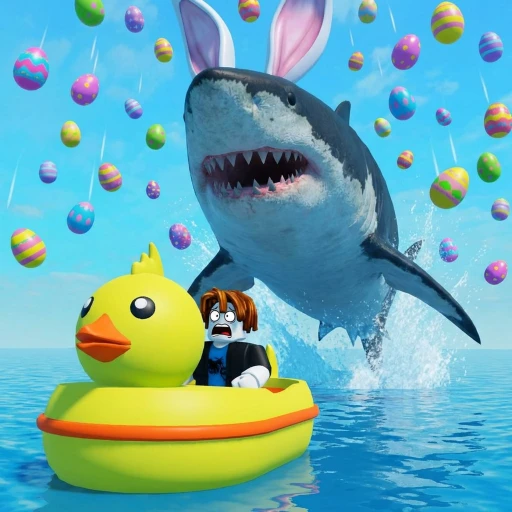
SharkBite 2 is the sequel to the original SharkBite Classic, rebuilt from the ground up by Opplo and Simoon68 under the Abracadabra development studio. The game keeps the core formula that made the original a hit -- one player controls a deadly shark while everyone else fights for survival on boats -- but adds upgraded graphics, new shark species, expanded boat customization, and refined combat mechanics. As of April 2026, SharkBite 2 has surpassed 300,000 likes and continues to attract a steady stream of players looking for fast-paced multiplayer action on the open water.
Codes in SharkBite 2 reward players with free Teeth (the primary in-game currency), cosmetic items like the Shark Fin and Thumbs Up accessories, and exclusive boat hull skins. The developers release new codes to celebrate player count milestones and major updates, and these rewards give you an immediate edge without spending any Robux. Since codes can expire at any time, grabbing them the moment you spot them is always the smart play.
Whether you just discovered SharkBite 2 or you have been playing since launch, every free reward matters. Teeth go directly toward better boats and weapons, while cosmetic codes hand you items that are often impossible to earn through normal gameplay. This page covers every code we have verified in-game so you don't waste time on outdated lists.
All Active SharkBite 2 Codes (August 2026)
These codes are currently working as of August 22, 2026. We verified each one against multiple live trackers before publishing. Copy and paste them directly from the table to avoid typos -- SharkBite 2 codes are case-sensitive.
| Code | Reward | Status |
|---|---|---|
| 400M | 400 Teeth | Active |
| 300K | Shark Fin cosmetic | Active |
| SB2CODES | 100 Teeth + Neon Wizard Hat Sign | Active |
| 200K | Ducky Boat Hull Skin | Active |
The SB2CODES code is particularly valuable because it gives you both Teeth and a cosmetic item in a single redemption. That's 100 Teeth plus the Neon Wizard Hat Sign -- a combination reward that most other codes don't offer. If you only have time to redeem one code, start with that one.
Milestone codes like 300K, 200K, and 100K follow a clear pattern tied to the game's like count on Roblox. As SharkBite 2 continues growing, you can reasonably expect a 400K or 500K code in the future. The milestone pattern has been consistent so far, with each new threshold bringing a fresh cosmetic or currency reward.
How to Redeem Codes in SharkBite 2
Redeeming codes in SharkBite 2 takes about 30 seconds. The code system is accessed through the in-game giftbox menu, not the settings or chat. Follow these steps:
- Open Roblox and launch SharkBite 2 from the game page (Place ID: 8908228901).
- Once you load into the game, look for the giftbox icon on the left side of your screen and click it.
- In the menu that opens, select the Code Rewards tab at the top.
- Type or paste your code exactly as shown into the text input field. Codes are case-sensitive, so capitalization matters.
- Click the Redeem button to submit the code.
- If the code is valid, your reward (Teeth, cosmetic, or hull skin) will be added to your account instantly. Check your inventory or Teeth balance to confirm.
The giftbox icon can be easy to miss on mobile devices because the left-side UI compresses on smaller screens. If you don't see it immediately, try tapping near the left edge of your screen or rotating your device to landscape mode. On PC, the icon is visible as soon as you spawn in.
When a code doesn't work, the game will display an error message. The most common reasons are expired codes, already-redeemed codes, and typos. If you copied and pasted the code and still get an error, the code has almost certainly been deactivated. Come back to this page for updated status information whenever that happens.
All Expired SharkBite 2 Codes
The following codes have been deactivated and no longer work in SharkBite 2. We keep them listed here so you don't waste time entering codes that have already stopped functioning.
| Code | Status |
|---|---|
| 100K | Expired |
| SHARKBITE2 | Expired |
| 1BILLION | Expired |
| DUCKYRAPTOR | Expired |
| FROGGYBOAT | Expired |
| TWOYEARS | Expired |
🎁 SharkBite 2 codes expired or empty-handed?
Codes come and go — earning is forever. Earnaldo pays you real Robux for playing Roblox games and finishing simple tasks. Free to join, no human verification, cash out from your very first point.
Earn Robux instead →Looking at the expired list, you can spot some patterns. The SHARKBITE2 code was a launch promotion that gave early adopters a bonus for trying the sequel. 1BILLION celebrated the franchise hitting one billion total visits across both games. TWOYEARS marked the game's second anniversary. Event and anniversary codes tend to have the shortest lifespans, so grabbing them early is critical.
The DUCKYRAPTOR and FROGGYBOAT codes were tied to specific content updates that introduced themed cosmetics. Once the promotional window for those updates closed, the codes were pulled. This pattern suggests that future content-update codes will also have limited windows, which is another reason to redeem fast and check this page often.
Where Do New SharkBite 2 Codes Come From?
Understanding where new codes originate helps you stay ahead of expirations. The SharkBite 2 development team, led by Opplo and Simoon68, distributes codes through several channels.
Like milestones are the most reliable source. The 100K, 200K, and 300K codes all dropped when the game hit those like thresholds on its Roblox page. As of April 2026, SharkBite 2 has passed 300,000 likes, which means the next milestone code could arrive at 400K or 500K. These codes tend to stay active for several months, giving players a generous window to redeem them.
Game updates frequently include promotional codes. When Abracadabra pushes a major patch -- new shark types, new boats, new maps, or balance changes -- a code often accompanies the patch notes. These update codes are announced on the game's official channels and sometimes appear in the game description itself.
Anniversary and seasonal events bring time-limited codes. The TWOYEARS code is a perfect example: it celebrated a specific date and was removed after the celebration period ended. Holiday events around summer, Halloween, and winter holidays have also produced limited-time codes in the past. These expire the fastest, often within one to two weeks.
Social media and community channels are the final source. The developers post codes on their Roblox group wall, Twitter/X accounts, and Discord server. Following these channels gives you the fastest possible access to new codes, sometimes hours before they appear on aggregation sites. We also monitor these channels and update this page as soon as we verify a new code in-game.
What Are Teeth and How Should You Spend Them?
Teeth are the core currency in SharkBite 2. You earn them by surviving rounds, dealing damage to the shark, and completing in-game challenges. Codes like SB2CODES that award free Teeth give you a head start on the progression curve. Here's where your Teeth go the furthest.
Boats and Watercraft
Your boat choice defines your survival odds. SharkBite 2 offers dozens of watercraft ranging from cheap starter dinghies to expensive armored vessels with multiple weapon mounts. A basic boat costs around 50-100 Teeth, while high-tier boats can run 500 Teeth or more. The free 100 Teeth from the SB2CODES code is enough to jump past the early grind and buy a mid-range boat on your first session. Armored boats absorb more shark hits, while speed boats let you outrun attacks entirely -- your playstyle determines which investment pays off more.
Weapons and Upgrades
Boats alone won't save you from an aggressive shark player. Weapons like harpoon guns, cannons, and rocket launchers let you fight back and deal real damage. Each weapon has different range, damage, and reload stats. Spending Teeth on a good weapon early means you can contribute to shark takedowns instead of just running. Coordinated teams with upgraded weapons can take down even experienced shark players in under two minutes.
Cosmetic Items and Hull Skins
Cosmetics don't affect gameplay, but they're a big part of the SharkBite 2 experience. Hull skins like the Ducky Boat Hull from the 200K code let you customize your boat's appearance. Wearable cosmetics like the Shark Fin (300K code) and the Thumbs Up (100K code) are visible to other players during matches. Some cosmetic codes reward items that cannot be purchased with Teeth at all, making them genuinely exclusive.
Tips for Surviving in SharkBite 2
Codes give you resources, but surviving against a skilled shark takes practice and awareness. Here are strategies that experienced players rely on in SharkBite 2's current meta.
Pick Your Boat Based on the Lobby
Before the round starts, check how many players are in the lobby. In smaller lobbies with 5-8 players, the shark gets fewer targets, which means each survivor takes more heat. Go with a durable boat that can absorb multiple bites. In full lobbies with 15+ players, speed matters more because the shark has to spread its attacks across many targets. A fast boat lets you stay out of the shark's primary focus and survive through evasion rather than tanking.
Stick With the Group
Lone survivors are easy prey. The shark can only attack one target at a time, so staying near two or three other boats splits the threat. If the shark targets someone next to you, use that window to deal free damage with your weapons. Coordinated groups of four boats with mixed loadouts -- two damage dealers and two tanks -- can often defeat the shark before the round timer expires.
Learn the Shark's Lunge Range
Every shark type in SharkBite 2 has a lunge attack with a specific range. Once you've played enough rounds, you'll develop a sense for exactly when the shark is about to strike. The key tell is when the shark suddenly accelerates directly toward your boat. At that point, a sharp turn perpendicular to the shark's path can dodge the lunge entirely. This is easier with faster boats but works with any watercraft if you time it right.
Use the Environment
SharkBite 2 maps include obstacles like rock formations, docks, and shallow areas that restrict the shark's movement. Weaving through tight spaces forces the shark to slow down and navigate around obstacles, buying you time. Some experienced players deliberately position themselves near environmental cover and bait the shark into chasing them through narrow gaps where it can't attack effectively.
For a deeper breakdown of boat tier lists, earning strategies, and ways to get Robux for premium content, check out our SharkBite 2 free Robux guide.
Earn Free Robux for SharkBite 2
Want gamepasses, premium boats, or extra Teeth without spending your own money? Earnaldo lets you earn free Robux by completing simple tasks -- no surveys, no downloads, just real rewards.
SharkBite 2 vs SharkBite Classic
If you played the original SharkBite, you might be wondering what's different in the sequel. SharkBite 2 is a full rebuild, not just an update. The graphics engine has been overhauled with better water rendering, more detailed boat models, and improved lighting. Gameplay-wise, the shark controls are tighter, survivor weapons have been rebalanced, and the boat selection is significantly larger.
The code system in SharkBite 2 also differs from the original. In SharkBite Classic, codes were entered through a menu button labeled "Codes." In SharkBite 2, you access codes through the giftbox icon and the Code Rewards tab -- a slightly different flow. Codes from SharkBite Classic do not carry over to SharkBite 2, and vice versa. Each game has its own separate code list, so make sure you're redeeming in the right game.
Both games are still active on Roblox as of August 2026. SharkBite Classic (Place ID: 734159876) retains its player base, while SharkBite 2 (Place ID: 8908228901) has been growing steadily since launch. If you enjoy one, it's worth trying the other. The core shark-versus-survivors gameplay carries across both, but the sequel's polish and expanded content make it the more feature-rich experience today.
Frequently Asked Questions
Open SharkBite 2 on Roblox and click the giftbox icon on the left side of your screen. Select the Code Rewards tab, type or paste your code into the text field, and click the Redeem button. Your reward will be added to your account instantly if the code is valid.
SharkBite 2 codes can fail if they have expired, if you already redeemed them on your account, or if you entered them incorrectly. Codes are case-sensitive, so type them exactly as shown. Check for extra spaces before or after the code. If it still fails after verifying all of this, the code has likely been deactivated by the developers.
New codes typically arrive when the game hits like milestones (100K, 200K, 300K, and so on), during major content updates, or around seasonal events and anniversaries. The developers Opplo and Simoon68 don't follow a fixed schedule, but the milestone pattern has been consistent. Bookmark this page and check back regularly to catch new codes as they drop.
No. Each SharkBite 2 code can only be redeemed once per account. If you try to use a code you have already claimed, the game will tell you it has already been redeemed. You cannot use the same code twice on the same account.
Yes. SharkBite 2 codes can expire at any time without notice. Milestone codes like 100K, 200K, and 300K tend to last longer than event or anniversary codes, but there's no official guarantee. Redeem every code as soon as you find it to make sure you don't miss out on free Teeth, cosmetics, or hull skins.
Teeth are the primary in-game currency in SharkBite 2. You spend them on new boats, weapons, and equipment upgrades. Better boats and weapons directly improve your chances of surviving against the shark. Earning free Teeth through codes lets you skip the early grind and access mid-tier gear right away.
About This Page
We maintain this SharkBite 2 codes list as a resource for the Roblox community. Every code listed here has been tested in-game on the live version of SharkBite 2 (Place ID: 8908228901) to confirm whether it is currently active or expired. Our testing process involves entering each code on a fresh account to verify it still works, then cross-referencing with community reports from the official SharkBite Discord and Roblox forums.
If you notice a code we've missed or if a code's status has changed, let us know through our Discord server. Community reports help us keep this page accurate for everyone. We typically verify and update reported changes within a few hours.
This page is not affiliated with Abracadabra, Opplo, Simoon68, or Roblox Corporation. All trademarks and game content belong to their respective owners. Code availability is subject to change at the discretion of the game developers. The information here is provided for reference purposes and may become outdated between updates.