Last checked: September 4, 2026
Supermarket Together Codes (September 2026) -- All Active & Expired Codes
Looking for working Supermarket Together codes? You are in the right place. Below you will find every active and expired code for Supermarket Together on Roblox, updated for August 2026. These codes grant free cash, double EXP boosts, speed buffs, and other in-game rewards that help you grow your supermarket faster. We verify each code in-game before adding it to the list, so you never waste time on dead entries.
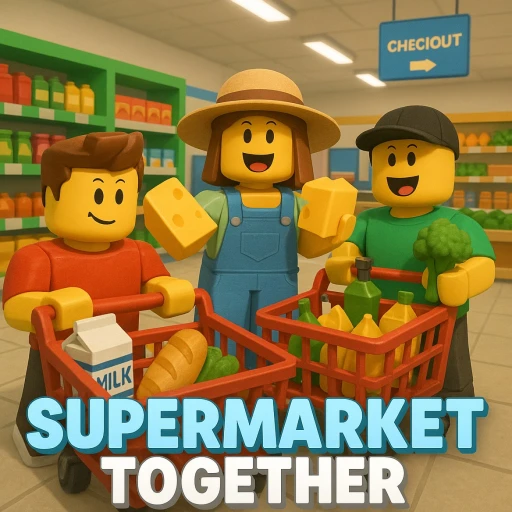
Supermarket Together is a cooperative Roblox experience developed by BambooST where players build and manage their own supermarket from the ground up. You stock shelves, serve customers, expand your store layout, and compete with other players to create the most profitable business. The game has grown rapidly since its launch, and the developers regularly drop codes through their Roblox group and social media channels to reward loyal players with free cash and temporary buffs.
Codes in Supermarket Together typically give you cash to purchase new store fixtures and inventory, double EXP boosts to level up faster, and speed buffs that let you restock shelves more quickly during busy rushes. Since these codes expire without warning, we recommend redeeming them as soon as you see them on this page. Scroll down for the full list and step-by-step redemption instructions.
All Active Supermarket Together Codes (August 2026)
Here are all the currently working codes for Supermarket Together. We test each code before listing it. If a code stops working, we move it to the expired section below.
| Code | Reward | Status |
|---|---|---|
| Outstanding125k | Double EXP buff | Active |
| Great5k | Double buff | Active |
| Super1500 | Speed Up buff (5 minutes) | Active |
| Favorites200k | 2,000 Cash | Active |
| Impressive8k | 1,500 Cash | Active |
All Expired Supermarket Together Codes
The following codes have been deactivated and no longer work in Supermarket Together. We keep them listed here for reference so you know which codes have already been released. If you try to enter an expired code, the game will display an error message.
| Code | Reward | Status |
|---|---|---|
| Awesome25k | Cash | Expired |
| Fantastic20k | Cash | Expired |
| Incredible80k | 2,500 Cash | Expired |
| IsBack | 1K Cash + Double EXP (5 minutes) | Expired |
| GrandOpening | 500 Cash | Expired |
| ShelfStacker | Double EXP (5 minutes) | Expired |
| ThankYou10K | 1K Cash | Expired |
| Unbelievable50k | Speed Up Buff (10 minutes) | Expired |
🎁 Supermarket Together codes expired or empty-handed?
Codes come and go — earning is forever. Earnaldo pays you real Robux for playing Roblox games and finishing simple tasks. Free to join, no human verification, cash out from your very first point.
Earn Robux instead →How to Redeem Codes in Supermarket Together
Redeeming codes in Supermarket Together is straightforward once you know where to look. The code input is accessed through the in-game mobile phone, not a traditional menu button. Follow these steps to claim your rewards.
- Open Roblox and launch Supermarket Together (Place ID: 117868278782684)
- Once you are in the game, press the Z key on your keyboard to open the in-game mobile phone
- On the phone screen, tap the Code button to open the code entry field
- Type or paste your code exactly as shown in the tables above (codes are case-sensitive)
- Press Enter to submit the code and claim your reward
- Your reward will be credited to your account instantly -- check your cash balance or active buffs to confirm
How to Get More Supermarket Together Codes
The developers at BambooST release new codes periodically to celebrate milestones, updates, and community events. Right now you do not have to guess when the next one lands, because BambooST states the trigger on the game's own Roblox page: "NEW CODE releases once the game gets 160K LIKES!!!"
Supermarket Together sat at 159,937 likes on August 19, 2026 — 63 short of that milestone. At the game's current pace that code is days away at most, so it is worth re-checking this page and the experience description shortly. The same description still advertises Outstanding125k as the current code, which is how you can tell the 160K one has not dropped yet. Here are the best ways to catch it the moment it does.
Join the BambooST Roblox Group
The official BambooST group on Roblox is the primary channel for code announcements. Developers post new codes in the group wall and description whenever they go live. Joining the group also gives you access to group-exclusive perks within the game itself.
Follow Social Media and Discord
BambooST maintains a Discord server where they announce codes, share sneak peeks of upcoming features, and gather player feedback. Following their X (Twitter) account is another reliable way to catch codes early, since many developers drop codes on social media before updating the in-game announcements.
Bookmark This Page
We monitor all official channels and update this page whenever a new code surfaces. Checking back here regularly is the easiest way to ensure you never miss a working Supermarket Together code.
Tips for Supermarket Together
Codes give you a solid head start, but building a profitable supermarket takes strategy. Here are some practical tips to help you maximize your earnings and level up faster in Supermarket Together.
Prioritize Shelf Space Early
Your revenue depends on how many products you can display at once. Instead of spending all your starting cash on decorations, invest in additional shelving units first. More shelf space means more items on the floor, which means more customers buying at the same time. You can always add cosmetic touches later once your income is stable.
Restock During Off-Peak Moments
Customer traffic in Supermarket Together follows patterns. When the store gets quiet, use that window to restock everything. Running out of products during a rush means lost sales and unhappy customers, which directly impacts your earnings per minute.
Use Speed Buffs Strategically
The speed buff from the Unbelievable50k code lasts ten minutes. Do not activate it while standing idle. Wait until you have a full restocking cycle ahead of you, then pop the buff and move through your shelves as quickly as possible. This maximizes the value of the temporary boost.
For a complete breakdown of strategies, store layouts, and ways to earn Robux while playing, visit our Supermarket Together free Robux guide. It covers everything from early-game optimization to endgame profit strategies.
Earn Free Robux While You Play
Want to unlock gamepasses and premium items in Supermarket Together? Complete simple tasks on Earnaldo and withdraw Robux directly to your Roblox account.
Frequently Asked Questions
As of August 19, 2026, the active Supermarket Together codes include Incredible80k (2,500 cash), Outstanding125 (1.4K cash), and Favorites200k (2,000 cash). We check for new codes daily and update this list as soon as they drop.
Press the Z key on your keyboard to open the in-game mobile phone. Tap the Code button on the phone screen. Type or paste your code into the text field and press Enter. Your reward will be credited instantly if the code is valid.
Codes in Supermarket Together are case-sensitive, so double-check your capitalization. The code may also have expired since developers deactivate codes without warning. Make sure there are no extra spaces before or after the code when pasting it.
Codes track like milestones, and BambooST publishes the next target on the experience page itself — currently "NEW CODE releases once the game gets 160K LIKES!!!" The game was at 159,937 likes on August 19, 2026, so the next code is imminent. Historically the milestone ladder has run Amazing2500, Super1500, Great5k, Impressive8k, Marvelous15k, Fantastic20k, Awesome25k, Wonderful30k, Unbelievable50k, Incredible80k and Outstanding125k, with older rungs retired as new ones land.
No. Each code can only be redeemed once per Roblox account. If you try to enter a code you have already used, the game will display an error message. There is no way to reset or reuse previously redeemed codes.
The best places to find new codes are the official BambooST Roblox group, the game's Discord server, and the developer's social media accounts. You can also bookmark this page as we update it regularly with every new code that gets released.
Supermarket Together continues to receive regular updates from BambooST, and each major patch typically brings new code drops for the community. Whether you are a new player stocking your first shelves or a veteran manager running a massive store, free codes help you stay ahead of the competition without spending any Robux.
For more Roblox game codes and guides, check out our Obby Creator codes, Critical Legends codes, and our full Supermarket Together free Robux guide. We update every page regularly so you never miss a new code drop across any of the games we cover.