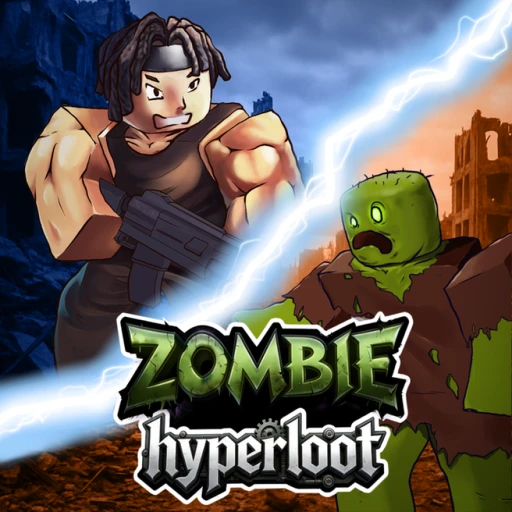
Zombie HyperLoot Codes, Classes & Complete Survival Guide (July 2026)
Zombie: HyperLoot by Old Snowflake Studio V has crossed 12 million visits and holds a 97.98% approval rating on Roblox, making it one of the highest-rated survival shooters on the platform. This guide covers every active code, all four playable classes, weapon upgrade paths, drone mechanics, and wave survival strategies you need to dominate in 2026.
Table of Contents
All Active Zombie HyperLoot Codes (July 2026)
Old Snowflake Studio V releases codes through their social channels and during milestone events. The daily login codes (DAY1 through DAY7) each grant 5,000 Gems, stacking up to 35,000 Gems total if you redeem all seven. Here is the full list of working codes as of July 2026:
| Code | Reward | Status |
|---|---|---|
| DAY7 | 5,000 Gems | Active |
| DAY6 | 5,000 Gems | Active |
| DAY5 | 5,000 Gems | Active |
| DAY4 | 5,000 Gems | Active |
| DAY3 | 5,000 Gems | Active |
| DAY2 | 5,000 Gems | Active |
| DAY1 | 5,000 Gems | Active |
| NEWYEAR | Gems + Bonus Rewards | Active |
| UPD1212 | Gems + Bonus Rewards | Active |
| CHRISTMAS | Gems + Bonus Rewards | Active |
| RAID1212 | Gems + Bonus Rewards | Active |
| UAV | Drone-Related Rewards | Active |
| ALPHA | Alpha Tester Rewards | Active |
| HALLOWEEN | Seasonal Rewards | Expired |

How to Redeem Codes in Zombie HyperLoot
The redemption process in Zombie: HyperLoot is straightforward, but codes are case-sensitive. Follow these steps to claim your free Gems and rewards:
- Launch Zombie: HyperLoot on Roblox (Place ID: 100822312246972) and wait for the game to fully load into the lobby or an active match.
- Look for the Code button in the bottom-right corner of your screen. It is visible from both the lobby and during gameplay.
- Click the Code button to open the code redemption text field. A popup window will appear with a text input area.
- Type or paste the code exactly as listed above. These codes are case-sensitive, so DAY7 must be entered with all capital letters.
- Press the Redeem button. A confirmation message will appear on screen, and the rewards will be added to your account immediately.
If a code returns an error, double-check your spelling and capitalization. If the code still fails, it may have expired since our last update. We check codes weekly and update this page as Old Snowflake Studio V releases new ones.
Class Breakdown & Tier Guide
Zombie: HyperLoot currently features four distinct classes, each tailored to specific playstyles and difficulty levels. Choosing the right class for the situation you are facing can mean the difference between clearing a wave and getting overrun. Here is a detailed breakdown of every class available in the game:
Assault
The Assault class excels at shredding through low-HP zombie hordes. Its kit revolves around sustained damage output and moderate survivability, making it the default pick for standard difficulty runs. Assault players should prioritize weapons with high fire rates to maximize their horde-clearing potential. If you are farming Coins or Gold on lower-tier maps, Assault gets the job done faster than any other class.
Flagbearer
Flagbearer functions as the team's anchor. This class comes with healing abilities and the highest MAX HP pool of all four classes, allowing Flagbearer players to absorb punishment that would eliminate other classes outright. In a 20-player server running difficult content, having two or three Flagbearers rotating their healing output keeps the entire squad alive through late waves. Flagbearer is the strongest pick for group play and raid-style encounters like those tied to the RAID1212 code event.
Ninja
Ninja is built for easy modes and speed farming. Its mobility and burst damage let players clear waves rapidly without relying on teammates. For solo players grinding early content or farming specific crate drops, Ninja offers the fastest clear times. The tradeoff is lower durability in harder content, where the class struggles to survive sustained zombie aggression.
Wrath
Wrath is the specialist class designed to handle difficult foes. When standard zombies give way to elite variants and boss-tier threats, Wrath's damage multipliers against tough enemies become invaluable. Running Wrath on hard mode content is strongly recommended, especially when paired with a Flagbearer providing healing support. The class demands more mechanical skill than the others but delivers the highest single-target damage in the game.

Weapons, Crates & Upgrades
Every weapon in Zombie: HyperLoot comes from crates that drop during gameplay. There are no direct weapon purchases, so your loadout depends on the crates you open and the upgrade paths you invest in. Understanding the weapon system is critical for long-term progression.
Obtaining Weapons from Crates
Crates drop at the end of completed waves and occasionally from elite zombie kills. Higher difficulty levels increase both the drop rate and the quality tier of crates you receive. Each crate contains a randomized weapon, so running more waves directly translates to a larger weapon pool. The randomization means that persistence pays off: the more crates you open, the better your chances of pulling a top-tier weapon.
Weapon Upgrade Strategy
Once you obtain a weapon, it can be upgraded using your accumulated currencies. The upgrade system in Zombie: HyperLoot rewards focused investment rather than spreading resources thin across your entire arsenal. Here is the approach that experienced players recommend:
- Focus your upgrade resources on one or two primary weapons rather than upgrading everything equally. A single maxed weapon outperforms three half-upgraded ones in every scenario.
- Prioritize weapons with area-of-effect (AoE) damage for horde-clearing efficiency. AoE weapons scale better into late waves where zombie density increases dramatically.
- Use your code-earned Gems to fund permanent upgrades first. The 35,000 Gems from DAY1 through DAY7 codes can fully upgrade a starter weapon to competitive levels.
- Save secondary upgrade resources for weapons that complement your main class. Assault players benefit from high fire-rate weapons, while Wrath players want single-target burst options.
Weapons with AoE damage remain the strongest general-purpose choice throughout the current Alpha build. Splash damage handles the tight zombie clusters that Zombie: HyperLoot throws at you in later waves, and the damage scales well with the upgrade system.
Drone & UAV System
Drones (referred to as UAVs in-game) are one of the standout features that set Zombie: HyperLoot apart from other Roblox survival shooters. These automated companions orbit your character during combat and provide two key benefits: automatic loot collection and passive stat boosts.
Auto-Collect Loot
During intense zombie waves, loot drops pile up across the battlefield. Without a drone, you need to manually run over each drop to collect it, which often means breaking formation or missing drops entirely during hectic fights. Drones solve this by automatically vacuuming up loot within their collection radius. In a 20-player server with maximum zombie spawns, the amount of loot that hits the ground every second is staggering. A drone ensures you never miss a drop.
Stat Boosts
Beyond loot collection, each drone grants passive stat improvements to your character. These boosts stack with your class abilities and weapon upgrades, creating compounding power gains. The UAV code (UAV) provides drone-related rewards that give new players a head start in this system.

Currency System Explained
Zombie: HyperLoot uses three distinct currencies, each serving a different role in your progression. Managing all three efficiently is how veteran players accelerate their builds and reach endgame content faster.
Gems (Premium Currency)
Gems are the premium currency and the most valuable resource in the game. They are primarily earned through code redemptions (the DAY codes alone grant 35,000 Gems total) and special in-game events. Gems should be spent on permanent upgrades that carry over between sessions. Since the game is still in Alpha with no game passes available, Gems from codes represent the main premium progression path.
Coins (Standard Currency)
Coins are the bread-and-butter currency earned from killing zombies, completing waves, and opening crates. They accumulate steadily during normal gameplay and are used for standard weapon upgrades and consumable purchases. Coins flow freely enough that you should not worry about hoarding them early on. Spend Coins on weapon upgrades as soon as you have identified your primary weapons.
Gold
Gold serves as an intermediate currency between Coins and Gems. It is rarer than Coins but more accessible than Gems, and it unlocks mid-tier purchases and upgrades. Gold drops increase on higher difficulty settings, giving experienced players another reason to push into harder content.
The relationship between these currencies creates a natural progression loop: Coins carry you through the early game, Gold opens up mid-game power spikes, and Gems fund your permanent endgame upgrades. Code rewards shortcut this loop by flooding your account with Gems from the start.
Survival Strategies for Every Wave
With a 97.98% rating and 12 million visits since its August 2025 launch, Zombie: HyperLoot has attracted a dedicated community that has mapped out effective survival strategies across every difficulty tier. Here are the tactics that consistently produce the best results:
Early Waves (Waves 1-10)
The opening waves exist to build your resource base. Run Ninja or Assault for maximum clear speed and focus on collecting every drop. This is where your code-earned Gems make the biggest difference: a fully upgraded primary weapon at wave 1 lets you blast through the early game in minutes rather than grinding slowly. AoE weapons shine here because zombie density is already high enough for splash damage to hit multiple targets per shot.
Mid Waves (Waves 11-25)
Zombie HP and damage scale up noticeably in the mid game. Solo players should switch to Ninja for the mobility advantage, while groups benefit from adding Flagbearer support. This is where your secondary weapon should come online. Upgrade it to handle elite zombie variants that start appearing alongside standard hordes. Make sure your drone is active to catch loot drops during the increasingly chaotic fights.
Late Waves (Waves 26+)
Late waves demand coordinated team play and optimized builds. Wrath class becomes essential for dealing with boss-tier zombies, while Flagbearers keep the squad alive through sustained damage. AoE weapons remain strong for clearing the regular horde, but you need at least one single-target weapon upgraded for elite enemies. In a full 20-player server, assign roles before pushing into late waves: designated Flagbearer healers, Wrath boss killers, and Assault or Ninja horde clearers.
Server Coordination
With 20-player servers, coordination is both an opportunity and a challenge. Full squads that communicate can clear content that would be impossible for random groups. Join the Zombie: HyperLoot community channels to find organized groups, and use the game's class system to balance your team composition before committing to a difficulty setting.
Zombie Evolution Mechanics
One of the most unique features in Zombie: HyperLoot is the zombie evolution system. Unlike most Roblox survival games where enemies reset between sessions, the zombies in this game evolve between sessions. This means the threats you face adapt over time, preventing any single strategy from working indefinitely.

The evolution system works on a session-to-session basis. When you log off and return later, the zombie population has shifted. New variants may appear with different attack patterns, resistances, or movement speeds. This keeps veteran players engaged because the game never becomes entirely predictable, and it rewards players who maintain diverse weapon loadouts rather than relying on a single build.
To counter zombie evolution effectively, maintain at least two upgraded weapons with different damage types. If your primary AoE weapon struggles against a new evolved variant, your secondary single-target weapon should cover the gap. Class flexibility also matters here: what worked yesterday with Assault might require Wrath today if the zombie population has shifted toward tankier variants.
Weekly Updates and Alpha Development
Old Snowflake Studio V pushes weekly updates during the Alpha stage, meaning new content, balance changes, and codes arrive regularly. The game was created on August 27, 2025, and has maintained an aggressive update schedule since then. Each update may introduce new zombie types, weapon categories, or gameplay mechanics that shift the meta. Following the developer's social channels ensures you catch new codes within hours of their release and stay informed about balance changes that might affect your class or weapon choices.
The Alpha tag means the game is still under active development. No game passes exist yet, which puts all players on equal footing regardless of spending. This is a rare window where free-to-play progression in Zombie: HyperLoot is as fast as it will ever be, and code redemptions are the primary way to accelerate your account.
Want Free Robux for Roblox Games?
Earnaldo lets you earn free Robux by completing simple tasks. Use your Robux in Zombie: HyperLoot or any other Roblox game you play.
Frequently Asked Questions
The current active codes are DAY7, DAY6, DAY5, DAY4, DAY3, DAY2, DAY1 (5,000 Gems each), NEWYEAR, UPD1212, CHRISTMAS, RAID1212, UAV, and ALPHA. The code HALLOWEEN has expired. Redeem all DAY codes for a total of 35,000 free Gems.
Look for the Code button in the bottom-right corner of your screen. Click it to open the code redemption text field, type or paste your code exactly as shown (codes are case-sensitive), then hit the Redeem button to claim your rewards.
It depends on the content you are running. Ninja excels at speed-farming easy modes. Assault handles low-HP hordes efficiently on standard difficulty. Flagbearer provides healing and the highest MAX HP for team support in group play. Wrath is the specialist pick for tackling difficult foes and boss-tier enemies.
Drones (also called UAVs) automatically collect loot drops for you during combat and grant passive stat boosts. They orbit your character and vacuum up items within their collection radius, reducing the risk of missing valuable drops during intense zombie waves. Redeem the UAV code for a head start with this system.
Weapons are obtained from crates that drop at the end of completed waves and from elite zombie kills. Higher difficulty levels increase both drop rates and crate quality. Once obtained, weapons can be upgraded using Gems, Coins, and Gold earned from gameplay and code redemptions.
There are three currencies: Gems (premium, earned from codes and special events), Coins (standard, earned from killing zombies and clearing waves), and Gold (intermediate, used for mid-tier upgrades). Gems should be prioritized for permanent upgrades, while Coins flow freely during normal gameplay.
No game passes are available as of July 2026. The game is still in Alpha stage, so Old Snowflake Studio V has not released any paid game passes yet. This means all players progress on equal footing, and code redemptions are the primary way to accelerate your account.
Each Zombie: HyperLoot server supports up to 20 players. Coordinating with a full squad of 20 players allows you to push into much harder content than solo play. Assign classes strategically across your team for the best results on late waves.
More Roblox Game Guides
Looking for codes and strategies for other popular Roblox games? Check out these guides:
- Rivals Codes & Free Robux Guide -- competitive PvP strategies and all active codes.
- Blox Fruits Codes & Free Robux Guide -- fruit tier lists, leveling routes, and every working code.
- Anime Defenders Codes & Free Robux Guide -- unit rankings, placement strategies, and code rewards.
- The Strongest Battlegrounds Codes & Free Robux Guide -- combo guides, character breakdowns, and active codes.