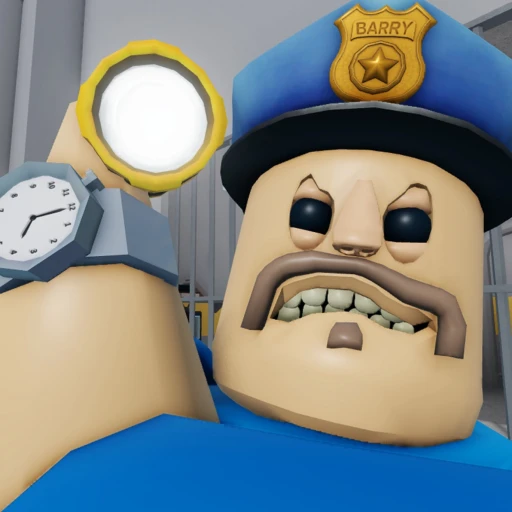
BARRY'S PRISON RUN Beginner Guide (2026) — Start Here
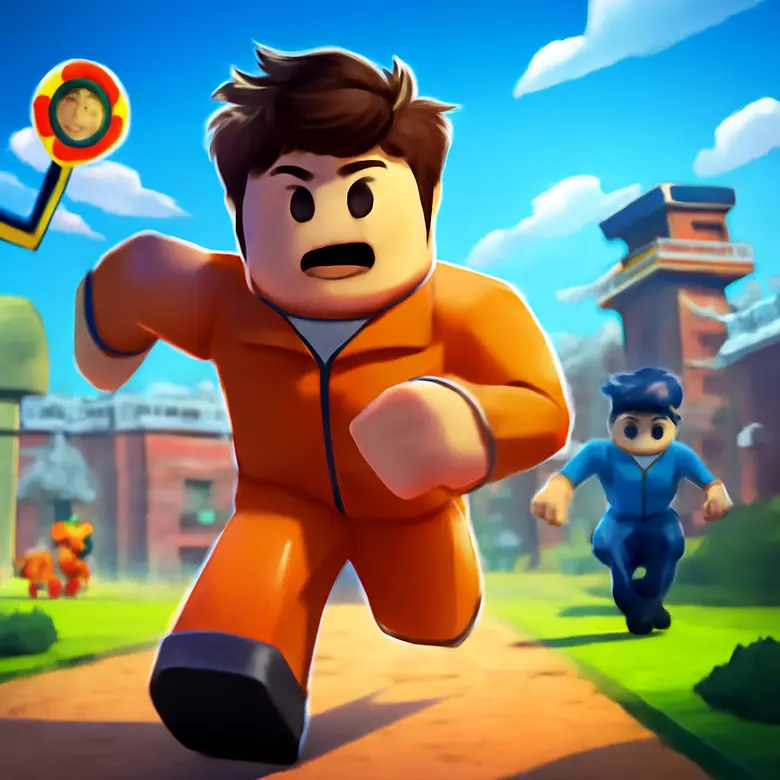
BARRY'S PRISON RUN is one of the most popular obby games ever made on Roblox, created by PlatinumFalls. The premise is simple: you're stuck in a prison, you need to escape through 25 demanding obstacles, and a guy named Barry really doesn't want you to leave. First-person view, a built-in speedrun timer, and obstacles that range from "okay, I can do this" to "why am I still falling" make it one of the most satisfying obbies to master.
If you've just loaded into the game and you're stuck on the third obstacle wondering what you signed up for, this guide is for you. We've run this course hundreds of times as of July 2026, and we'll walk you through everything from basic controls to the exact strategy that gets new players through Easy mode on their first real attempt. For a full overview of the game, check our BARRY'S PRISON RUN hub page.
Table of Contents
Your First 30 Minutes
When you first join BARRY'S PRISON RUN, select Easy mode. Don't touch Hard mode yet. Easy mode has 25 obstacles, and that's plenty to learn the game's feel. Hard mode adds more traps and tighter timing windows that will frustrate you before you've built the muscle memory to handle them.
The game drops you into a prison cell in first-person view. This is different from most Roblox obbies, which use third-person. First-person means you can't see your feet, which makes jump timing feel different. You'll need to develop a sense of where your character's hitbox ends without visual confirmation below you. It takes about 15 minutes of play to adjust.
Look for the yellow arrows. They're placed throughout the entire course and point you toward the next obstacle. If you ever feel lost or turned around, stop moving and scan for a yellow arrow. PlatinumFalls designed the path to be followable as long as you pay attention to these markers.
Your first run will probably take 20 to 40 minutes if you complete it. Don't worry about the speedrun timer right now. Just focus on reaching the end. The timer becomes relevant once you're comfortable with the obstacle layouts and want to push for faster completions.
Core Mechanics Explained
First-Person Movement
The first-person perspective is what makes BARRY'S PRISON RUN feel different from other obbies. You can't see your character model from behind, so you lose the visual reference point most Roblox players rely on for jumps. Instead, you need to judge distances based on the environment around you — the edge of a platform, the gap between pipes, the opening of a vent.
Movement uses standard WASD controls. Jumping is spacebar. There's no sprint button, so your speed is constant. The key skill is learning your jump arc — how far forward you travel during a jump and how high you go. Every obstacle in the game is designed around this specific arc. Once you internalize it, you'll know exactly which gaps you can clear and which ones need a running start.
Obstacle Types
BARRY'S PRISON RUN uses 4 main types of obstacles across its 25 Easy mode challenges. Recognizing these categories helps you know what technique to apply before you even reach the obstacle.
Climbing sections include bunk beds, ladders, and stacked objects. These require precise vertical jumps, often landing on narrow surfaces. The trick is to position yourself directly below your target, look slightly upward, and jump. Don't try to angle these jumps — go straight up.
Balance sections involve walking across pipes, beams, and narrow walkways. Move in a straight line and resist the urge to correct your path mid-walk. Small adjustments on narrow surfaces cause you to fall off the edges. Commit to your line and walk steadily.
Crawl sections take you through air vents and tight spaces. You'll crouch and navigate while your visibility is reduced. Move slowly in these areas. Rushing through vents is the fastest way to clip a corner and get reset back to the start of that section.
Parkour sections are timed jumps across gaps, moving platforms, and obstacle chains. These are the hardest type for beginners. The key is rhythm: jump, land, pause briefly to stabilize, then jump again. Trying to chain jumps without pausing leads to missed landings.
The Speedrun Timer
A speedrun timer runs from the moment you start your escape until you shoot Barry at the end. It's always visible on screen. For your first few completions, ignore it entirely. The timer exists for optimization — shaving seconds off your time by finding faster routes through obstacles and eliminating hesitation.
Competitive players aim for times under 5 minutes on Easy mode. Your first completion will likely be 20+ minutes. Getting from 20 minutes down to 10 happens naturally as you memorize the layout. Getting from 10 to 5 requires deliberate practice on specific obstacles that cost you the most time.
Badges
There are 9 player badges to collect across the game. Some are awarded for completing specific modes, others for achieving certain speedrun times, and a few are tied to special actions during the run. Badges are a nice secondary goal once you've completed the course a few times. They give you something to chase beyond just faster times. For active codes that might give you a head start, check our BARRY'S PRISON RUN codes page.
10 Beginner Mistakes to Avoid
We tracked the most common failure points across dozens of first-time playthroughs in April 2026. These 10 mistakes account for roughly 80% of all resets and failures we observed. Fixing even 3 or 4 of these will dramatically improve your completion rate.
- Starting on Hard mode. Hard mode exists to punish players who already know the course. It has more obstacles, tighter gaps, and traps that aren't in Easy mode. Starting there as a beginner teaches you nothing except frustration. Complete Easy mode at least 3 to 5 times before touching Hard.
- Rushing through obstacles. Speed comes from familiarity, not from sprinting. When you rush, you overshoot platforms, clip vent corners, and miss landings. In our testing, players who moved deliberately through each obstacle on their first attempt completed the course 3 times more often than players who tried to go fast immediately.
- Ignoring the yellow arrows. Some players skip right past the directional markers and wander off course. The yellow arrows aren't decoration. They mark the intended path through every section. If you can't find the next obstacle, you missed an arrow. Turn around and look for it.
- Angling jumps on climbing sections. When you need to jump onto a bunk or a shelf above you, go straight up. Beginners try to jump forward and up at the same time, which usually means they bonk the edge of the platform and fall. Position yourself directly below your target, look up slightly, and press space.
- Over-correcting on balance sections. Pipes and narrow beams require straight-line walking. When new players start drifting to one side, they panic and steer hard the other way — which sends them off the edge. Small, gentle corrections work. Or better yet, line yourself up at the start of the beam and walk forward without touching A or D at all.
- Moving too fast in air vents. Vent sections have tight turns and low ceilings. Moving at full speed means you'll hit walls and get bumped off course. Slow down. These sections are about precision, not speed. Even experienced speedrunners move carefully through the trickiest vent segments.
- Not adjusting mouse sensitivity for first-person. The default sensitivity works fine for third-person games but feels off in first-person obbies. If your camera movement feels either sluggish or twitchy, take 30 seconds to adjust it in settings. You need enough sensitivity to look around quickly in vents but not so much that precise aiming becomes impossible.
- Trying to skip obstacles. Some players see other people in the lobby talking about skips and try to replicate them. Most "skips" only work for experienced players who know exactly which pixel to land on. As a beginner, follow the intended path. You'll complete the course more consistently and learn the proper techniques for each obstacle type.
- Giving up after 3 or 4 resets. This game has a learning curve. Falling off the same obstacle 5 times in a row feels terrible, but the 6th attempt is usually the one that sticks. Most players who eventually beat the course report that a single difficult obstacle held them up for 5 to 10 minutes before they broke through. That's normal.
- Forgetting to shoot Barry at the end. You've cleared all 25 obstacles, you're at the finale, and — you need to actually shoot Barry to complete the run. Some new players don't realize there's an action required at the end. When you reach the final area, pick up the weapon and take the shot. That's when your timer stops and your run counts as complete.
Best Starter Strategy
Here's the exact approach we recommend for your first week with BARRY'S PRISON RUN. This strategy prioritizes completion over speed and builds skills in the right order.
- Play Easy mode only. Start every session in Easy mode until you can complete all 25 obstacles without more than 2 or 3 resets. This usually takes 3 to 5 full playthroughs spread across a couple of sessions.
- Follow every yellow arrow. On your first 3 runs, treat the yellow arrows as mandatory checkpoints. Don't deviate from the marked path for any reason. You need to learn the intended route before you can optimize around it.
- Slow down on new obstacles. When you reach an obstacle you haven't seen before, stop at the beginning and study it for 5 seconds. Look at where you need to land, identify the gaps, and plan your jumps before executing. This saves more time than it costs because you'll avoid resetting.
- Memorize the obstacle order. After 2 or 3 completions, you'll start recognizing which obstacle comes next. This is when your times begin dropping. Knowing what's ahead lets you prepare mentally for each section instead of reacting to it cold.
- Identify your 3 weakest obstacles. Everyone has specific obstacles that cause them the most trouble. After completing the course a few times, note which 3 obstacles reset you most often. Spend 5 minutes at the start of each session practicing just those obstacles before doing a full run.
- Push for sub-10 minutes on Easy. Once you can complete Easy mode consistently, aim for a sub-10-minute time. This forces you to eliminate hesitation and move more fluidly between obstacles. It's a realistic goal that most players can hit within their first week.
- Try Hard mode after 5 Easy completions. Once Easy mode feels comfortable, test Hard mode. Expect to fail a lot. Hard mode introduces new traps and tighter sequences, but the fundamental skills you built on Easy transfer directly. Your muscle memory for jumps, balance, and vent navigation still applies.
When to Spend Robux (and When Not To)
BARRY'S PRISON RUN is completely free-to-play, and you can beat every mode without spending a single Robux. That said, the game does offer some purchases. Here's an honest breakdown of what's worth considering and what isn't.
What's Potentially Worth It
Game passes that add quality-of-life features can be worth the Robux if you plan to play long-term. Passes that offer things like checkpoint saves or speed boosts can reduce frustration significantly during the learning phase. If you're the type of player who hates replaying sections you've already mastered, a checkpoint pass pays for itself in saved frustration.
Morphs and items in certain game modes can add variety to the experience. Some morphs are purely cosmetic, while others may offer minor gameplay differences. If a specific morph appeals to you and you've already gotten comfortable with the base game, it's a reasonable spend.
What's Not Worth It (Yet)
Don't buy anything before completing Easy mode at least once. You need to know whether you enjoy the core gameplay before investing Robux. Some players discover that obbies aren't their thing after 30 minutes, and that's fine. But you don't want to discover that after you've already spent Robux on game passes.
Skip paying for cosmetics early on. Cosmetic items look nice but they don't help you clear obstacles. The satisfaction of beating the course comes from skill, not from how your character looks while doing it. Save cosmetic purchases for after you've invested enough time to know you'll keep playing.
Avoid anything that promises to "make the game easy." No purchase replaces the need to learn jump timing and obstacle patterns. Even with every game pass activated, you still need to execute the jumps yourself. Spend your Robux on things that enhance a game you already enjoy, not on things that try to skip the gameplay entirely.
If you're looking for ways to get Robux without spending real money, check our BARRY'S PRISON RUN free Robux guide for methods we've verified ourselves. You can also compare this obby to similar games in our BARRY'S PRISON RUN vs Tower of Hell comparison.
Earn Free Robux While You Play
Want more Robux for BARRY'S PRISON RUN and other Roblox games? Earnaldo lets you earn free Robux by completing simple tasks — no surveys, no downloads, just real rewards.
Frequently Asked Questions
BARRY'S PRISON RUN is a first-person obby game on Roblox created by PlatinumFalls. You escape a prison by completing 25 obstacle courses in Easy mode, then shoot Barry at the end. It's one of the most popular obbies in Roblox history, with billions of visits as of July 2026.
Easy mode contains 25 obstacles. These range from climbing bunks and walking across pipes to crawling through air vents and parkour sections. Yellow arrows guide you through the entire course, so you always know where to go next.
Hard mode adds more obstacles and traps beyond the 25 in Easy mode. The jumps are tighter, the timing windows are smaller, and new hazards appear that don't exist in Easy. We recommend completing Easy mode at least 3 to 5 times before attempting Hard mode so you have solid fundamentals.
Look for the yellow arrows placed throughout the course. They point you toward the next obstacle or checkpoint. If you ever feel lost, stop and scan your surroundings for a yellow arrow — it will always guide you forward.
Yes, the developer occasionally releases codes for in-game rewards. Check our BARRY'S PRISON RUN codes page for the latest active codes — we update it daily.
Earnaldo lets you earn free Robux by completing simple tasks — no surveys, no shady downloads. You can use that Robux to buy game passes and items in BARRY'S PRISON RUN without spending real money. Visit Earnaldo to get started.