Last checked: August 9, 2026
Flicker Codes (August 2026) - Free Coins for the Murder Mystery Game
Looking for active Flicker codes? We have gathered every working code for this popular Roblox social deduction game. Redeem these codes for free Coins that you can use to buy skins, effects, and other customization items to stand out in every round.
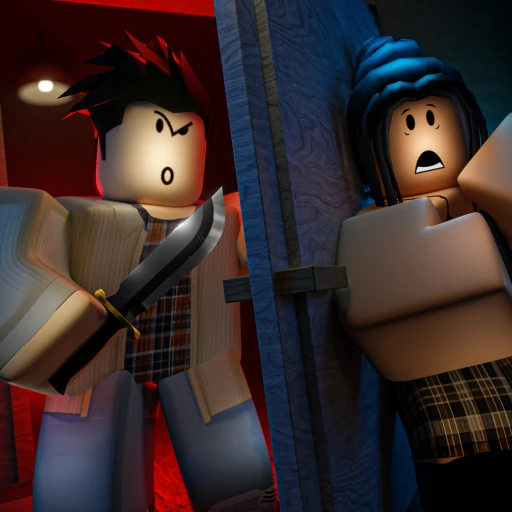
Flicker is a social deduction murder mystery game inspired by classics like Mafia and Werewolf. Each round, players are assigned secret roles. One player is the killer, and everyone else must work together to figure out who it is before the lights flicker out again. The killer tries to eliminate players one by one while staying hidden. It is a game of observation, persuasion, and deception.
Coins let you personalize your character with skins and visual effects, making your presence in the game more distinctive. Codes are the fastest way to build up your Coin balance without spending Robux. We check these codes regularly to keep this list accurate.
All Working Flicker Codes
Here are all the active codes for Flicker as of July 2026. Redeem them right away to claim your free Coins.
| Code | Reward | Status |
|---|---|---|
| WEAREBACK | 500 Coins | Active |
| 600KLIKES | 200 Coins + 1 Paperbox | Active |
Expired Flicker Codes
The following codes have been confirmed as no longer working. We keep them here so you know which codes to skip.
| Code | Reward | Status |
|---|---|---|
| FLICKERON | Coins | Expired |
| SPOOKY | Coins | Expired |
| HOLIDAY | Coins | Expired |
| 1MVISITS | Coins | Expired |
🎁 Flicker codes expired or empty-handed?
Codes come and go — earning is forever. Earnaldo pays you real Robux for playing Roblox games and finishing simple tasks. Free to join, no human verification, cash out from your very first point.
Earn Robux instead →How to Redeem Codes in Flicker
Entering codes in Flicker takes just a few seconds. Here is the process:
- Open Flicker in Roblox and wait for the game to load into the lobby.
- Look for the X icon on the left side of your screen and click it.
- A code redemption panel will appear with a text field labeled "Enter a code here".
- Type or paste your code into the text field. Make sure you match the exact capitalization shown above.
- Click the green "Go" button to submit your code.
- If the code is valid, your Coins will be added to your balance immediately and a success message will appear.
You can redeem codes from the lobby before a round starts or between rounds. If you do not see the X icon, look around the edges of your screen -- it may be positioned differently depending on your screen resolution.
What Are Coins Used For in Flicker?
Coins are Flicker's in-game currency. Here is what you can spend them on:
Character Skins
Skins change the appearance of your character during gameplay. Some skins are purely cosmetic, while others have unique animations or visual effects. Standing out visually can actually affect gameplay in a social deduction game -- a memorable skin makes you more noticeable to other players, which can be either an advantage or a risk depending on your role.
Kill Effects
If you are assigned the killer role, kill effects change the visual animation when you eliminate another player. These are purely cosmetic but add a personal touch to your gameplay style. Premium kill effects are among the most expensive items in the shop.
Emotes and Animations
Emotes let you express yourself during the discussion and voting phases. In a game built around communication and persuasion, having the right emote at the right moment can lighten the mood or emphasize a point you are making to other players.
Lobby Items
Some Coins can be spent on items that affect the lobby experience, such as special trails or particle effects that follow your character between rounds. These items are visible to everyone in the server and are a way to show off your collection.
Tips for Playing Flicker
Whether you are new to social deduction games or a seasoned player, these tips will help you perform better in Flicker:
As an Innocent
Pay attention to who is near the victim. When the lights flicker and someone gets eliminated, think about who was standing nearby or who moved suspiciously. Share your observations during the discussion phase but be prepared to back them up with reasoning.
Do not accuse randomly. Voting out an innocent player helps the killer. If you are not sure who the killer is, it can be better to skip a vote rather than eliminate a teammate based on a hunch.
Watch for behavioral patterns. Killers often act differently from innocents. They may be quieter during discussions, change their story, or try to redirect suspicion onto others. Look for inconsistencies in what people say versus what you observed.
As the Killer
Blend in with the crowd. The best killers participate actively in discussions without drawing too much attention. Agree with popular opinions, make reasonable accusations, and avoid being the loudest or quietest person in the room.
Create doubt. Rather than directly defending yourself, cast suspicion on multiple players. When the group cannot agree on a suspect, it works in your favor because it delays the vote and gives you more time to eliminate players.
Time your kills carefully. Eliminate players when others are distracted or when the group is spread out. Killing near a group of witnesses makes it much harder to avoid detection.
Similar Games to Try
If you enjoy Flicker's social deduction gameplay, these Roblox games offer similar experiences:
Check out our Murder Mystery 2 guide for another take on the murder mystery genre, where one player is the murderer, one is the sheriff, and everyone else must survive. For a different kind of thriller, visit our Flee the Facility guide where you work as a team to escape a beast that is hunting you down.
For more Flicker strategies, role breakdowns, and gameplay tips, see our Flicker complete guide.
Want Free Robux?
Earn free Robux through Earnaldo by completing simple tasks. No surveys, no scams -- just real Robux delivered to your account.
Frequently Asked Questions
Click the X icon on the left side of your screen to open the code panel. Enter your code in the "Enter a code here" text box and click the green "Go" button. Your Coins will be credited to your account immediately if the code is valid.
Common causes include expired codes, previously redeemed codes, and typos. Flicker codes are case-sensitive -- "WEAREBACK" is different from "weareback" or "WeAreBack". Copy the code directly from this page and paste it into the game to eliminate typing errors.
The Flicker developers release codes during game updates, seasonal events, bug fix patches, and player milestone celebrations. There is no set schedule, so your best bet is to check this page regularly and follow the developers on their social media channels.
No. Each code can only be claimed once per Roblox account. After successful redemption, the code is permanently locked for your account. You cannot reset or bypass this limitation.
Yes, Flicker codes can expire without warning. Some codes have remained active for months while others are removed within days. The safest approach is to redeem every code as soon as you find it. Expired codes are listed in our table above so you know which ones to skip.
This page is updated regularly with all known Flicker codes. You can also find new codes by following the developers on Twitter/X, joining the Flicker Discord server, and checking the game description on the Roblox page. We gather codes from all these sources into one convenient list.