LifeTogether RP Free Robux Guide (2026) -- Tips, Houses & Roleplay Secrets
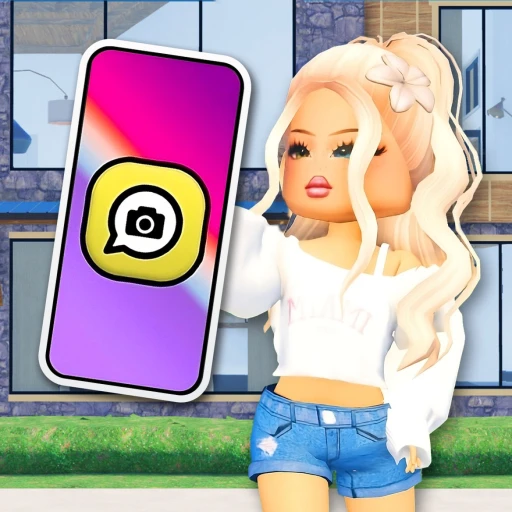
LifeTogether RP has quietly become one of the biggest roleplay games on Roblox, crossing 3.7 billion total visits since its July 2023 launch. Built by Cinnamon Software, the game regularly hosts around 60,000 concurrent players who are busy building homes, driving custom vehicles, and roleplaying everyday life scenarios in a sprawling virtual town. If you've been playing Brookhaven or Berry Avenue and want something with a more modern phone-based interface and deeper house customization, LifeTogether RP is worth your time.
This guide covers everything from getting your first house set up to mastering the phone system, finding the best roleplay jobs, and using outfit codes to stand out. We'll also touch on how players pick up free Robux through Earnaldo to grab premium cosmetics, but the bulk of this guide focuses on the game itself and how to get the most out of every session.
Table of Contents
1. What Is LifeTogether RP?
LifeTogether RP is a Town & City roleplay game on Roblox where players live out a simulated daily life. You buy a house, decorate it, grab a vehicle, pick a job role, and interact with other players across a detailed open-world map. There are no levels, no combat mechanics, and no win conditions. The entire experience is driven by social interaction and creativity.
What sets LifeTogether RP apart from other roleplay games is its phone-based user interface. Instead of using toolbar buttons or physical menus scattered around the map, nearly everything runs through an in-game smartphone. Your phone handles house selection, vehicle spawning, avatar customization, and settings management. It's a cleaner system than what most competing roleplay games offer, and it feels intuitive once you've spent a couple of minutes tapping through the menus.
The numbers tell the story of how well this approach has worked. Since launching on July 5, 2023, LifeTogether RP has racked up over 3.7 billion visits -- a staggering figure for a game that's less than three years old. The game sits comfortably in Roblox's top tier for the Town & City genre, regularly pulling ~60,000 concurrent players at any given time.
Here's a quick breakdown of the game's current stats:
| Stat | Value |
|---|---|
| Total visits | 3.7 billion+ |
| Avg. concurrent players | ~60,000 |
| Developer | Cinnamon Software |
| Launch date | July 5, 2023 |
| Genre | Town & City Roleplay |
| In-game currency | None (pure roleplay) |
| Reward codes | No (outfit codes only) |
The core loop is straightforward: spawn in, open your phone, pick a house, grab a vehicle, and start roleplaying. There's no grind, no currency to farm, and no daily login rewards pushing you toward a progression treadmill. You log in, you play pretend with strangers or friends, and you log off. That simplicity is exactly why it works.
You can play LifeTogether RP here: LifeTogether RP on Roblox.

2. Houses & Customization
Housing is where LifeTogether RP shines brightest. The game offers an extensive catalog of homes ranging from small starter apartments to large multi-story mansions, and the customization system goes well beyond what most roleplay games provide.
Buying Your First House
Open your phone and navigate to the house section. You'll see the full catalog of available homes with previews of each layout. Select a house and it spawns on an available plot. Swapping houses is instant and free -- you aren't locked into your choice, so feel free to experiment with different styles until you find one that fits your current roleplay scenario.
Some players switch houses multiple times per session. A cozy cottage for a family roleplay, a modern penthouse for a celebrity storyline, a suburban home for a neighborhood drama. The ability to swap on the fly makes each session feel fresh without any penalty.
Interior Decoration
Once you're inside your house, the decoration system opens up. LifeTogether RP lets you place and arrange furniture across every room. The catalog includes:
- Living room -- sofas, coffee tables, TV units, bookshelves, rugs, lamps
- Kitchen -- counters, stoves, refrigerators, dining tables, bar stools
- Bedroom -- beds in multiple sizes, dressers, nightstands, mirrors, curtains
- Bathroom -- bathtubs, showers, sinks, toilets, towel racks
- Outdoor -- patio furniture, grills, garden decorations, fencing
Each piece of furniture can be positioned and rotated freely within the room. Wall colors and flooring materials are also customizable, letting you match your interior design to whatever aesthetic you're going for. Want a minimalist white kitchen with concrete floors? Done. Prefer a warm, cluttered living room with dark wood paneling? Also done.
Making Your House a Roleplay Hub
The best LifeTogether RP sessions often start at someone's house. Players gather, establish characters, and build a story from the domestic setting outward. A family might eat breakfast together, drive the kids to school, and then head to their jobs -- all starting from the living room. The house decoration system directly supports this by making homes feel lived-in rather than like empty shells.
If you're roleplaying with a consistent group, coordinate your house choices so your homes are on adjacent plots. This creates a neighborhood dynamic that adds another layer to the experience. Neighbors borrowing things, throwing block parties, or getting into friendly disputes -- it all flows naturally when your houses are close together.
3. Vehicles -- Acquiring & Customizing
Vehicles in LifeTogether RP aren't just transportation. They're roleplay props, status symbols, and conversation starters. The game offers a solid lineup of cars, trucks, motorcycles, and specialty vehicles that you can spawn through your phone.
Spawning and Driving
Open your phone, go to the vehicle section, and browse the available options. Tap on any vehicle to spawn it near your current location. The controls follow standard Roblox driving mechanics -- WASD for movement, spacebar for braking. There's no fuel system or maintenance mechanic, so once you spawn a vehicle, it stays until you despawn it or leave the server.
The vehicle catalog includes everyday cars for casual driving, larger vehicles like SUVs and trucks for family scenarios, sports cars for players who want speed, and motorcycles for a different feel on the road. Some vehicles are available to all players, while others require Robux purchases.

Vehicle Customization
Beyond just picking a vehicle, LifeTogether RP lets you customize the appearance of your rides. Color changes, wheel options, and cosmetic modifications give each vehicle a personal touch. A police car for your officer roleplay, a bright red convertible for a date night scenario, or a family minivan packed with character -- the customization system supports all of it.
Vehicles also serve practical purposes during roleplay. Doctors can drive to emergencies. Parents drop kids off at school. Friends go on road trips to explore the edges of the map. Having the right vehicle for the right moment makes scenes feel more grounded and believable.
4. Jobs & Roleplay
Jobs in LifeTogether RP work differently from most Roblox games. There's no paycheck, no currency reward, and no progression system tied to your occupation. Instead, jobs are purely roleplay tools. You walk into a building, take on the role associated with that location, and act it out with other players.
Available Job Locations
The town map has multiple job buildings spread across different areas. Each one gives you access to role-specific props and interactions:
- Hospital -- roleplay as a doctor, nurse, or patient. The building includes exam rooms, patient beds, and medical equipment props
- Fire station -- grab a firefighter outfit and respond to emergencies. The fire truck is available for dramatic arrivals
- Police station -- take on the officer role with patrol cars and holding cells. Popular for cops-and-robbers scenarios
- School -- teachers and students interact in classrooms. One of the most popular roleplay setups for group play
- Restaurant/Cafe -- serve food, take orders, and create dining scenarios with other players
- Grocery store -- stock shelves, run the register, or shop as a customer
The lack of monetary reward is deliberate. Cinnamon Software designed the job system around creative freedom rather than grind incentives. You pick a job because it fits your story, not because it pays the most coins per hour. This keeps the focus on the roleplay itself rather than on optimization or efficiency.
Making Jobs Work in Roleplay
The trick to getting the most out of the job system is coordination. A hospital scene works best when you have at least two or three players -- a doctor, a patient, and maybe a nurse or family member in the waiting room. A school scene needs a teacher and a handful of students. Solo job roleplay can get dull quickly, but a coordinated group can run a scenario for an hour or more.
Use the in-game chat to set up scenarios before diving in. A quick "Who wants to do a hospital RP?" in the server chat usually pulls in interested players within minutes. LifeTogether RP's active player base means you rarely have trouble finding people who want to join a scene.

5. Tips for Better Roleplay
LifeTogether RP is only as good as the effort you put into it. Here are the strategies that experienced players use to create richer, more engaging sessions.
Use Outfit Codes
LifeTogether RP supports outfit codes -- item IDs that let you customize your avatar's clothing and accessories beyond the default options. These codes correspond to Roblox catalog items and can be entered through the phone's avatar section. Using outfit codes lets you dress your character for specific roles: a lab coat for a doctor, a uniform for a police officer, or a formal outfit for a dinner party scenario.
Outfit codes are shared widely across LifeTogether RP communities on Discord, YouTube, and TikTok. Building a collection of codes for different outfits means you can switch between roles quickly without spending time browsing the in-game options every time.
Explore the Full Map
Most new players stick to the town center and their house plot. The map is bigger than that. Drive out to the edges and you'll find parks, waterfront areas, rural plots, and scenic spots that make for great roleplay backdrops. A picnic scene at the park, a fishing trip at the lake, or a romantic walk along the waterfront -- these locations exist and they're underused by players who never leave the main streets.
Join or Create Roleplay Clubs
Consistent roleplay groups make the experience significantly better. When you find players whose roleplay style matches yours, add them as friends and coordinate your sessions. Many LifeTogether RP players form informal clubs -- a family group that plays together every evening, a friend group that runs a restaurant scene, or a neighborhood crew that creates ongoing storylines across multiple sessions.
Attend Community Events
Cinnamon Software runs periodic events that add temporary content, decorations, and themed items to the game. Holiday events are the biggest ones -- Halloween brings spooky decorations and costumes, Christmas adds winter themes, and seasonal updates refresh the map with new details. Logging in during events gives you access to limited-time items and scenery that can elevate your roleplay.
Use Emotes and Animations
Your character's body language matters in roleplay. LifeTogether RP includes a range of emotes and animations that add non-verbal communication to your scenes. Waving, sitting, dancing, and other animations help convey emotion and make interactions feel more natural. Don't rely on chat text alone -- use the full range of expression tools the game gives you.
6. How It Compares to Brookhaven RP
The most common comparison for LifeTogether RP is Brookhaven RP, the most visited game in Roblox history. Both games occupy the same Town & City roleplay genre, and they share many core mechanics: houses, vehicles, jobs, and open-world social interaction. But there are meaningful differences worth noting.
Brookhaven uses a toolbar-based interface where you select houses, vehicles, and roles from buttons at the bottom of the screen. LifeTogether RP routes everything through the phone system, which feels more modern and keeps the screen less cluttered during gameplay. This is a matter of preference -- some players find the toolbar faster, while others prefer the phone's organized menus.
House customization runs deeper in LifeTogether RP. While Brookhaven offers house selection and basic furniture, LifeTogether RP's decoration system gives you more granular control over placement, color, and room layout. If you spend a lot of your roleplay time at home, LifeTogether RP offers a better canvas.
On the flip side, Brookhaven has a much larger player base (400,000+ concurrent vs. LifeTogether RP's ~60,000), more game passes, and the weight of being an established name that virtually every Roblox player recognizes. Brookhaven also has a role system with defined jobs and uniforms built in, while LifeTogether RP relies more on outfit codes and self-directed roleplay.
Players who enjoy Berry Avenue or Dress to Impress will also find common ground with LifeTogether RP, since all three games emphasize avatar customization and social interaction over competitive gameplay.
The honest answer? Try both. They're free. You'll quickly figure out which interface and community feels right for the kind of roleplay you want to do.
7. Earning Free Robux for LifeTogether RP
LifeTogether RP is free to play, and the core experience doesn't require any Robux. But premium vehicles, exclusive house items, and special avatar accessories do cost Robux, and those purchases can add up if you want to fully customize your experience.
Players who want to pick up Robux without spending real money can use Earnaldo, which lets you complete tasks and surveys to earn free Robux that you can put toward LifeTogether RP purchases or any other Roblox game. It's a straightforward way to fund your cosmetic upgrades.
That said, the free content in LifeTogether RP is generous. You can have great roleplay sessions without spending a single Robux. Premium items are nice-to-haves, not requirements.
Want Free Robux for LifeTogether RP?
Earn free Robux through Earnaldo and use them on premium vehicles, house items, and avatar accessories in LifeTogether RP.

8. Frequently Asked Questions
Yes. LifeTogether RP is completely free on Roblox. You can access houses, vehicles, jobs, the phone system, and all core features without spending any Robux. Some premium cosmetic items and exclusive vehicle options may require Robux purchases, but the full roleplay experience is available at no cost.
LifeTogether RP doesn't use traditional reward codes that give items, currency, or in-game advantages. The game does support outfit codes, which are Roblox catalog item IDs you enter through the phone's avatar section to customize your clothing and accessories. These are purely cosmetic and are shared by the community on social media platforms.
No. LifeTogether RP is a pure roleplay game without an earnable in-game currency. Jobs do not pay any money. You walk into a job building to take on a role for storytelling purposes, not to earn coins or cash. House and vehicle access is managed through the phone interface rather than through purchases with in-game money.
The phone is your main control panel. Access it from the toolbar at the bottom of the screen. From there, you can browse and select houses, spawn and manage vehicles, customize your avatar with outfits and accessories, and adjust game settings. The phone replaces the toolbar-based menus found in most other roleplay games and keeps everything organized in one place.
LifeTogether RP has crossed 3.7 billion total visits since launching in July 2023. The game typically has around 60,000 concurrent players at any time, placing it among the most popular Town & City roleplay experiences on Roblox.
Cinnamon Software developed and continues to maintain LifeTogether RP. The studio launched the game on July 5, 2023, and has shipped consistent updates throughout 2024, 2025, and 2026, adding new houses, vehicles, items, and seasonal content.
Both are Town & City roleplay games with houses, vehicles, and jobs, but they differ in interface and depth. LifeTogether RP uses a phone-based UI for managing game features, while Brookhaven uses a bottom toolbar. LifeTogether RP also offers more detailed house customization and supports outfit codes for avatar styling. Brookhaven has a much larger player base and more game passes. Both are free to play.
Yes, and it's one of the game's strongest features. You can place and arrange furniture in every room, change wall colors and flooring, and customize indoor and outdoor spaces. The catalog includes living room, kitchen, bedroom, bathroom, and outdoor furniture. Items can be positioned and rotated freely, giving you full control over your home's appearance.
9. About This Guide
This guide was written for players who want to get more out of LifeTogether RP on Roblox. All gameplay information is based on the live version of the game as of March 27, 2026. Cinnamon Software updates the game regularly, so specific features, available houses, and vehicle options may change with future patches.
LifeTogether RP is not affiliated with Earnaldo. This guide was published on the Earnaldo Blog as part of our coverage of popular Roblox games. For more roleplay game guides, check out our coverage of Brookhaven RP, Berry Avenue, Dress to Impress, and Adopt Me.
If you spot outdated information or have suggestions for this guide, reach out through our Discord server.