Ragdoll Engine Free Robux Guide (2026) -- Physics Sandbox Tips, Passes & Tricks
Ragdoll Engine is one of Roblox's purest physics sandboxes -- a game with no quests, no progression systems, and no win conditions. Just raw ragdoll physics, a collection of wild map areas, and other players to launch into the stratosphere. With over 541 million visits and a deeply loyal community, this game by Byteonix (originally created by mr_beanGuy) has proven that sometimes the best gameplay is the kind you make up yourself. This guide covers everything from controls and map areas to game passes, free gear through the Byteonix group, community push techniques, and how to earn Robux without spending real money.
There are no active codes for Ragdoll Engine, and the game has never had a code redemption system. But the good news is that you can get several premium items completely free just by joining the developer's Roblox group. We'll break down exactly how that works alongside a full walkthrough of every game pass and the best tricks the community has discovered.
Table of Contents
- What Is Ragdoll Engine?
- Controls and How to Play
- Map Areas and Zones
- Game Passes -- Full Breakdown
- How to Get Free Gear from the Byteonix Group
- Push Techniques and Community Tricks
- Tips for Getting the Most Out of Ragdoll Engine
- A Note on Codes
- How to Earn Robux for Ragdoll Engine Passes
- Frequently Asked Questions
What Is Ragdoll Engine?
Ragdoll Engine is a physics sandbox game on Roblox where the entire point is to mess around with ragdoll physics. There are no objectives, no levels to complete, and no enemies to fight. You spawn into a large open map filled with structures, contraptions, and hazards, and you're free to do whatever you want. Toggle your character into ragdoll mode, throw yourself off a skyscraper, get blasted out of a cannon, or push other players into oblivion. That's the game, and it has attracted over 541 million visits because of how satisfying and hilarious the physics engine feels.
The game was originally created by mr_beanGuy and is now continued by Byteonix under the Build2Inspire group. Its Roblox place ID is 6584731191. Despite having no traditional gameplay loop, Ragdoll Engine maintains a massive player base because the physics interactions are genuinely fun. Watching your character tumble down a flight of stairs, bounce off a trampoline, or get launched across the entire map by another player's push never stops being entertaining. The game runs on Roblox's built-in physics engine but pushes it to its limits with exaggerated force multipliers and carefully designed terrain that maximizes chaotic interactions.
What makes Ragdoll Engine stand out from other sandbox games on Roblox is its commitment to simplicity. There's no inventory system, no currency to grind, no daily login rewards, and no battle pass. You load in and start playing immediately. The entire experience is built around a single mechanic -- ragdoll physics -- and everything on the map exists to make that mechanic as entertaining as possible. It's the kind of game you can pick up in five seconds and play for three hours without realizing it.

If you enjoy sandbox-style games on Roblox, you might also want to check out our guides for Natural Disaster Survival (which uses physics for survival challenges) and The Strongest Battlegrounds (which channels physics into combat).
Controls and How to Play
Ragdoll Engine has one of the simplest control schemes of any Roblox game. There are only a handful of inputs to learn, and none of them require combos, timing windows, or practice to execute. Here's the complete control layout.
| Key / Input | Action |
|---|---|
| F | Toggle ragdoll mode on/off |
| X (Xbox) | Toggle ragdoll mode on/off (controller) |
| T | Toggle perspective (first-person / third-person) |
| Left Mouse Button | Sync emotes with another player |
| WASD | Standard movement |
| Space | Jump |
The core mechanic is the ragdoll toggle. When you press F, your character immediately goes limp and physics take full control. Your avatar will tumble, slide, bounce, and roll based on the terrain, gravity, and any forces acting on it. Press F again to stand back up. The transition between standing and ragdoll is instant, which means you can toggle mid-air, mid-fall, or mid-push to create different physics outcomes.
First-person mode (toggled with T) changes the experience dramatically. Instead of watching your character ragdoll from a third-person camera, you see the world tumbling around you from inside your character's head. This makes falls from the Skyscraper genuinely disorienting and adds a visceral quality to being pushed by other players. Most experienced players switch between perspectives depending on what they're doing -- third-person for navigating the map and first-person for the raw ragdoll experience.
The emote sync feature is a social mechanic that lets you coordinate animations with nearby players. Click on another player with the left mouse button and both of your characters will perform the same emote simultaneously. It's a small touch, but it adds to the sandbox social experience that keeps people coming back to servers for hours at a time.
Map Areas and Zones
Ragdoll Engine's map is divided into several distinct zones, each designed to create different physics interactions. There's no formal map or guide in-game, so here's a breakdown of the major areas and what you can do in each one.
The Skyscraper
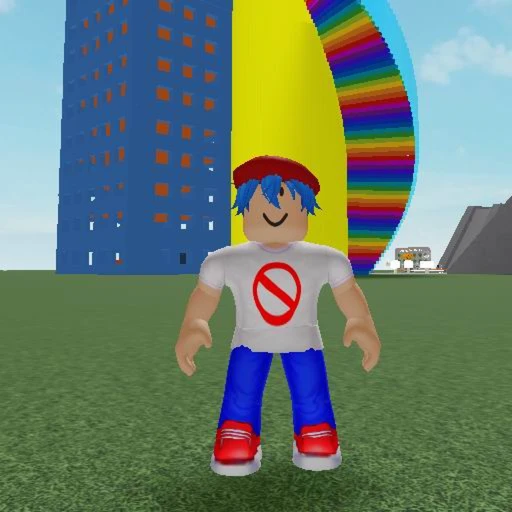
The Skyscraper is the tallest structure on the map and the most iconic landmark in Ragdoll Engine. It towers above everything else and features multiple floors connected by stairs, ramps, and open ledges. The entire point of the Skyscraper is to climb to the top and throw yourself off. The fall is long enough that your ragdoll character will pick up serious speed before hitting the ground, resulting in spectacular bounces, tumbles, and ragdoll chaos on impact. Players also use the Skyscraper as a pushing arena -- the ledges and open sides make it easy to push other players off the edge from extreme heights.
The Skyscraper works best when the server is populated because you get the combined entertainment of watching other players fall alongside you. Group jumps from the top floor are a staple of the Ragdoll Engine experience. Switching to first-person mode before jumping off adds an entirely different layer of immersion to the fall.
The Gravity Chamber
The Gravity Chamber is an enclosed zone where gravity behaves differently than the rest of the map. Inside the chamber, your character floats and drifts with reduced gravitational pull, creating slow-motion ragdoll physics that look completely different from the standard experience. Toggling ragdoll inside the Gravity Chamber sends your character spinning and tumbling in slow, weightless arcs. The chamber is especially fun when combined with the Push ability, as pushing a player in low gravity sends them floating across the entire enclosed space in unpredictable trajectories.
Cannons
Several cannons are scattered across the map, and they do exactly what you'd expect. Walk into a cannon and it launches your character at high velocity in a fixed direction. The trajectory sends you flying across a large portion of the map before physics bring you crashing back to the ground. Cannons are a quick way to experience the ragdoll physics at maximum velocity without needing to climb anything first. Each cannon fires at a slightly different angle and force, so experimenting with all of them is part of the fun.
Air Balloons
Air balloons lift your character into the sky at a steady pace. Unlike the cannons, which are a sudden burst of force, balloons create a gradual ascent that lets you enjoy the height before you toggle ragdoll and plummet back down. The balloons are positioned at various points across the map and reach different maximum altitudes. They're a more controlled way to set up big falls compared to the Skyscraper or cannons.

Hazard Areas
Various hazard zones are spread across the map, including areas with spinning obstacles, moving platforms, and other physics-based traps. These zones add unpredictability to the ragdoll experience because external forces act on your character in addition to gravity. Walking through a hazard zone while in ragdoll mode creates chain reactions of bounces and tumbles that are impossible to predict. Hazard areas are popular spots for players who want more dynamic ragdoll interactions than simply falling from a height.
Game Passes -- Full Breakdown
Ragdoll Engine offers several game passes that add abilities and items to your sandbox experience. None of them are required to enjoy the game, but the Push pass in particular changes how you interact with other players. Here's what each pass gives you and whether it's worth the Robux.
Push -- 15 Robux
The Push game pass is the single most impactful addition to your Ragdoll Engine experience. It lets you push other players, sending them flying with ragdoll physics based on the direction and force of your push. There's a 15-second cooldown between pushes to prevent spam. The Push ability transforms the game from a solo physics sandbox into a multiplayer physics playground. Pushing players off the Skyscraper, out of the Gravity Chamber, or into hazard zones is where most of the game's emergent comedy comes from. At just 15 Robux it's extremely affordable, but you can also get it entirely free by joining the Byteonix group.
Strange-Looking Potion -- 100 Robux
The Strange-Looking Potion is a consumable gear item that you can use in-game. It adds a visual effect and interactable element to the sandbox experience. At 100 Robux, it's the most expensive pass in the game, but like the Push pass, you can unlock it for free through the Byteonix group. If you're planning to join the group anyway (and you should), there's no reason to spend Robux on this one.
Speed Coil
The Speed Coil increases your movement speed when equipped. Faster movement means you can build up more momentum before toggling ragdoll, which translates to longer and more dramatic tumbles. The Speed Coil also makes it easier to navigate the large map quickly, jumping between zones without spending time walking. Combined with the Push ability, increased speed lets you hit players with more force for amplified push effects.
Gravity Coil
The Gravity Coil alters your character's gravity, allowing you to jump higher and fall slower. This opens up entirely new physics interactions because your ragdoll behavior changes when gravity is reduced. Falls from the Skyscraper become longer and more dramatic, and you can reach areas of the map that are harder to access with standard jump height. The Gravity Coil pairs well with the Gravity Chamber for extreme low-gravity ragdoll physics.
How to Get Free Gear from the Byteonix Group
This is the single most important thing to do before spending any Robux on Ragdoll Engine. The developer, Byteonix, runs a Roblox group that grants members free access to three of the game's paid items: the Push ability, the Strange-Looking Potion, and the Speed Coil. Joining the group costs nothing and takes about thirty seconds.
- Open Roblox and search for the "Byteonix" group, or navigate to it through the Ragdoll Engine game page by clicking on the developer name.
- Click the "Join Group" button on the Byteonix group page. There's no application or approval process -- membership is instant.
- Launch Ragdoll Engine. Your free items should be available automatically once the game detects your group membership.
- If the items don't appear immediately, try rejoining the game or switching servers. Group membership detection sometimes takes a moment to sync.
The value here is significant. The Push ability alone would cost 15 Robux, the Strange-Looking Potion is 100 Robux, and the Speed Coil adds even more on top. By joining the group, you're getting well over 100 Robux worth of items for free. There's genuinely no reason not to do this before your first play session. The Gravity Coil is the only game pass item that isn't included in the group rewards, so that's the one pass where you'd need to spend Robux if you want it.
Push Techniques and Community Tricks
The Ragdoll Engine community has developed a collection of techniques that go beyond the basic push mechanic. These tricks take advantage of how the physics engine calculates force, angles, and momentum to create exaggerated effects that are far more dramatic than a standard push.
The Mega Push
The mega push is the most well-known community technique. It involves positioning yourself and your target near an angled surface -- a ramp, a staircase edge, or a sloped piece of terrain -- and pushing them at a specific angle. The physics engine combines the push force with the surface angle, amplifying the launch distance far beyond what a flat-ground push would produce. Players who master the mega push can send other players flying across the entire map from a single push, creating some of the most spectacular ragdoll moments possible in the game.
The key to a good mega push is the angle of approach. You want the pushed player to hit the sloped surface at a shallow angle immediately after the push force is applied. The surface then redirects and amplifies the momentum upward and outward. The Skyscraper ramps and the terrain slopes near the hazard zones are the most popular spots for mega pushes because of their consistent surface angles.
The Super Push
The super push is a variation that uses the Skyscraper ledges specifically. By pushing a player right at the edge of a ledge, the push force combines with the downward pull of gravity to create a hybrid trajectory. The player gets pushed horizontally off the ledge and then accelerates downward, hitting the ground at extreme speed and bouncing unpredictably. Super pushes from the top floor of the Skyscraper produce some of the longest ragdoll sequences in the game because the fall distance amplifies every bounce after the initial impact.
Chain Pushes
When multiple players have the Push ability, coordinated chain pushes create amplified effects. Two or more players push the same target in rapid succession (respecting the cooldown timer), and each push adds force to the target's existing momentum. The result is a cumulative launch that sends the target further than any single push could achieve. Chain pushes work best in the open flat areas of the map where there are no obstacles to interrupt the target's trajectory.

Gravity Chamber Pushes
Pushing inside the Gravity Chamber produces completely different results than pushing on the main map. The reduced gravity means pushed players float in slow arcs instead of being launched in fast trajectories. This creates a unique visual effect -- ragdoll characters spinning and tumbling in slow motion through the chamber. Gravity Chamber pushes are more about the visual spectacle than raw distance, and they're a favorite among players who record clips for social media.
Self-Launch Tricks
You don't need another player to experience extreme physics. By combining the Speed Coil with certain terrain features, you can self-launch into dramatic ragdoll sequences. Sprint at full speed toward a ramp or angled surface, toggle ragdoll right before hitting the slope, and your momentum carries you into an extended aerial tumble. The Speed Coil amplifies this effect because higher movement speed translates directly to more launch force when you hit a surface at an angle.
Tips for Getting the Most Out of Ragdoll Engine
Ragdoll Engine doesn't have a skill ceiling in the traditional sense, but there are ways to make your sessions more entertaining and your ragdoll interactions more dramatic. Here are practical tips that experienced players use to maximize the sandbox experience.
- Join the Byteonix group before your first session. This gives you Push, the Potion, and the Speed Coil for free. There's no reason to play without these items when they cost nothing to unlock.
- Experiment with first-person ragdoll. Press T to switch to first-person, then toggle ragdoll with F. Experiencing falls and pushes from the first-person perspective is genuinely disorienting and hilarious. It completely changes how the physics feel.
- Use the Speed Coil to build momentum before ragdolling. Sprint at maximum speed, then hit F right before a ramp or edge. The extra velocity creates longer and more dramatic tumbles.
- Try every zone on the map at least once. The Gravity Chamber, cannons, air balloons, and hazard areas all produce different ragdoll physics. Many players stick to the Skyscraper and miss out on the variety the rest of the map offers.
- Play on populated servers. Ragdoll Engine is at its best when the server is full of players pushing each other, launching from cannons simultaneously, and creating physics chain reactions. Solo sessions are fine for exploring, but the comedy scales with player count.
- Record your sessions. Some of the best moments in Ragdoll Engine are the ones you didn't expect -- a push that sends you into a perfect triple bounce, a cannon launch that clips a balloon on the way up, or a chain push that defies physics. Roblox's built-in recording features let you capture these moments easily.
Ragdoll Engine's accessibility is one of its greatest strengths. There's no learning curve, no gear checks, and no skill-based matchmaking to worry about. A brand new player on their first session has the exact same sandbox as a veteran with thousands of hours. The game respects your time by putting you straight into the fun with zero friction.
If you're looking for other low-barrier-to-entry Roblox experiences, Blade Ball offers similarly simple mechanics with a competitive twist, and Natural Disaster Survival provides a physics-driven survival challenge that's equally easy to pick up.
A Note on Codes
Ragdoll Engine does not have codes. There is no code redemption interface anywhere in the game, and there never has been. The game doesn't use promo codes, secret codes, or any form of redeemable text input. If you see a YouTube video, website, or social media post claiming to have "Ragdoll Engine codes 2026" or "free Robux codes for Ragdoll Engine," it's fabricated. Do not enter your Roblox credentials on any third-party site that promises code-based rewards.
The only free items available in Ragdoll Engine come from joining the Byteonix Roblox group, which we covered in detail above. Everything else requires purchasing game passes through the official Roblox store using Robux. The game's simplicity extends to its monetization -- there are a handful of straightforward game passes, no loot boxes, no gacha mechanics, and no seasonal battle passes.
How to Earn Robux for Ragdoll Engine Passes
If you want to grab the Gravity Coil or any other pass without spending real money, there are legitimate ways to earn Robux. Since most of the game passes are available free through the Byteonix group, the only pass that strictly requires Robux is the Gravity Coil. But having Robux on hand is useful across all of Roblox, not just for one game.
The Roblox Affiliate Program pays you Robux when new users sign up through your referral links and subsequently make purchases on the platform. If you have friends who are new to Roblox, sharing your referral link is a passive way to accumulate Robux over time. You can also sell items on the Roblox marketplace if you have a Premium subscription, though that path requires design skills and effort to generate meaningful returns.
Earnaldo provides a direct way to earn Robux by completing straightforward tasks like surveys, watching videos, and trying out apps. It's a verified reward platform that pays out in Robux, and it works well for covering game pass costs across any Roblox game, not just Ragdoll Engine.
Want Free Robux for Ragdoll Engine Passes?
Earn Robux by completing simple tasks on Earnaldo. No generators, no scams -- just real Robux for real tasks. Pick up the Gravity Coil and have Robux left over for other games.
As always, steer clear of any website or tool that claims to generate unlimited free Robux. These are scams designed to steal your Roblox account credentials. If something promises free Robux with zero effort, it's not real. Stick to official Roblox features and established reward platforms to keep your account safe.
Frequently Asked Questions
No. Ragdoll Engine does not have a code redemption system. There are no promo codes, secret codes, or redeemable codes of any kind. The game has never featured a code system at any point in its history. Any website or video claiming to have Ragdoll Engine codes is misleading you.
Ragdoll Engine was originally created by mr_beanGuy and is now continued and maintained by Byteonix under the Build2Inspire group. The game has accumulated over 541 million visits and remains one of the most popular physics sandbox experiences on Roblox.
Join the Byteonix Roblox group. Membership is free and instant, and it unlocks the Push ability, the Strange-Looking Potion, and the Speed Coil at no cost. These are the same items available as paid game passes, so joining the group before spending any Robux is strongly recommended.
The Push game pass costs 15 Robux and lets you push other players, sending them flying with ragdoll physics. It has a 15-second cooldown between pushes to prevent spamming. You can also get this ability for free by joining the Byteonix group on Roblox.
Press F on your keyboard to toggle ragdoll mode on and off. On Xbox, press X instead. When ragdoll mode is active, your character goes limp and physics take full control. Press T to switch between first-person and third-person perspective, and use the left mouse button near another player to sync emotes.
The mega push is a community-discovered technique where players combine the Push ability with specific positioning near angled surfaces like ramps and ledges. The physics engine amplifies the push force when it interacts with a sloped surface, launching the target much farther than a standard flat-ground push. The Skyscraper ramps and terrain slopes near hazard zones are the most popular mega push locations.
Yes, completely free. All map areas, physics interactions, and ragdoll mechanics are available without spending any Robux. Game passes add extra features like Push, Speed Coil, and Gravity Coil, but none are required to enjoy the game. You can even get several passes for free by joining the Byteonix group.
You can earn Robux through the Roblox Affiliate Program by sharing referral links, selling items on the marketplace with a Premium subscription, or using legitimate reward platforms like Earnaldo that exchange completed tasks for Robux. Avoid any site that promises free Robux generators -- they are always scams designed to steal your account.