Updated: April 12, 2026
SharkBite 2 Update April 2026 — Egg Hunt 2026, UGC Chest Egg & Ducky Boat
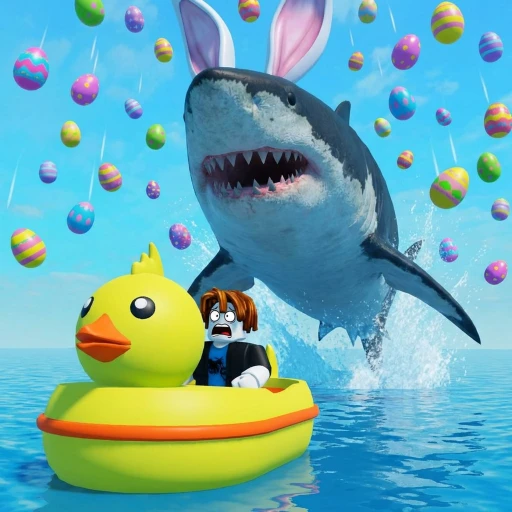
SharkBite 2 just launched its Egg Hunt 2026 event, and it brings a solid mix of exploration, exclusive loot, and cosmetic flexes. The update hides 10 Easter eggs across the Lobby and Ocean maps, introduces a limited UGC Chest Egg avatar item capped at 22,222 copies, drops a rubber duck-themed boat skin, and adds new shark fin cosmetics. There's also a dedicated Egg Hunt event server so the whole thing runs separately from standard gameplay. Here's everything you need to know to clean out this event before the eggs are gone.
Table of Contents
Egg Hunt 2026 Overview
The Egg Hunt 2026 event adds a seasonal layer on top of SharkBite 2's standard shark-vs-survivors gameplay. Instead of jumping straight into a normal match, you can select the Egg Hunt event server from the main menu. This puts you into a dedicated mode that uses the same Lobby and Ocean environments but with 10 Easter eggs spawned at fixed positions throughout both areas.
The goal is simple: find all 10 eggs. Five are scattered around the Lobby (the pre-game island area where you buy boats and gear), and five are hidden in the Ocean during active gameplay. The catch with the Ocean eggs is that you're still playing a live round of SharkBite 2 while hunting them. Sharks are active, boats can sink, and you can absolutely get eaten mid-hunt. That tension is what makes this event more engaging than a standard collect-a-thon.
When you collect an egg, it gets checked off on an on-screen tracker in the top-right corner. You can see exactly how many you've found and how many remain at any point during the session. Importantly, your progress resets if you leave the server. You need to find all 10 in a single session to unlock the big reward — the UGC Chest Egg.
The event server otherwise plays identically to standard SharkBite 2. You still pick your boat, you still survive rounds against the shark, and you still earn normal in-game currency. The Easter eggs are just layered on top as bonus objectives. This means you're not wasting time by playing the event mode — you're earning regular rewards while also progressing toward the Chest Egg.
All 10 Egg Locations Guide
This is the meat of the update. Each egg has a fixed spawn point, so once you know the locations, you can blitz through them on repeat sessions if needed. We've split them into Lobby eggs (collectible before the round starts) and Ocean eggs (only available during active gameplay).
Lobby Eggs (5 Eggs)
You can grab all five of these before the round even begins. The Lobby gives you enough time between rounds to sweep the whole island if you know where to look.
| Egg | Location | How to Find It |
|---|---|---|
| Dock Egg | Main dock | Swim underneath the main dock and look up — the egg sits on a support beam near the center |
| Lighthouse Egg | Lighthouse | Climb to the very top of the lighthouse using the interior staircase. The egg is on the railing outside the lamp room |
| Shack Egg | Bait shack | Walk behind the bait shack to the side facing away from the water. The egg is tucked between the building and a stack of crates |
| Crate Egg | Supply area | Find the breakable wooden supply crate near the boat shop. Punch or hit it to break it open and the egg is inside |
| Campfire Egg | Beach campfire | Head to the campfire ring on the far side of the beach. The egg is half-buried in the sand next to the fire pit |
Ocean Eggs (5 Eggs)
These are trickier because you're collecting them during a live round. The shark is active, other players are doing their thing, and you need a boat (or a lot of swimming stamina) to reach most of them. These eggs spawn at the same positions every round, so memorizing the map coordinates pays off.
| Egg | Location | How to Find It |
|---|---|---|
| Buoy Egg | Red buoy | Sail to the red buoy near the center of the map. The egg floats on the water surface right next to it |
| Reef Egg | Coral reef | Dive underwater at the coral reef formation. The egg sits on top of a large brain coral — look for the glow |
| Shipwreck Egg | Sunken ship | Swim inside the hull of the sunken ship through the broken stern. The egg is in the captain's cabin on the upper deck |
| Island Egg | Small island | Head to the small island with a single palm tree. The egg hangs from a branch on the tree — jump to grab it |
| Cave Egg | Sea cave | Sail to the sea cave at the edge of the map. Drive your boat inside and the egg is on a rocky ledge near the back wall |
The Shipwreck Egg is the most dangerous to collect. You have to leave your boat, dive underwater, and swim inside a confined space — all while a shark could be patrolling nearby. If you're playing solo without teammates to distract the shark, save this one for a round where you have a clear window after the shark surfaces elsewhere.
The Reef Egg also requires diving, but it's in open water so you have better visibility and escape options. The Cave Egg is low-risk since most shark players don't patrol the map edges, but the cave can be hard to spot if you haven't been there before. Hug the outer boundary of the map and look for the rock formation with an opening large enough for a small boat.
UGC Chest Egg — How to Claim It
The headline reward for the Egg Hunt 2026 event is the Chest Egg, a UGC (User-Generated Content) avatar accessory. It's a wearable treasure chest shaped like an egg that you can equip on your Roblox avatar across any game, not just SharkBite 2.
Here's the critical detail: only 22,222 Chest Eggs exist. This is a hard cap. Once all 22,222 copies are claimed by players, the item becomes permanently unobtainable. Given how popular SharkBite 2 is, those copies will go fast. If you want one, don't sleep on this event.
How to Unlock the Chest Egg
- Launch SharkBite 2 and select the Egg Hunt event server from the main menu
- Collect all 5 Lobby eggs before or between rounds (they persist across rounds within the same session)
- During survivor rounds, collect all 5 Ocean eggs across one or more rounds (progress carries over within the session)
- Once you collect the 10th and final egg, the Chest Egg UGC item is automatically awarded to your Roblox inventory
- Check your Roblox avatar inventory to confirm the Chest Egg appeared — equip it from your accessories
A few things to keep in mind. Your egg progress is session-based. If you disconnect, crash, or leave the server, your collected eggs reset to zero. You need to find all 10 in a single uninterrupted session. The Lobby eggs carry over between rounds within that session, but if you leave and rejoin a new server, you start fresh.
You don't need to collect all 10 eggs in a single round. You can grab the 5 Lobby eggs during the pre-game phase, then pick up Ocean eggs across multiple rounds within the same server session. This is important because shark rounds (where you're the shark) don't let you collect Ocean eggs, and some rounds might end before you reach all the Ocean locations.
New Cosmetics: Ducky Boat & Shark Fins
Beyond the Chest Egg, the Egg Hunt 2026 update adds two new cosmetic categories to SharkBite 2's customization options.
Ducky Boat Skin
The ducky boat skin is exactly what it sounds like. It wraps your boat in a giant rubber duck model with an Easter-themed color palette — bright yellow body, orange beak, and pastel egg patterns along the sides. It's loud, it's ridiculous, and it's going to be everywhere on event servers for the foreseeable future.
The skin is available from the boat customization menu within the event. It applies to your currently selected boat and is purely cosmetic — no stat changes, no speed boosts, no hitbox differences. Your boat handles exactly the same way, it just looks like a bathtub toy. The ducky skin works on all boat types, from the starter raft up to the larger vessels.
Shark Fin Cosmetics
The update also introduces shark fin cosmetics for your character. These are wearable back accessories that give your avatar a dorsal fin sticking up from your back. There are multiple fin variants tied to the event — a standard grey fin, a pastel Easter-colored fin, and a golden fin that's harder to unlock.
The standard and pastel fins are obtainable by collecting a set number of eggs (you don't need all 10). The golden shark fin requires completing the full Egg Hunt and claiming the Chest Egg. It's a flex item that signals to other players that you finished the event.
| Cosmetic | Type | How to Unlock |
|---|---|---|
| Ducky Boat Skin | Boat skin | Available in the event boat customization menu |
| Grey Shark Fin | Back accessory | Collect 3 Easter eggs in a single session |
| Pastel Shark Fin | Back accessory | Collect 7 Easter eggs in a single session |
| Golden Shark Fin | Back accessory | Complete the full Egg Hunt (all 10 eggs) and claim the Chest Egg |
All cosmetics from this event are permanent. They stay in your SharkBite 2 inventory after the Egg Hunt event ends. The Chest Egg UGC item is also permanent and works across all Roblox games since it's an avatar accessory, not a SharkBite-specific item.
Tips & Strategies for Completing the Egg Hunt
The Egg Hunt is manageable once you have a plan. Here's the approach that worked best in our testing.
Optimal Egg Collection Route
- Join an Egg Hunt event server and immediately start collecting Lobby eggs during the pre-game phase
- Follow the Lobby route: Dock (swim under) → Bait Shack (behind) → Supply Crate (break it) → Campfire (beach) → Lighthouse (climb up)
- When the round starts as a survivor, grab the Buoy Egg first since it's closest to spawn and low-risk
- Head to the small Island Egg next — it's visible from a distance and easy to reach by boat
- Dive for the Reef Egg when the shark is occupied elsewhere on the map
- Hit the Cave Egg at the map edge during a quiet moment — sharks rarely patrol there
- Save the Shipwreck Egg for last since it's the riskiest dive and you don't want to lose a nearly complete run
Surviving While Egg Hunting
The biggest mistake players make is treating the Egg Hunt like a scavenger hunt and forgetting they're in a shark survival game. The Ocean eggs require you to leave your boat, swim in open water, and sometimes dive underwater — all of which make you extremely vulnerable.
Travel in pairs whenever possible. Have one player watch for the shark while the other dives for an egg. If you're solo, keep your boat nearby and use the third-person camera to scan for the shark fin before entering the water. The Reef and Shipwreck eggs are the two biggest risk points since they require extended underwater time.
What to Do If You're the Shark
When you get picked as the shark, you can't collect Ocean eggs. Don't stress about it — use that round to scout egg locations instead. Swim past the buoy, the reef, the shipwreck, and the cave to memorize exactly where they are. Your shark rounds become recon missions for your survivor rounds. This is especially helpful for finding the Cave Egg, which is easy to miss if you haven't seen it before.
Dealing with Server Disconnects
Since progress resets on disconnect, you want to minimize your session length. A focused player who knows all 10 locations can realistically complete the full hunt in 2-3 rounds (roughly 15-25 minutes). Don't drag it out across an hour-long session where a random disconnect could wipe your progress. Get in, execute the route, and claim your Chest Egg.
If your internet is unstable, grab the Lobby eggs first every time you join a new server. Those 5 eggs take under 2 minutes to collect, so even if you disconnect, you've only lost Ocean egg progress. The Lobby eggs are guaranteed free progress every session.
Use Codes for Extra Gear
Before jumping into the Egg Hunt, check our SharkBite 2 codes page for any active promotional codes. Free currency from codes can help you upgrade your boat before the event, which makes the Ocean egg collection phase safer and faster. A better boat means more survivability during those risky diving moments.
Earn Free Robux While You Play
Want more Robux for SharkBite 2 and other Roblox games? Earnaldo lets you earn free Robux by completing simple tasks — no surveys, no downloads, just real rewards.
Frequently Asked Questions
Five eggs are in the Lobby: Dock Egg (under the main dock), Lighthouse Egg (top of the lighthouse), Shack Egg (behind the bait shack), Crate Egg (inside a breakable supply crate), and Campfire Egg (near the beach campfire ring). Five eggs are in the Ocean: Buoy Egg (floating near the red buoy), Reef Egg (on the coral reef underwater), Shipwreck Egg (inside the sunken ship hull), Island Egg (on the small island palm tree), and Cave Egg (inside the sea cave at the map edge).
Collect all 10 Easter eggs in a single Egg Hunt event server session. You can spread collection across multiple rounds, but you cannot leave the server or your progress resets. Once you find the 10th egg, the Chest Egg UGC item is automatically added to your Roblox avatar inventory. Only 22,222 exist, so claim it before they run out.
Yes. The Chest Egg is a limited UGC item capped at 22,222 copies total. Once all copies are claimed by players worldwide, the item becomes permanently unobtainable. It's a wearable Roblox avatar accessory that you keep forever after claiming and can equip in any Roblox game.
The ducky boat skin is a cosmetic that transforms your boat into a giant rubber duck with an Easter-themed paint job. You can equip it from the boat customization menu in the Egg Hunt event server. It's purely cosmetic with no stat changes and works on all boat types.
No, you don't need to find them in one round — but you do need to find them in one server session. Your progress carries over across multiple rounds within the same event server. However, if you leave the server or disconnect, your egg count resets to zero and you start over.
Launch SharkBite 2 on Roblox and look for the Egg Hunt button on the main menu screen. Click it to join a dedicated event server. The event mode uses the same Lobby and Ocean maps but with the 10 Easter eggs spawned in fixed locations.