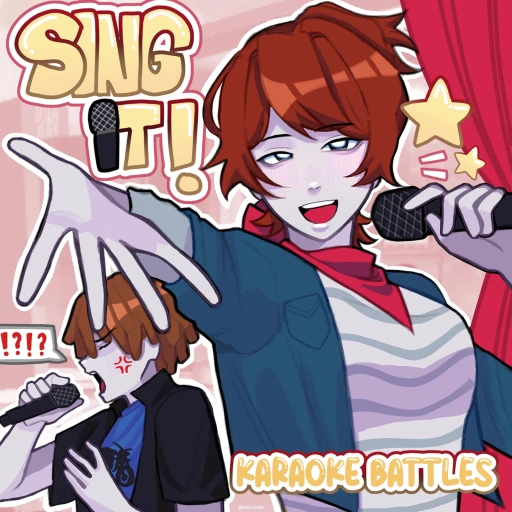
Sing It! Karaoke Battles Beginner Guide (2026) — Everything New Players Need to Know
Sing It! Karaoke Battles by Stupid Simple Games is exactly what it sounds like — a Roblox karaoke game where you grab a mic, pick a song, and let a real-time scoring system judge your pitch. With a library north of 1,500 songs and around 4,000 players online at peak times, it's one of the busier music games on Roblox.
Here's the part new players miss: this isn't a rhythm-tap game where you read lyrics. The game listens to your voice and scores how accurately you hit the notes. That one fact changes how you should approach it. This guide covers mic setup, how scoring actually works, the Cheers economy, battle mode, and the 10 mistakes that tank beginner scores.
Table of Contents
Your First 30 Minutes
Before you sing a single note, sort out your audio. The game requires voice chat and a working microphone, since scoring reads your actual voice. Enable VC in your Roblox account settings if you haven't, plug in a headset if you have one, and find a quiet spot. Background noise gets picked up by the mic and drags your score down.
Once you're set up, start in a solo or practice session rather than jumping straight into a battle. Pick a song you genuinely know — not the hardest one on the list, the one you can sing from memory. As the song plays, a score bar tracks how closely your pitch matches the target notes. Watch it react to your voice so you learn what the game rewards.
Spend your first half hour cycling through a few familiar songs in practice. You'll quickly feel the difference between guessing at notes and actually matching them. Every performance earns Cheers, the game's currency, so you're building a balance even while you warm up.
Core Mechanics Explained
Pitch Scoring
The heart of the game is pitch accuracy. The scoring system listens through your mic and grades how well your sung notes match the song's target pitch in real time. Hit the notes and the score bar climbs; drift off-key and it stalls. Reading the lyrics correctly doesn't matter — it's all about the tune.
This is why song choice matters more than it looks. A song you know by heart lets you focus on pitch instead of scrambling to follow words. Slower ballads with clear, sustained notes are easier to score well on than fast songs with rapid runs. Start there and branch out once your accuracy is solid.
Modes: Solo, Duets, and Battles
There are a few ways to play. Solo and practice let you sing without pressure, perfect for learning. Duets pair you with another player to split a song. Competitive battles are the main event: each player performs in turn, and the highest score wins the round.
Battles are also where the Cheers flow fastest. Winning a competitive round pays out more than casual singing, so once you're comfortable with your pitch, battles become the efficient way to climb. Losing isn't punishing — you still earn for participating — so don't be shy about entering them early.
The Cheers Economy
Cheers do double duty: they're your spendable currency and your leaderboard rating. Earn them by singing and especially by winning battles. You spend them on cosmetic crates — the Aura Crate for singing auras, the Exit Crate for exit animations, and the Particle Crate for performance effects — plus winner emotes and titles.
One detail worth knowing: Roblox Premium members earn 2x Cheers. If you play regularly, that doubling adds up fast across both your rating climb and your cosmetic budget. None of the crates affect your score, though — they're purely for show.
10 Beginner Mistakes to Avoid
Most low beginner scores come from setup and song choice, not singing ability. Fix these and your numbers jump immediately.
- Playing without a proper mic setup. The single biggest mistake. If your microphone is muffled or VC isn't enabled, the game can't score you accurately. Sort out your audio before anything else — a headset beats a built-in laptop mic every time.
- Singing in a noisy room. Background noise — a TV, a fan, people talking — gets picked up and confuses the pitch scoring. Find a quiet space. Even a small drop in background noise can noticeably raise your score.
- Picking unfamiliar songs to look impressive. Choosing a hard song you barely know just to flex tanks your accuracy. The game rewards hitting notes, not song difficulty. Pick songs you can sing from memory.
- Confusing it for a rhythm game. New players try to tap or follow lyrics like a typing game. Scoring is about pitch, not reading speed. Focus your ears on the melody, not your eyes on the words.
- Jumping straight into competitive battles. Entering ranked battles before you understand the scoring leads to frustrating early losses. Warm up in solo and practice first, then take your pitch into battles once it's reliable.
- Singing too quietly. If you mumble or sing far from the mic, the system struggles to read your pitch. Sing at a normal, clear volume. You don't need to belt, but you do need to be audible.
- Ignoring Premium's 2x Cheers. Regular players who skip Premium earn at half the rate of those who have it. If you play often, the doubled Cheers shortens both your rating climb and your cosmetic grind considerably.
- Spending Cheers on crates too early. Crates are cosmetic only — they don't improve your score. Dumping your first Cheers on auras and particles before you understand the game is fine for fun, but don't expect them to help you win.
- Picking fast songs early. Rapid songs with quick note changes are hard to score on while you're learning. Start with slower songs that hold notes longer. They give the scoring system — and you — more time to lock onto each pitch.
- Skipping the active codes. The game hands out free Cheers through promo codes, and many players never redeem them. That's free currency toward your first crates or just a head start on your rating. Grab them before they expire.
Best Starter Strategy
Here's the path that gets you scoring well and earning Cheers efficiently in your first week.
Step 1: Lock In Your Audio
Get a headset or external mic if you can, enable voice chat, and pick a quiet room. This step is non-negotiable — everything downstream depends on the game hearing you clearly. Test it in a voice channel so you know it works before your first performance.
Step 2: Build a Go-To Song List
Pick three or four songs you know inside out, ideally slower ones with clear melodies. These are your practice and battle anchors. Sticking to a small set you've mastered will score far higher than constantly trying new, unfamiliar tracks. Expand the list once your accuracy is consistent.
Step 3: Win Battles for Cheers
Once your pitch is reliable in practice, move into competitive battles. Wins pay the most Cheers and push your leaderboard rating at the same time, since the two are the same number. Lead with your strongest song to maximize your win rate early. For more ways to stack currency, see our Sing It! Karaoke Battles guide.
Step 4: Redeem Codes, Then Spend
Before you spend anything, redeem the active promo codes for free Cheers — recent ones include newmap for 300 Cheers and release for 100 Cheers. Then put your balance toward whichever cosmetic crate you like the look of. Our regularly updated Sing It! Karaoke Battles codes page has the current working list, since codes are case-sensitive and rotate.
When to Spend Robux (and When Not To)
Sing It! Karaoke Battles is free to play, and you can climb the leaderboard without spending a cent. The Robux options are conveniences and cosmetics, so here's what's actually worth it.
What's Worth It
If you play regularly, Roblox Premium is the standout value here because it doubles your Cheers earnings across everything you do. That 2x rate compounds over weeks, speeding up both your rating and your cosmetic unlocks. It's the one purchase that affects how fast you progress rather than just how you look.
What's Not Worth It
Cosmetic crates bought with Robux are pure preference. Auras, exit animations, and particle effects look great, but they have zero effect on your score — a flashy aura won't help you win a battle. Buy them because you want them, not because you think they'll give an edge.
Skip anything off-platform promising free Cheers or Robux. The only legitimate purchases happen through Roblox itself, and the only free currency comes from in-game codes. If you'd rather not spend real money, you can earn free Robux through Earnaldo and put it toward Premium instead.
Earn Free Robux While You Play
Want Premium and cosmetics for Sing It! Karaoke Battles without spending real money? Earnaldo lets you earn free Robux by completing simple tasks — no surveys, no downloads, just real rewards.
Frequently Asked Questions
It's a voice-chat karaoke game by Stupid Simple Games, released in December 2023. You enable your mic, pick from over 1,500 songs, and a real-time system scores your pitch accuracy. Modes include solo practice, duets, and competitive battles where the highest scorer wins.
The game scores your pitch accuracy through your mic in real time, shown on a score bar. It rewards hitting the right notes, not reading lyrics fast. Singing songs you know well in a quiet room with a decent mic raises your score far more than picking a difficult track.
Cheers are the main currency and double as your leaderboard rating. You spend them on crates for auras, exit animations, and performance particles, plus emotes and titles. Premium members earn 2x Cheers, and winning battles is the fastest way to stack them.
Yes. The game is built around voice chat and a working mic, since scoring reads your actual singing. You can't play it meaningfully without VC enabled. A headset or external mic gives cleaner audio and a higher score than a built-in laptop mic in a noisy room.
Yes. As of June 2026 there are active codes granting Cheers and titles, like newmap for 300 Cheers and release for 100 Cheers. Codes are case-sensitive and redeemed in the shop's promo code box. See our codes page for the current list.
Earnaldo lets you earn free Robux by completing simple tasks — no surveys, no shady downloads. You can spend that Robux on Premium for 2x Cheers or on cosmetic crates. Visit Earnaldo to get started.