Last checked: June 10, 2026
Cabin Crew Simulator Free Robux Guide (2026) — Tips, Codes & Strategies
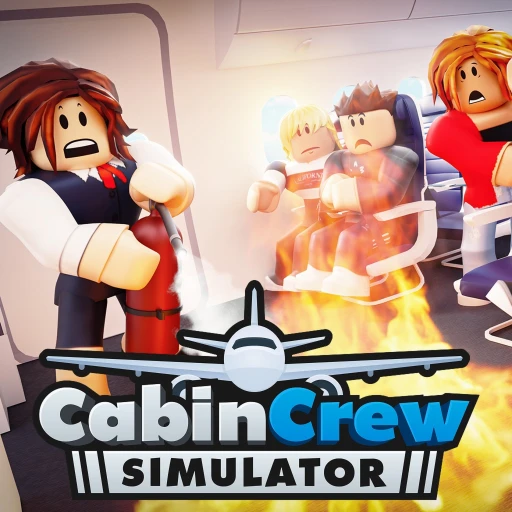
Cabin Crew Simulator by Cruising Studios has become one of Roblox's standout simulation games, pulling in over 383 million total plays and maintaining an approximately 85% approval rating. You're not just flying planes here — you're building an airline from scratch, customizing aircraft interiors, serving passengers at 30,000 feet, and dealing with emergencies that range from cabin fires to full-on water landings. This guide breaks down everything from progression strategies and emergency handling to game passes and how to earn free Robux without spending real money.
Table of Contents
- What Is Cabin Crew Simulator?
- Codes — April 2026
- Getting Started — Your First Flight
- Passenger Service — Food, Drinks & Satisfaction
- Emergency Handling — Every Scenario Explained
- Aircraft Progression & Pilot Ranks
- Airline Management & Customization
- Multiplayer Flights & Landmark Airports
- Game Passes & Robux Spending Guide
- How to Earn Free Robux for Cabin Crew Simulator
- Frequently Asked Questions
What Is Cabin Crew Simulator?
Cabin Crew Simulator is a simulation and roleplay game on Roblox developed by Cruising Studios (Place ID: 5171347293). It puts you in the role of a flight attendant working your way up through the ranks of a custom airline. The core gameplay loop involves boarding passengers, performing safety demonstrations, serving food and drinks mid-flight, handling in-flight emergencies, and safely landing at airports around the world.
What sets this game apart from other Roblox simulators is the depth of its aviation mechanics. You're not clicking a button and watching numbers go up. You're physically walking the aisle of a detailed aircraft cabin, interacting with individual passengers, responding to call buttons, and making split-second decisions when an engine catches fire or the landing gear fails. The aircraft interiors are surprisingly detailed — galleys, overhead bins, cockpit instruments, and passenger seating that changes based on which plane you've unlocked.
The game features a full progression system tied to pilot ranks. You start on smaller regional aircraft and work your way up to wide-body jets by earning XP through completed flights and emergency resolutions. Along the way, you're building your own airline brand — choosing liveries, customizing cabin layouts, and flying routes between landmark airports like London Heathrow, Dubai International, and others. Content creators like Seniac (Aaron Caines) have featured the game extensively, which has helped drive its massive player count.
With 383M+ total plays and a consistent player base, Cabin Crew Simulator sits comfortably among the top simulation games on Roblox. Whether you're into aviation, roleplay, or just want a simulation game that doesn't feel like every other tycoon on the platform, it's worth your time.

Cabin Crew Simulator Codes — April 2026
Cabin Crew Simulator has historically been conservative with promo codes compared to other Roblox games. Cruising Studios doesn't drop them on a regular schedule, and when codes do appear, they tend to come through the game's official social media channels, Discord server, or special events.
As of April 2026, there aren't widely confirmed active codes circulating for Cabin Crew Simulator. This doesn't mean codes won't appear — Cruising Studios has released them during major updates and milestone celebrations in the past. The best way to stay current is to follow the game's official channels directly.
Where to Find New Codes
- Join the official Cruising Studios Discord server — codes are often posted here first
- Follow Cruising Studios on Twitter/X for announcements and code drops during updates
- Check the game's description page on Roblox before each session — codes sometimes appear there briefly
- Watch content creators like Seniac who cover the game regularly and often share codes in video descriptions
- Bookmark this page — we'll update it whenever new codes are confirmed
How to Redeem Codes
When a code is available, look for a codes button or Twitter icon on the game's main screen. Click it, type or paste the code exactly as shown (codes are case-sensitive in most Roblox games), and hit redeem. Your reward should appear in your account immediately. If a code doesn't work, it's likely expired — Cruising Studios doesn't always announce when codes are deactivated.
Getting Started — Your First Flight
Your first flight in Cabin Crew Simulator can feel overwhelming if you don't know what to expect. There's a lot happening — passengers boarding, safety briefings, food service, and potentially an emergency — all within a single session. Here's how to approach your first few flights without getting lost.
When you first join the game, you'll start with access to a basic regional aircraft. Don't worry about the fancier planes yet — you can't fly them until you've ranked up anyway. Focus on learning the service flow: passengers board, you perform a safety demonstration, the plane takes off, you serve food and drinks during the cruise phase, handle any emergencies that pop up, and then prepare the cabin for landing.
The service phase is where most of your XP comes from on early flights. Walk down the aisle and interact with each passenger when they have a request icon above their seat. They'll ask for specific drinks or food items, and you'll grab those from the galley at the front or back of the aircraft. Speed matters here — the faster you fulfill requests, the higher your service rating and the more XP you earn per flight.
Your first 5-10 flights should be about building muscle memory. Learn where the galley items are, practice the service routine, and get comfortable with the cabin layout. By flight 10, you should be serving passengers without hesitation and starting to handle your first emergencies confidently. That's when progression starts to accelerate.
Passenger Service — Food, Drinks & Satisfaction
Passenger service is the bread and butter of Cabin Crew Simulator. It's the activity you'll spend the most time on, and it's where consistent XP comes from. Getting good at service means understanding the request system, optimizing your galley runs, and keeping passengers happy throughout the flight.
The Request System
During the cruise phase of each flight, passengers will randomly generate requests. These show up as icons above their seats — a cup for drinks, a plate for food, or a call button for assistance. Each fulfilled request earns XP, and the amount scales based on how quickly you respond. A request answered within the first few seconds pays noticeably more than one you get to after a 30-second delay.
Requests come in waves. You'll get a burst of 4-6 requests at once, then a quiet period, then another burst. Smart players use the quiet periods to pre-position themselves mid-cabin so they can reach any seat quickly when the next wave hits. Standing at the galley and waiting for requests to appear is the slowest way to play.
Galley Efficiency
The galley is where you pick up food and drink items to serve. On most aircraft, there's a forward galley and an aft galley. Learning which items are stocked where saves you significant time per flight. Drinks are typically available at both galleys, but certain food items might only be at one end. On your first flight with any new aircraft, take 10 seconds to familiarize yourself with both galley layouts before service begins.
The fastest service technique is what experienced players call "zone serving." Divide the cabin into front, middle, and rear sections. Grab items from the nearest galley for your current zone, serve everyone in that zone, then move to the next. This minimizes backtracking and lets you clear request waves faster than players who dart from one end of the cabin to the other chasing individual requests.

Satisfaction Rating
Every flight generates a satisfaction score based on your service performance. This score factors in response time, accuracy (giving passengers what they actually asked for), and how many requests went unfulfilled by landing. Higher satisfaction means more XP per flight, and consistently high scores contribute to faster rank progression. Aim for 90%+ satisfaction on every flight — it's achievable once you've got the service flow memorized.
Emergency Handling — Every Scenario Explained
Emergencies are what make Cabin Crew Simulator more than just a food-serving game. They inject genuine tension into flights and reward players who stay calm under pressure with significant XP bonuses. There are six emergency types, and knowing what to do for each one separates good players from great ones.
Fire
Cabin fires can break out mid-flight, usually in the galley or near overhead bins. When this happens, you need to locate the fire extinguisher, approach the fire, and use it before the situation escalates. Don't panic and run to the cockpit — deal with the fire first. The extinguisher is mounted on the cabin wall, and you'll have a limited window to put the fire out before it spreads. Successfully extinguishing a fire awards one of the highest emergency XP bonuses in the game.
Depressurization
When the cabin loses pressure, oxygen masks deploy automatically. Your job as cabin crew is to assist passengers who haven't put their masks on and secure the cabin. Move through the aisle quickly and interact with any passenger showing a distress indicator. You'll also need to brace for potential altitude changes. This emergency tests your ability to work under time pressure since you've got to reach every affected passenger before the situation stabilizes.
Unconscious Pilots
This one's intense. If both pilots become incapacitated, you may need to interact with the cockpit instruments to maintain the flight path. The game provides guidance on what controls to adjust, but it's still stressful on your first attempt. Practice this scenario if you have the Emergency Control game pass — it's the most complex emergency to handle successfully.
Crash Landing, Water Landing & Gear Failure
These three landing-related emergencies share similar preparation steps: secure the cabin, ensure passengers are in brace position, and prepare emergency exits. The key differences are in what happens after touchdown. Crash landings require evacuating through slides. Water landings involve deploying life rafts. Gear failure means bracing for a rough touchdown and then rapid evacuation. Each scenario awards substantial XP for successful completion.
Aircraft Progression & Pilot Ranks
Cabin Crew Simulator's progression system is built around pilot ranks and aircraft unlocks. Every flight you complete earns XP that goes toward your next rank. Higher ranks unlock larger, more detailed aircraft with bigger cabins, more passengers, and longer routes. It's the long-term goal that keeps players coming back for hundreds of flights.
How the Rank System Works
You start at the lowest pilot rank with access to a small regional jet. As you accumulate XP from passenger service, emergency handling, and completed flights, you'll hit rank thresholds that unlock the next tier of aircraft. Each new aircraft tier represents a meaningful jump — more seats means more service opportunities per flight, which means more XP potential, which feeds back into faster progression.
The early ranks move quickly. You'll probably unlock your second aircraft within your first hour or two of play. Mid-tier ranks take longer, requiring dozens of flights each. Late-game ranks are genuine grind territory — you'll need consistent high-performance flights to push through them in a reasonable timeframe. This is where game passes like 2x Earnings become particularly valuable.
XP Optimization
Not all flights are created equal when it comes to XP. Here's what affects your XP payout per flight:
- Serve every passenger request — unfulfilled requests reduce your total XP
- Respond to requests quickly — speed bonuses stack up significantly over a full flight
- Handle all emergencies successfully — emergency XP is 2-3x normal service XP
- Complete the full flight from boarding to landing — leaving early forfeits completion bonuses
- Fly on higher-tier aircraft when available — more passengers means more total XP opportunity

Airline Management & Customization
One of the features that hooks players long-term in Cabin Crew Simulator is the airline management and customization system. You're not just flying someone else's planes — you're building your own airline brand from the ground up.
Aircraft Customization
Each aircraft you unlock can be customized in multiple ways. You can change the exterior livery (paint scheme and decals), modify the cabin interior (seat colors, carpet patterns, lighting), and adjust the galley setup. Customization isn't just cosmetic — a well-organized galley layout can shave seconds off your service times, which translates directly into higher XP per flight.
Livery customization is where creative players really shine. You can design airline logos, choose color schemes, and create a cohesive brand across your fleet. Some players spend just as much time designing their airline's visual identity as they do flying. The community has produced some genuinely impressive custom liveries that rival real-world airline designs.
Building Your Airline
As you unlock more aircraft, your airline grows. You can name your airline, set route preferences, and build a reputation based on your service performance. Higher-performing airlines attract more passengers per flight, which creates a positive feedback loop: better service leads to more passengers, which leads to more XP, which leads to faster unlocks.
The airline management layer adds strategic depth to what could otherwise be a repetitive service loop. You're making decisions about which routes to fly, which aircraft to prioritize for upgrades, and how to allocate your in-game currency between customization and progression. It's surprisingly engaging for a Roblox game.
Multiplayer Flights & Landmark Airports
Cabin Crew Simulator supports multiplayer flights, and they're where the game really comes alive. Flying with other players adds coordination challenges, social dynamics, and bonus XP opportunities that solo flights can't match.
Cooperative Crew Flights
When you fly with other players as cabin crew, you can divide the cabin into zones. One player handles the forward section, another takes the rear. This division of labor means faster service times, fewer missed requests, and higher satisfaction scores for everyone. On larger aircraft with 200+ seats, having 2-3 crew members working together is almost essential for maintaining high service ratings.
Communication matters in multiplayer flights. If you're playing with friends, call out which zone you're covering so nobody doubles up or leaves a section unattended. During emergencies, coordinate who handles the physical response (like using the fire extinguisher) and who manages passenger safety (securing seatbelts, assisting with oxygen masks).
The Multiplayer Connect Pass
The Multiplayer Connect game pass is one of the more interesting passes in the game. It lets you invite any player to fly with you on an aircraft they haven't unlocked yet. This is incredibly useful for helping friends who are newer to the game experience higher-tier aircraft. They get exposure to the bigger cabins and more complex flights, and you get a crew member to help with service. It's a win-win if you've got a friend group that plays together regularly.
Landmark Airports
Cabin Crew Simulator features real-world-inspired airport destinations including London, Dubai, and several others. Different routes have different flight durations, scenery, and approach conditions. Longer routes to landmark destinations tend to award more XP because you have more service time during the cruise phase. Dubai routes, for example, are popular among grinders because the long flight time maximizes service opportunities.
Each airport also has unique environmental details during takeoff and landing. Flying into London means different weather conditions than Dubai, and the approach visuals change accordingly. It's a nice touch that makes routes feel distinct rather than interchangeable.

Game Passes & Robux Spending Guide
Cabin Crew Simulator is fully free to play and you can reach the highest ranks without spending a single Robux. That said, several game passes offer meaningful upgrades to your experience. Here's what each pass does and whether it's worth the investment.
Top-Value Game Passes
2x Earnings is the best pass for players focused on progression. It doubles all in-game currency earned from flights, which means you unlock aircraft, purchase customizations, and hit rank milestones in half the time. If you're only buying one pass, this is the one. The math is straightforward — every hour of play generates twice the return, and that compounds over days and weeks of grinding.
VIP gives you exclusive perks and a VIP badge. VIP benefits typically include priority access to features, exclusive customization options, and other quality-of-life improvements that make your overall experience smoother. It's a solid purchase if you plan to play the game long-term.
Emergency Control at 300 Robux is a unique pass. It lets you choose exactly which emergency occurs on your flight: Fire, Depressurization, Unconscious Pilots, Crash Landing, Water Landing, Gear Failure, Random, or None. For grinders, this is a progression accelerator — you can run emergency flights back-to-back to stack XP faster than normal. For casual players, the "None" option lets you enjoy peaceful flights without any chaos.
Specialized Passes
Multiplayer Connect is worth it if you play with friends regularly. Being able to invite anyone to fly on your aircraft regardless of their unlock level makes group sessions much more enjoyable. It's less useful if you primarily play solo.
Premium AI Flight Attendant adds an AI assistant to your flights. This helper handles some passenger requests automatically, reducing your workload and letting you focus on the requests that pay the most XP. It's particularly useful on larger aircraft where the passenger count exceeds what a single player can comfortably manage.
Cabin Crew gamepass enhances your crew features, giving you additional tools and abilities when serving passengers. It's a good mid-tier purchase if you've already grabbed 2x Earnings and want to further optimize your gameplay.
Priority Order for Purchasing
If you're earning Robux through Earnaldo or have a limited budget, here's the order I'd recommend: 2x Earnings first (biggest impact on progression), then Emergency Control (XP grinding), then VIP (quality of life), then Multiplayer Connect or Premium AI depending on whether you play solo or with friends.
Earn Free Robux for Cabin Crew Simulator
Get game passes like 2x Earnings, Emergency Control, and VIP without spending real money. Earnaldo lets you earn Robux by completing simple tasks.
How to Earn Free Robux for Cabin Crew Simulator
Game passes in Cabin Crew Simulator can genuinely change your experience — especially 2x Earnings and Emergency Control. But you don't need to buy a Roblox gift card to get them. Here's how to earn free Robux through Earnaldo and put them toward the passes that matter most.
- Go to earnaldo.com and create a free account
- Browse available offers — surveys, video tasks, app installs, and promotional offers
- Complete tasks to earn points that convert directly to Robux
- Withdraw your earned Robux once you hit the minimum threshold
- Spend them on Cabin Crew Simulator game passes or anything else in the Roblox catalog
The most efficient approach is to check Earnaldo daily for new high-value offers. Some tasks take under 5 minutes and pay enough for a game pass within a few sessions. The Emergency Control pass at 300 Robux is very achievable through Earnaldo in a short timeframe, and it's one of the highest-value passes in the game for XP grinding.
More Simulation Game Guides
If you enjoy Cabin Crew Simulator, you'll probably enjoy these other simulation and roleplay games on Roblox:
- Brookhaven RP Free Robux Guide — the biggest roleplay game on the platform
- Restaurant Tycoon 3 Free Robux Guide — another top simulation with deep management systems
- Theme Park Tycoon 2 Free Robux Guide — build and manage your own theme park
- Car Dealership Tycoon Free Robux Guide — vehicle management and business simulation
- Dress to Impress Free Robux Guide — fashion and social competition
Frequently Asked Questions
Cabin Crew Simulator is a simulation and roleplay game developed by Cruising Studios. You create your own airline, work as a flight attendant serving passengers food and drinks, handle in-flight emergencies like fires and crash landings, and progress through pilot ranks to unlock new aircraft. It has over 383 million total plays and an approximately 85% approval rating.
Cabin Crew Simulator has limited promo codes compared to other Roblox games. Cruising Studios occasionally releases codes through their social media channels, Discord server, and during major updates. Check the game's official Twitter/X account and Discord for the latest codes, as they tend to be time-limited and expire quickly.
There are six emergency types: fire, depressurization, unconscious pilots, crash landing, water landing, and gear failure. Each requires specific actions like using fire extinguishers, assisting passengers with oxygen masks, or preparing emergency exits. Follow the on-screen prompts, stay calm, and work through each step. Successfully handling emergencies awards 2-3 times the XP of a normal flight.
The Emergency Control pass costs 300 Robux and lets you choose which emergency occurs on your flight. Options include Fire, Depressurization, Unconscious Pilots, Crash Landing, Water Landing, Gear Failure, Random, or None. It's useful for practicing specific scenarios, grinding XP with back-to-back emergencies, or enjoying peaceful flights with no incidents.
You unlock aircraft by earning XP through completing flights, serving passengers efficiently, and handling emergencies. Each aircraft tier has an XP threshold. Focus on completing full flights with high service ratings, handle every emergency for bonus XP, and consider the 2x Earnings game pass to cut your grind time in half.
Yes, the game supports multiplayer flights. You can join friends on the same aircraft and work together as cabin crew, dividing the cabin into zones for faster service. The Multiplayer Connect game pass lets you invite players to fly on aircraft they haven't unlocked yet, which is great for helping newer friends experience higher-tier planes.
You can earn free Robux through Earnaldo by completing offers, watching videos, and doing surveys. The Robux you earn can be withdrawn and spent on any Cabin Crew Simulator game pass like VIP, 2x Earnings, or Emergency Control. Visit earnaldo.com to start earning without spending real money.