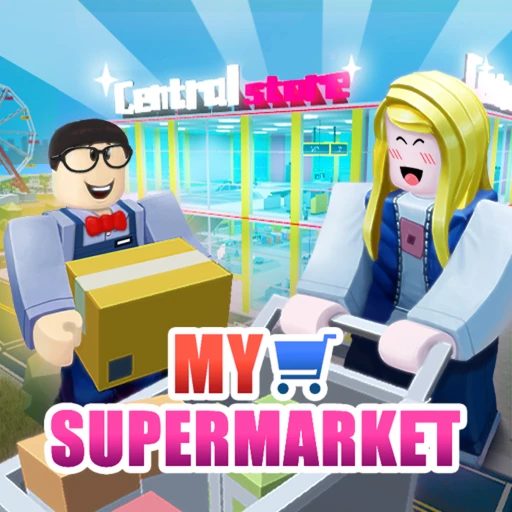
My Supermarket Roblox -- Guides, Codes & Tips (2026)
My Supermarket is one of the biggest tycoon games on Roblox right now, with over 160 million visits and a steady stream of players stocking shelves, expanding floor plans, and competing to build the most profitable store. This hub page collects every guide, comparison, and strategy resource we publish for the game -- all in one place.
On This Page
💸 Playing My Supermarket? Get paid for it
Codes come and go — earning is forever. Earnaldo pays you real Robux for playing Roblox games and finishing simple tasks. Free to join, no human verification, cash out from your very first point.
Earn Robux instead →Our My Supermarket Guides
We cover My Supermarket across multiple dedicated articles. Each one goes deep on a specific topic so you get the full picture without wading through filler. Here is everything we have published so far.
Codes, game pass breakdowns, earning strategies, and step-by-step tips for getting free Robux to spend on your supermarket.
ComparisonSide-by-side comparison of the two biggest supermarket games on Roblox. Gameplay, features, player counts, and which one suits your style.
What Is My Supermarket on Roblox?
My Supermarket is a tycoon and simulation game on Roblox where you build and manage your own grocery store from the ground up. You start with a bare-bones shop -- a few shelves, a single register, and a handful of products -- and grow it into a sprawling retail operation with dozens of aisles, premium product lines, and automated systems that keep the cash flowing even when you step away.
The game sets itself apart from older Roblox tycoons by focusing on operational decisions rather than button-clicking. You choose which products to stock, where to place shelves for optimal foot traffic, when to hire NPC employees, and how to price items. Every decision feeds back into your revenue, and poor choices can stall your growth for entire play sessions.
With over 160 million visits, My Supermarket has cemented itself as one of the top tycoon experiences on the platform. The developers roll out regular content updates -- new product categories, store expansions, and seasonal events that keep the progression loop fresh. The game supports both solo and multiplayer play, letting you visit other players' stores to compare layouts and pick up new ideas.
Why Play My Supermarket in 2026
The tycoon genre on Roblox is crowded. Dozens of games let you build a business and watch numbers go up. My Supermarket earns its 160 million visits because it does a few things better than most of the competition.
Depth Without Overwhelm
New players can jump in and start earning within minutes. Place a shelf, stock a product, open the doors, and watch customers buy. But once you scratch the surface, there are layers of strategy beneath. Product placement affects how quickly customers find what they want. Employee positioning determines checkout speed. Store layout influences the average time a customer spends browsing, which directly correlates with how much they spend per visit.
None of this is mandatory to enjoy the game. Casual players can build a functional store without worrying about optimization. But for players who want to push their revenue to the maximum, the systems reward careful planning and experimentation.
Consistent Updates
The development team behind My Supermarket maintains a steady update schedule. New products, store sections, and seasonal events appear on a regular cadence throughout 2026. Each update gives returning players a reason to log back in and gives new players more content to work through. Stale tycoon games lose their player base fast -- My Supermarket avoids that trap by keeping the content pipeline moving.
Community and Competition
Visiting other players' stores is one of the most underrated features in the game. You can walk through someone's fully optimized supermarket, see how they arranged their aisles, and figure out what they are doing differently. It turns the game into a shared learning experience. Players who engage with the community side tend to progress faster because they absorb strategies from other builders instead of figuring everything out from scratch.
Getting Started: First Steps in My Supermarket
Your first few minutes in My Supermarket set the foundation for everything that follows. Here is a quick walkthrough of the opening progression so you can hit the ground running.
- Place your first shelves. The game gives you starter shelves and a small selection of basic products. Place the shelves near the entrance so customers don't have to walk far. Short paths mean faster purchases, which means faster early revenue.
- Stock popular products first. Basic groceries like bread, milk, and produce sell quickly and have low restock costs. Fill your shelves with high-demand items before experimenting with premium products that move slower.
- Open the doors and observe. Watch how NPC customers navigate your store. If they cluster in one area and ignore another, your layout needs adjustment. Customer pathing is your best feedback mechanism in the early game.
- Reinvest early profits into floor space. Expanding your store footprint gives you room for more shelves, more products, and more registers. Early expansion pays for itself quickly because every square of floor space is potential revenue.
- Hire your first employee. Once you have enough cash flow, hire an NPC employee to handle restocking or checkout. Automation frees you to focus on expansion and layout improvements instead of manual tasks.
The temptation is to save up for expensive upgrades right away. Resist that. Spreading your early income across multiple small improvements -- an extra shelf here, a new product line there -- compounds faster than saving for one big purchase. Growth in My Supermarket is exponential when you keep reinvesting.
Store Layout and Expansion Strategy
Layout is where My Supermarket separates serious players from casual ones. A well-designed store generates significantly more revenue per hour than a disorganized one, even if both have the same products and the same number of shelves.
Entrance placement matters. Customers enter through the front door and follow a predictable pathing algorithm. Placing your highest-margin products along the path between the entrance and the checkout lanes ensures maximum exposure. Products tucked in back corners get fewer views and sell slower.
Aisle width affects traffic flow. Narrow aisles create bottlenecks. Wider aisles let multiple shoppers pass each other, increasing throughput during busy periods. Dedicate at least two tiles of width to main aisles, and save single-tile paths for less trafficked sections.
Checkout placement is critical. Registers should sit between the product aisles and the exit. Customers need a clear, short path to a register after browsing. If the checkout area is confusing or too far from the shopping floor, you lose transactions.
As you expand, think in zones: fresh produce near the entrance, packaged goods in the middle, and premium items in the back. Zoning creates a logical flow and keeps your layout manageable even as the floor plan grows.
For detailed product-by-product strategies and Robux-earning breakdowns, head to our My Supermarket Free Robux Guide. If you are weighing My Supermarket against the competition, our My Supermarket vs Supermarket Simulator comparison breaks down exactly where each game excels.
How to Earn Free Robux for My Supermarket
My Supermarket offers game passes and premium items that cost Robux. If you want to grab those upgrades without spending real money, there are legitimate ways to earn Robux for free.
Earnaldo lets you earn free Robux by completing straightforward tasks -- no generators, no scams, just real rewards deposited to your account. The Robux you earn works on any Roblox game, including My Supermarket passes and in-game purchases.
Earn Free Robux for My Supermarket
Want game passes and premium upgrades without spending real money? Earnaldo lets you earn free Robux through simple tasks -- then spend them on whatever you want in My Supermarket.
Whether you are saving up for a specific game pass or building a buffer for future updates, earning through Earnaldo is the most reliable free method available in 2026.
About This Hub Page
This My Supermarket hub page was last updated on June 1, 2026. We add new guides and resources as the game evolves, so bookmark this page and check back whenever a major update drops. All game data reflects the current live version of My Supermarket (Place ID: 6035061795) on Roblox.
Have a question or a strategy worth sharing? Join our Discord community and let us know. You can also visit the official My Supermarket game page on Roblox for developer announcements and patch notes.