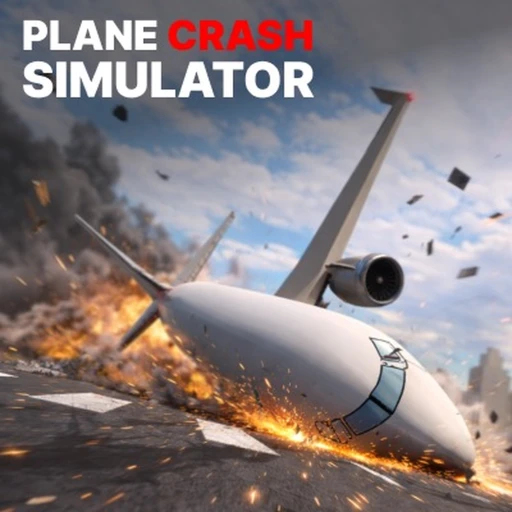
Plane Crash Simulator Free Robux Guide (2026) — Codes, Aircraft & Crash Points
Plane Crash Simulator by REgelly150 lets you spawn aircraft, take to the skies, and orchestrate spectacular crashes to earn Crash Points. With over 38 million visits, roughly 2,460 concurrent players, and a 93.56% approval rating, this free-to-play Roblox simulation has steadily gained altitude since its October 2025 launch. This guide covers every active code worth 24,000 free Crash Points, a full breakdown of version 2.9's C130 addition, aircraft unlock strategies, Crash Point farming methods, and platform-specific tips for PC, Mobile, Xbox, PlayStation, and Meta Quest in 2026.
Table of Contents
- What Is Plane Crash Simulator
- All Active Codes (July 2026)
- How to Redeem Codes
- Gameplay Overview and Core Loop
- Aircraft Unlock Guide — From Starter Planes to the C130
- Crash Point Farming Strategies
- Version 2.9 Update and What Changed
- Platform Guide — PC, Mobile, Xbox, PlayStation & Meta Quest
- Skins, Upgrades & Customization
- How to Earn Free Robux for Roblox Games
- Frequently Asked Questions
What Is Plane Crash Simulator in 2026
Plane Crash Simulator is a simulation and action game on Roblox where the entire point is controlled destruction. You pick a plane from a growing library of aircraft models (credited to Shade (ds)), spawn it, fly it into the sky, and then crash it in the most dramatic fashion possible. Each crash earns Crash Points, which you spend to unlock bigger, more powerful aircraft capable of producing even more spectacular wrecks. The gameplay loop is simple to understand but surprisingly addictive once you start chasing the biggest explosions and highest point payouts.
Developed by REgelly150 and released on October 30, 2025, the game has grown steadily through consistent updates. It currently sits at version 2.9 with around 2,460 concurrent players at peak times and more than 38 million total visits. The approval rating of 93.56% puts it well above average for Roblox simulation games. Unlike many popular Roblox titles that rely heavily on game pass monetization, Plane Crash Simulator is entirely free-to-play with no game passes available. Every plane, skin, and upgrade is earned through gameplay and Crash Points alone.
If you have played other simulation games like Drag Drive Simulator or vehicle-focused titles like Driving Empire, Plane Crash Simulator will feel familiar in its progression structure. The key difference is that the goal here is destruction rather than precision. Instead of tuning gear ratios or racing for lap times, you are optimizing for the biggest crashes, learning which aircraft produce the most debris, and figuring out the angles and speeds that maximize your Crash Point payout.
All Active Plane Crash Simulator Codes (July 2026)
Plane Crash Simulator codes reward Crash Points, the game's sole currency. There are currently four active codes that together provide 24,000 free Crash Points. That is a meaningful head start for new players and enough to unlock your first few aircraft upgrades without grinding. Codes are released by REgelly150 around major updates and like milestones. The next batch is expected when the game hits 50,000 likes.
Codes must be entered exactly as shown below. They are case-sensitive, so type them carefully or copy-paste to avoid errors. Each code can only be redeemed once per Roblox account.
| Code | Reward | Status |
|---|---|---|
| PULLUP30 | 7,000 Crash Points | Active |
| MAYDAY25 | 7,000 Crash Points | Active |
| BANK35 | 5,000 Crash Points | Active |
| CRASH22 | 5,000 Crash Points | Active |
How to Redeem Codes in Plane Crash Simulator (2026)
The code redemption process in Plane Crash Simulator is straightforward, but the button placement can be easy to miss on your first session. Follow these steps to claim your free Crash Points.
- Launch Plane Crash Simulator on Roblox and wait for the game to fully load into the main play area.
- Look for the red-ribboned yellow present button on the right side of your screen. This is the code redemption icon and it appears on all platforms.
- Press the yellow present button to open the code entry window. A text input field will appear in the center of your screen.
- Type or paste one of the active codes into the text box. Start with PULLUP30 or MAYDAY25 for the largest individual rewards of 7,000 Crash Points each.
- Click the blue Redeem button below the text field. If the code is valid and unused on your account, the Crash Points will be credited instantly.
- Repeat the process for each remaining code until you have claimed all 24,000 free Crash Points.
If a code returns an error, double-check your spelling and capitalization. Codes that have expired will display an invalid message. If you believe a code should work but does not, try rejoining the server, as occasionally a fresh session is needed for the redemption system to sync properly.
Plane Crash Simulator Gameplay Overview and Core Loop in 2026
The gameplay in Plane Crash Simulator revolves around a satisfying destruction loop. You select an aircraft from your available roster, spawn it on the runway, pilot it into the sky, and then crash it into the ground, buildings, or other structures to earn Crash Points. The larger the plane and the more dramatic the impact, the more Crash Points you receive. Those points feed back into unlocking new aircraft, skins, and upgrades that let you create bigger crashes and earn even faster.
Flight controls are deliberately accessible. On PC, you use WASD or arrow keys for pitch and yaw, with spacebar and shift controlling altitude. Mobile players get on-screen joysticks and tilt controls. Console and Meta Quest users rely on standard controller inputs. The controls are intentionally forgiving because the point is not realistic flight simulation — it is getting airborne and finding the best way to bring everything crashing down.
The map includes open sky space for building altitude, ground structures that add to crash spectacle value, and a spawn area where you choose your aircraft. Multiplayer is seamlessly integrated, so you will see other players' crashes happening in real-time around the map. This creates an entertaining shared experience where everyone is trying to one-up each other's destruction. The competitive element is informal but present — watching someone else land a massive crash with a plane you have not unlocked yet is strong motivation to keep farming Crash Points.
There is no PvP combat, no teams, and no objectives beyond the core crash loop. This simplicity is part of the game's appeal and a big reason why it maintains a 93.56% approval rating. Players know exactly what they are getting, and the game delivers on that promise without feature bloat or pay-to-win mechanics. If you enjoy the chaotic physics of games like Natural Disaster Survival or the sandbox freedom of Jailbreak, Plane Crash Simulator scratches a similar itch with its own unique twist.
Aircraft Unlock Guide — From Starter Planes to the C130 in 2026
Plane Crash Simulator features a growing roster of aircraft, all modeled by Shade (ds), ranging from small prop planes to the massive C130 military transport added in version 2.9. Each aircraft costs Crash Points to unlock, and the price scales with the size and spectacle potential of the plane. Here is how to approach your unlock order for maximum efficiency.
Starter Aircraft
Every new player starts with access to a basic small plane. This is your workhorse for the first few sessions. It earns a modest amount of Crash Points per crash, but the low cooldown between spawns means you can chain crashes rapidly. Use this plane to build up your initial Crash Point balance alongside the 24,000 free points from codes.
Mid-Tier Aircraft
Once you have accumulated enough Crash Points, move to mid-tier planes as quickly as possible. These aircraft are physically larger, produce more debris on impact, and earn significantly more Crash Points per crash than the starter options. The jump in earning rate from starter to mid-tier is substantial, so do not waste points on incremental upgrades between tiers. Save up and make the leap to the biggest plane you can afford.
The C130 and Large Aircraft
The C130, added in the version 2.9 update, sits at the top of the current aircraft roster. This military transport plane is enormous compared to the starter aircraft, and its crashes produce the most spectacular explosions and debris fields in the game. The C130 earns the highest Crash Points per crash, making it the ultimate farming tool once unlocked. Prioritize saving for the largest available aircraft at each stage of your progression — the increased earning rate pays for itself quickly.
Crash Point Farming Strategies in 2026
Crash Points are the only currency in Plane Crash Simulator, and every unlock in the game depends on them. Efficient farming comes down to three variables: the size of your aircraft, the speed at which you crash, and the angle of your impact. Here are the most effective farming strategies used by experienced players.
Maximize Impact Speed
Gain as much altitude as possible before diving straight down at full speed. Higher impact velocity translates to larger explosions and more debris, which directly increases your Crash Point payout. A nose-dive from maximum altitude consistently earns more than a shallow crash at low speed.
Target Structures
Crashing into the ground is fine, but crashing into buildings and structures on the map produces additional debris interactions that can boost your point total. Look for clusters of objects on the map and aim for the densest areas to maximize collision physics calculations.
Chain Crashes Quickly
Time between crashes is time you are not earning. As soon as your crash resolves and you return to the spawn area, immediately select your plane and take off again. Experienced players develop a rhythm: spawn, climb steeply, nose-dive, crash, repeat. Minimizing the gap between crashes is just as important as maximizing each individual crash's point value.
Use the Largest Available Plane
This bears repeating because it is the single most impactful factor in your earning rate. A C130 crash earns dramatically more than a small prop plane crash, even if you execute the small plane crash perfectly. Always fly the biggest aircraft in your hangar.
Combining all four strategies — large plane, maximum altitude, structure targeting, and rapid chaining — will give you the fastest possible Crash Point income. Players who optimize their farming loop can progress through the entire aircraft roster significantly faster than those who fly casually.
Version 2.9 Update and What Changed in Plane Crash Simulator
The most recent update to Plane Crash Simulator, version 2.9, introduced the C130 military transport aircraft. This is the most significant addition to the game's aircraft roster since launch and represents a major increase in the maximum crash spectacle achievable. The C130's large fuselage, wide wingspan, and heavy weight produce crashes that dwarf anything the smaller planes can create.
REgelly150 has followed a consistent update pattern since the game's October 2025 release, gradually expanding the aircraft library and refining crash physics with each version. The developer tends to release new codes alongside major updates, which is why the four currently active codes likely arrived around the same period as the v2.9 patch. If the pattern holds, the next update should bring both new aircraft and fresh codes, potentially timed to coincide with the 50,000 likes milestone.
Beyond the C130, version 2.9 also included the usual round of bug fixes and performance optimizations. The game runs smoothly across all supported platforms, which is notable given the amount of physics-based debris that larger crashes generate. Players on lower-end devices may notice brief frame drops during C130 crashes with maximum debris, but overall performance remains solid.
Platform Guide — PC, Mobile, Xbox, PlayStation & Meta Quest in 2026
Plane Crash Simulator supports every platform that runs Roblox: PC, Mobile (iOS and Android), Xbox, PlayStation, and Meta Quest. Your progress, Crash Points, and unlocked aircraft sync across all devices through your Roblox account, so you can start a session on PC and continue farming on mobile without losing anything.
PC
PC offers the smoothest experience with keyboard and mouse controls. The precision of mouse-based camera control makes it easier to line up dive angles for optimal crashes. If you are serious about maximizing your Crash Point income, PC is the best platform for consistent high-speed nose-dives.
Mobile
Mobile controls use on-screen joysticks and tilt input for flight. The experience is solid for casual play, though lining up precise dive angles is harder with touch controls. Mobile is ideal for quick farming sessions during downtime. The code redemption process works identically — the yellow present button appears in the same position on the right side of the screen.
Xbox and PlayStation
Console controls map flight inputs to the controller sticks and triggers. The experience is comparable to PC in terms of precision, with the added comfort of playing on a larger screen. Both Xbox and PlayStation run the game at stable frame rates with no platform-specific issues reported by the community.
Meta Quest
Playing through the Roblox Meta Quest app adds an immersive dimension to the crash experience. VR does not change the gameplay mechanics, but watching a C130 nose-dive from a first-person perspective in VR is a notably different experience from the standard third-person view on other platforms.
Skins, Upgrades & Customization in Plane Crash Simulator (2026)
Beyond unlocking new aircraft, Crash Points can be spent on skins and upgrades that change the visual appearance of your planes. Skins are purely cosmetic and do not affect crash physics or point earnings, so treat them as optional rewards after you have unlocked the aircraft you want. Prioritize plane unlocks over skins in every case, since a bigger plane with a default skin earns far more than a small plane with a rare skin.
Upgrades, on the other hand, can affect your aircraft's performance characteristics. Speed upgrades allow you to reach higher velocities before impact, which directly increases your Crash Point payouts. If upgrade options are available for your current top-tier plane, investing in speed-related upgrades before buying cosmetics is always the better choice for progression.
The fact that all customization is purchased with Crash Points rather than Robux is a significant advantage of Plane Crash Simulator's free-to-play model. In many Roblox games, the best skins and upgrades are locked behind game passes or Robux purchases. Here, everything is earnable through gameplay alone. This puts all players on equal footing regardless of spending, which is a refreshing approach that contributes to the game's high approval rating. Compare this to games like Pet Simulator 99 or Bee Swarm Simulator, where game passes provide meaningful gameplay advantages.
How to Earn Free Robux for Roblox Games in 2026
Plane Crash Simulator is completely free-to-play with no game passes, so you do not need Robux to enjoy it. However, if you play other Roblox games that do require Robux for passes, skins, or premium items, Earnaldo offers a legitimate way to earn free Robux by completing offers and tasks outside of Roblox.
Earn Free Robux with Earnaldo
Complete simple offers and tasks to earn Robux that you can spend on any Roblox game. No downloads, no scams, no personal information required beyond your Roblox username.
Frequently Asked Questions About Plane Crash Simulator (2026)
Plane Crash Simulator is a simulation and action game developed by REgelly150 where players spawn aircraft, fly them through the sky, and create crashes to earn Crash Points. The game features a library of planes modeled by Shade (ds) and has accumulated over 38 million visits with a 93.56% approval rating since its October 2025 launch.
The four active codes are PULLUP30 (7,000 Crash Points), MAYDAY25 (7,000 Crash Points), BANK35 (5,000 Crash Points), and CRASH22 (5,000 Crash Points). Redeeming all four gives you 24,000 free Crash Points total.
Press the red-ribboned yellow present button on the right side of your screen. Type the code into the text box and click the blue Redeem button. The Crash Points will be added to your balance instantly if the code is valid.
Version 2.9 introduced the C130 military transport aircraft, one of the largest planes in the game. The C130 produces the biggest crashes and debris fields currently available, making it the top-tier aircraft for both spectacle and Crash Point farming.
No. Plane Crash Simulator is entirely free-to-play with no game passes available. All aircraft, skins, and upgrades are unlocked exclusively through Crash Points earned via gameplay and code redemptions. You do not need to spend any Robux to access the full game.
The game is available on PC, Mobile (iOS and Android), Xbox, PlayStation, and Meta Quest. Progress syncs across all platforms through your Roblox account, so you can switch devices without losing Crash Points or aircraft unlocks.
You cannot earn Robux directly inside Plane Crash Simulator. Since the game has no game passes, you do not need Robux to play it. If you want Robux for other Roblox games, platforms like Earnaldo let you earn Robux by completing offers and tasks outside of Roblox.
REgelly150 typically releases new codes alongside major updates and player milestones. The next batch of codes is expected around the 50,000 likes milestone. Check back on this guide regularly for updates as new codes are confirmed.