Project Flight Beginner's Guide – Free Aircraft, Your First Flight & ATC
Last checked: September 3, 2026
Project Flight is a paid-access Roblox flight sim that was rebuilt from the ground up on August 29, 2026. This guide covers what you actually get for the 50 Robux, which aircraft cost nothing extra, the 17 airports and their ICAO codes, a pushback-to-touchdown checklist, the settings that keep it running on a weak device, and how ATC works.
In This Guide
What Project Flight costs and which aircraft are free
Project Flight is not a free experience. The Roblox games API listed its entry price at 50 Robux on September 3, 2026, and the community wiki records that same 50 Robux fee going all the way back to the Early Access launch on May 20, 2022. Nothing in the game — not a code, not a group reward — unlocks the experience itself. Its developers also still label it an Alpha: the store page warns in its own words that there are "many unfinished features, bugs, and your device may NOT be able to run this game smoothly."
The good news is that the 50 Robux buys most of the aircraft. Reading the game-pass API live on September 3, 2026, nine passes were on sale, and eight of those nine unlock an aircraft:
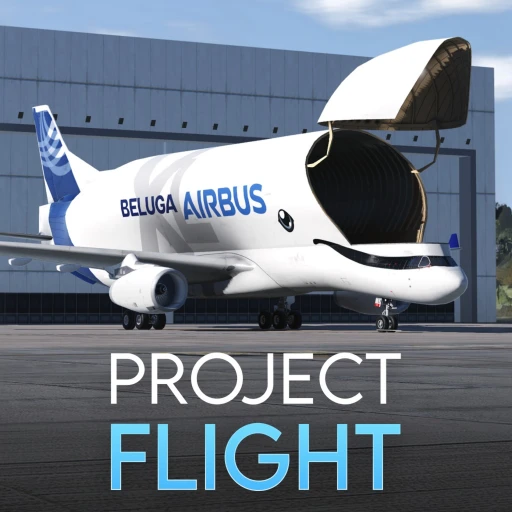
- Airbus BelugaXL — 195 Robux. The oversized cargo lifter added in Update 9; the wiki counts 6 liveries.
- Boeing 777 — 155 Robux. The 777-300ER, 32 liveries on the wiki's count.
- Boeing 787 Dreamliner — 135 Robux. The 787-9, and the aircraft with the largest livery list on the wiki at 62.
- Airbus A350 — 130 Robux. The A350-900, 40 liveries.
- Airbus A340 Family — 125 Robux. Both the A340-200 and A340-300, added in Update 9.
- Airbus A330 — 115 Robux. Covers the A330-200, A330-300, their P2F freighter conversions and the A330F.
- Eurofighter Typhoon — 95 Robux. The only fast jet behind a pass, and one of just two aircraft with a modelled cockpit.
- Cessna Citation II — 70 Robux. The small business jet, 10 liveries.
The ninth pass is Air Traffic Controller at 50 Robux, covered further down. Everything else flies on the base purchase. That includes the Boeing 737-800 (the wiki counts 70 liveries), the Boeing 757 (61), the whole remodelled Airbus A320 family — A318, A319, A320 and A321 plus their P2F freighters — the Boeing 727 (51), De Havilland Canada Dash 8-Q400 (41), Fokker 100 (30), McDonnell Douglas MD-11 (29), Airbus A220 (23), Boeing 717 (13), the BAE Systems Hawk T1 (4), plus the light aircraft Update 9 brought in: the Cessna 152, the Piper PA-28 and the De Havilland Canada DHC-6 Twin Otter. The wiki's roster page lists 36 aircraft in total as of September 3, 2026.
Start on the Boeing 737-800. It is free, it has the deepest livery list of any free aircraft, and it is one of only two aircraft the wiki records as having a modelled cockpit (the other is the pass-locked Eurofighter Typhoon). The 737's cockpit arrived in Update 7 on June 1, 2024, which means every cockpit tutorial you find is likely to be filmed in that aircraft.
Choose your first airport
Update 9 reshuffled the map heavily, so the airport list you find in an older video is wrong. As of September 3, 2026 the wiki's airports page lists 17 airports across six territories:
- United Kingdom (7): London Gatwick EGKK (remodelled in Update 9), London City EGLC, Cardiff EGFF, Bembridge EGHJ, Caernarfon EGCK, Bolt Head X2BH and Land's End EGHC — the last six all added in Update 9.
- Dominican Republic (4): Punta Cana MDPC, Cibao MDST, Arroyo Barril MDAB, Cabo Rojo MDCR.
- Cyprus (3): Larnaca LCLK, Paphos LCPH, RAF Akrotiri LCRA.
- Portugal (1): Madeira LPMA, added in Update 9 alongside Deserta Grande Island.
- United States (1): Fairbanks PAFA, added in Update 9 with dense snow scenery.
- Haiti (1): Antoine-Simon MTCA.
Four airports left the game in Update 9 — Gran Canaria (GCLP), Menorca (LEMH), Kittilä (EFKT) and Southampton (EGHI). The developers turned the first three into an in-game joke you can verify yourself: two badges award for finding "the Kitilla Grave at Fairbanks" and "the Gran Canaria and Menorca Grave in Madeira," and 63 and 131 players respectively had claimed them as of September 3, 2026.
For a first flight, pick Gatwick (EGKK). It is the game's largest UK field, it was rebuilt in Update 9 so it matches the current build, and it has the traffic and the tower activity that make roleplay work. If you want somewhere quiet to practise circuits in a light aircraft, the new small fields — Land's End (EGHC), Bembridge (EGHJ), Bolt Head (X2BH) and Caernarfon (EGCK) — are the obvious homes for the Cessna 152 and Piper PA-28.
Fly your first route: pushback to touchdown
Project Flight has no in-game campaign telling you what to do — you pick an aircraft, a livery, an airport and a gate, and then you fly. The community wiki's tutorial pages give the canonical sequence, and the takeoff page was last edited on August 19, 2026, ten days before the revamp. Treat the flow as correct and the exact keys as worth double-checking in-game.
Departure, in order: turn on navigation, logo and beacon lights (three taps of L); pushback with P; start each engine with E; extend flaps to the takeoff position with F; enable taxi lights on the fourth L tap; taxi at 20–25 knots to the runway; strobes on at the holding point (fifth L); line up; then run the throttle to 80–87% (FLEX), or the full 100% (TO/GA) if the runway is short. The wiki's callout sequence is 80 knots, V1, VR, and you rotate at VR. Once you have a positive rate of climb, retract the gear with G, bring the flaps up at 180 knots, and switch the landing lights off above 10,000 ft.
Autopilot has exactly four functions according to the wiki page, last edited on August 26, 2026: altitude hold, heading hold, instant max thrust (the TO/GA button) and speed hold / auto-throttle. Update 9 replaced it with a physics-based autopilot, listed under the update's own "Miscellaneous" physics changes. The wiki's standing advice is not to lean on it as a beginner, particularly for landing.
Arrival, in order: on final, set flaps to FULL (two taps of F), gear down with G, and fly the glideslope using the four PAPI lights beside the runway. Disconnect autopilot and auto-throttle at roughly 5 nautical miles. Flare at 30–50 ft, pull the throttle to 0%, deploy speed brakes with R, and hold B on the wheel brakes until you are down to about 65 knots. Then retract the brakes and flaps and taxi in at about 20 knots.
The rest of the keyboard, per the wiki's controls list: W/S throttle up and down, Z/X rudder left and right, 1–9 for camera angles (cockpit view is camera 2), J to call the jetway, U to exit the aircraft, and mouse movement for ailerons and elevators. Roblox does not accept joystick input natively, so a yoke or stick only works through gamepad-emulation software.
Make it run on a weaker device
The store page's own warning about frame rate is not boilerplate — this is a streaming open-world sim on Roblox. Update 9 was as much an optimisation pass as a content drop, and the settings it added are the single biggest lever a new player has. Its published optimisation list includes Roblox Streaming, the SLIM model for both world and avatars, collision fidelity lowered for chunks far from airports, collisions turned off for most non-essential airport models, shadows disabled across all islands, and a custom orbital camera the developers measured at about 0.5 ms cheaper per frame than Roblox's core camera module.
Four things to change before you fly:
- Set your render distance. Update 9 shipped a Chunk Loader that works alongside Roblox streaming specifically so players can set their own draw distance. Turn it down first; it is the cheapest frame-rate win in the game.
- Leave live weather off. Update 9 added a full live weather system — per-airport conditions, wake and terrain turbulence, rain puddles, snowfall below 0°C, moon phases. Hotfix #1, five hours after launch on August 29, 2026, disabled it by default, with wind as a separate toggle. There is a reason for that.
- Check the physics mode. The August 31, 2026 hotfix notes reference Degraded and Assisted physics modes by name, so the simulation fidelity is adjustable rather than fixed.
- On mobile, scale the HUD. A HUD scale setting was added under the gameplay category in the September 2, 2026 hotfix.
Mobile players in particular should be on the newest build. Update 9's first hotfix fixed inverted pitch on touch controls; the second restored missing mobile buttons for toggling the jetway, opening and closing the cargo door and toggling smoke (under the exterior controls button), added the camera modes back to the bottom of the interface, and fixed ATC map zooming. It also raised the character spawn timeout from 10 to 25 seconds to stop players failing to spawn in busy servers. Public servers hold 20 players, so rejoining to pick up the newest build takes seconds.
Try air traffic control
Controlling is Project Flight's second game, and it is the one that gives the roleplay servers their structure. The Air Traffic Controller pass cost 50 Robux on September 3, 2026. It lets you enter the tower at any airport that has one and take an unoccupied seat, which opens four panels: the Electronic Flight Strips (add, update and clear flights through pushback, taxi, departure and arrival), the Air Radar (aircraft airborne in that airport's airspace), the Ground Radar (everything moving on the surface), and the Ground Movement Chart (taxiways, runways and runway designators). Controllers also get an ATC tag in chat.
Two numbers set expectations honestly. Reading the badge API on September 3, 2026: 1,035 players had earned "1 Hour of ATC Time," 53 had reached five hours, and 7 had reached ten. Roughly one controller in twenty who logs a first hour goes on to log a fifth. It is a demanding role, and a busy tower at Gatwick is a genuinely hard job — which is also why a competent controller is welcome in almost any server.
Chase liveries, badges and the community tools
There is no cash economy, no XP bar and no rank ladder in Project Flight — progression is liveries, badges and skill. The game had 23 badges on September 3, 2026, and they fall into three groups.
Time badges track hours flown and hours controlled. The flight-time ladder runs 100, 500 and 1,000 hours, and as of September 3, 2026 all three still sat at zero awards — nobody has cleared the first rung. Easter-egg badges are the fun ones: "Illegal Flying" for threading Tower Bridge in London (632 awards), "Don't tell the CAA about my flight." for flying through the London Gatwick bridge (440), the Gift Shop at Caernarfon (186), the two retired-airport graves, and "Meet a Developer" (15,358) for running into a member of the team in a live server. Update 9 added a stricter Tower Bridge badge for flying through it fully. Legacy badges mark the transition: "Pre Alpha Flyer" goes to anyone who played before Update 9, and it had been handed out 161,419 times by September 3, 2026 — 46,249 of those in a single day, which is what a returning player base looks like.
Liveries are the real collection. Free aircraft carry dozens each, engine variant included — the A320's list splits into 33 CFM56 liveries and 24 IAE V2500 liveries, and Update 9 added the CFM/IAE engine choice across the whole A32X family. A handful of liveries never appear in that menu at all and are unlocked with hidden codes typed on the livery screen; the verified list, the ones we rejected and where the box actually sits all live on our Project Flight codes page.
Three community resources are worth bookmarking: the official Discord at discord.gg/projectflight — guild 679004503906844672, 121,723 members with 9,893 online on September 3, 2026, and the channel where owner MintyFS posts every patch first; PFConnect Charts (charts.pfconnect.online), a fan-made library of approach and ground charts; and the Fandom wiki, which is being actively rewritten post-revamp but whose front page and ATC page were both still quoting pre-Update 9 rosters and prices on September 3, 2026.
If you want more Roblox aviation once you have the basics down, Pilot Training Flight Simulator codes and the wider PTFS hub cover the genre's other big name — its aircraft tier list is a useful counterpoint to Project Flight's pass model. Flight World codes is the lighter, arcade-side option, while Cabin Crew Simulator codes and Airport Tycoon codes come at aviation from the terminal instead of the cockpit. For vehicle sims outside aviation, Driving Empire and Jailbreak are the two biggest, and our Roblox promo codes hub tracks the platform-wide freebies.
Earn Free Robux While You Play
Want more Robux for Project Flight and other Roblox games? Earnaldo lets you earn free Robux by completing simple tasks — no surveys, no downloads, just real rewards.
More Project Flight
The sibling pages we keep current for this game and the wider Roblox aviation scene:
Project Flight Codes
Every double-sourced livery code, which aircraft each one paints, and exactly where the redeem box sits on the livery selection page.
HubFlight World
The lighter, arcade-leaning Roblox flight sim — free to play and far friendlier to low-end devices.
HubCabin Crew Simulator
Aviation roleplay from the cabin rather than the flight deck, if the ATC and airline side is what draws you in.
Frequently Asked Questions
No. Project Flight is a paid-access experience: the Roblox games API listed it at 50 Robux on September 3, 2026, and the community wiki records that same 50 Robux entry fee going back to the Early Access launch on May 20, 2022. Once you own it, most of the roster costs nothing extra — the Boeing 737, 757, 727, 717, the whole Airbus A320 family, the A220, MD-11, Fokker 100, Dash 8-Q400 and Hawk T1 are all included. Nine game passes were on sale on September 3, 2026, eight of which unlock extra aircraft; none of them is required to fly.
Everything except the eight pass aircraft. As of September 3, 2026 the passes that gate an aircraft are the Airbus BelugaXL (195 Robux), Boeing 777 (155), Boeing 787 Dreamliner (135), Airbus A350 (130), Airbus A340 Family (125), Airbus A330 (115), Eurofighter Typhoon (95) and Cessna Citation II (70), all priced live from the Roblox game-pass API. The rest of the roster is included with the 50 Robux entry fee, and the free planes carry the biggest livery counts — the wiki lists 70 liveries on the Boeing 737 and 61 on the Boeing 757 as of September 3, 2026.
No — the Air Traffic Controller pass is optional and only affects controlling, not flying. It cost 50 Robux on September 3, 2026 and unlocks the tower seats, which open four panels: Electronic Flight Strips, Air Radar, Ground Radar and the Ground Movement Chart. Very few players stick with it: the game's own badges show 1,035 players had earned "1 Hour of ATC Time" as of September 3, 2026, but only 53 reached five hours and 7 reached ten. Update 9's second hotfix on August 31, 2026 added a prompt so the ATC button now tells you if you do not own the pass.
About This Guide
Written on September 3, 2026 for Project Flight — root place 6349094071, universe 2350840700, published by the verified Roblox group Project Flight (296,773 members, owner MintyFS). Live figures — 68,708,234 visits, 384,929 favourites, 142,386 likes against 12,289 dislikes, 50 Robux entry, 20-player public servers — were read from the Roblox games, votes, groups, badges and game-pass APIs at 08:10 UTC on September 3, 2026; the player figure quoted above is a 48-hour median, not a peak. Update 9's date is corroborated three ways: the developers' scheduled Roblox event "Update 9.0 (PF Revamp)" opened at 16:00 UTC on August 29, 2026, the group's own publish stamp moved later that day, and the wiki's citation for the launch announcement is a Discord message whose ID dates it to 16:16 UTC. Aircraft, airport and procedure details come from the Project Flight Fandom wiki and the developers' published Update 9 patch and hotfix notes; we did not fly a test route ourselves, and where the wiki's pages predate the revamp we say so instead of presenting them as current. Prices are always from the live API, never from a wiki infobox. Spot something out of date? Tell us in our Discord.