Shopping Cart Simulator Free Robux Guide (2026) -- Codes, Upgrades & Tips
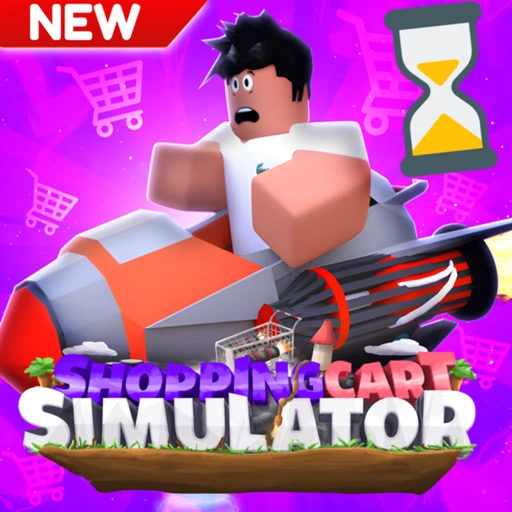
Shopping Cart Simulator is exactly what it sounds like: you ride a shopping cart down a ramp, launch yourself as far as you can, and cash in the distance for coins to buy upgrades that send you even farther. It's a launch-distance loop with tricks, coffee, and a desert world to unlock, and this guide covers the best upgrade order, how to squeeze more coins out of every launch, all the working codes for free coffee and coins, the worlds, game passes, and how to fund any of it without spending your own Robux.
In This Guide
What Is Shopping Cart Simulator in 2026
Shopping Cart Simulator is an Adventure launch game on Roblox, sitting at placeId 8705534359 and built by Halt Studios. The whole game is one satisfying loop: launch your shopping cart off a ramp, travel as far as possible, collect coins for the distance and style, then spend those coins on upgrades that let you launch farther the next time.
It first launched back in 2022 and has aged into a steady, low-stress idle-launcher. As of June 2026 it has logged roughly 5.2 million visits and around 41,000 favorites, and its all-time concurrent peak hit 1,096 players on April 30, 2022. Servers hold up to 9 players, so it plays as a relaxed solo-or-small-group session rather than a packed lobby.
The hook is progression you can feel. Your first few launches barely clear the ramp, but a handful of upgrades later your cart is rocketing across the map. Reach the end of a map and you unlock a new world, including a desert world the developers added, which keeps the distance loop going with fresh ramps and longer runs.
Two systems drive your earnings: distance and style. Distance is the raw length of your launch, and style points come from tricks and coffee. Coins are paid out from both, so the players who climb fastest are the ones who upgrade their launch power while also milking style points on every run instead of just sending the cart and walking away.
If you've played other Roblox launch games where you fling a character or a vehicle for distance, the bones will feel familiar. Shopping Cart Simulator's twist is the cart-and-checkpoint mechanic and the trick-plus-coffee style system layered on top, which gives you more to do mid-air than just hold forward.

How to Launch Farther
The goal of every run is one clean, long launch, and a few habits make a big difference. Here's the sequence that turns a short hop into a map-clearing flight.
- Load into the launch area and send your cart down the ramp. Your starting speed and current upgrades decide how far the first push carries you.
- Hop into your cart as it passes directly over the Neon Checkpoints. Timing the hop keeps your run going instead of cutting it short.
- Perform tricks while you're airborne. Every trick adds style points, and style points convert straight into more coins from the launch.
- Activate coffee on your longer launches to boost style points even higher. Save it for runs where you're already traveling far so the multiplier lands on a big base.
- Let the run finish completely before you cash out, since coins are tallied from your full distance plus style.
- Spend the coins on your next upgrade, then launch again. Upgrades can only be bought after a jump, so the rhythm is launch, spend, launch.
- Repeat until your cart reaches the end of the map, which unlocks the next world and its longer ramps.
The single biggest mistake new players make is treating this as a pure distance game and ignoring style. Distance gets you most of the way, but tricks and coffee can meaningfully bump each payout, and those extra coins compound into upgrades that push your distance further still.
Best Upgrade Order in June 2026
Buy distance first. Launch power and speed upgrades raise how far every single run goes, and since coins scale with distance, those upgrades pay themselves back faster than anything else. Get your base launch strong before you touch cosmetics or niche perks.
Launch Power and Speed
These are your priority. Anything that increases your starting velocity or top speed multiplies the value of every later launch, so pour your early coins here. The first few tiers are cheap and the distance jump is immediately obvious, which snowballs your coin income.
Wheels
Better wheels keep your cart rolling and reduce the speed you bleed on the ground, extending the tail end of each launch. Once your launch power is solid, wheels are the natural next buy because they convert your existing speed into extra meters.
Rockets
Rockets add a burst of thrust mid-flight, which is where the really long launches come from. They tend to cost more than the basic distance upgrades, so grab them once launch power and wheels have built up your coin income enough to afford them comfortably.

Coin, Trick, and Coffee Tips
Earning faster comes down to wringing more coins out of each launch and never wasting a boost. The tips below separate players who grind for hours from the ones who clear worlds quickly.
Maximize Style Points
Trick on every airborne moment. Style points feed your coin payout, so a launch with tricks is worth noticeably more than the same distance with none. Even on shorter runs, chaining tricks keeps your income up while you save for the next upgrade.
Buy friends if the option fits your budget. The game lets you buy friends that add to your style score, which raises the coins you pull from each run. It's a steady multiplier rather than a one-time bump, so it pays off over a long session.
Spend Coffee Wisely
Coffee boosts style points, so save it for your longest, trick-heavy launches instead of burning it on a short hop. Bank coffee from codes and play, then pop it when you know you're about to travel far, so the style multiplier lands on a big base distance for the biggest coin haul.
Claim Daily Group Rewards
Join the Halt Studios group for free daily coin rewards. It costs nothing, it stacks up over time, and those free coins go straight toward your next launch-power upgrade. It's the easiest passive boost in the game and there's no reason to skip it.

Shopping Cart Simulator Codes (July 2026)
Shopping Cart Simulator has an active code system that hands out free coffee, coins, and coin boosts. As of June 2026 the codes commonly listed as working are below. Codes are case-sensitive, so type them exactly as shown, and test each one in-game since milestone codes can expire without notice.
| Code | Reward | Status |
|---|---|---|
| 35kHalt | Free reward (coffee/coins) | Active |
| 25kFav | 25k Coffee | Active |
| 2Mill | Coins Boost | Active |
| 1Mill | 1 Million Coins | Active |
| 20kHalt | 20k Coins | Active |
| 5klikes | 5k Coffee | Active |
| 1klikes | 15-minute 2x Coins Boost | Active |
| Trading | Free reward | Active |
To redeem, press the More button on the left side of the screen, open Settings, type a code into the text box exactly as written, and press Confirm to claim. Each code works once per account. For the full rundown and the latest additions, see our Shopping Cart Simulator codes page, which we keep updated as new ones drop.
Game Passes and Robux
Shopping Cart Simulator is free to play, and anything you can buy is optional. New players sometimes assume a game like this needs a coin multiplier pass to progress, but you can clear worlds purely by stacking the free launch upgrades and claiming daily group rewards. Paid extras are there to speed things up, not to gate content.
Game passes and in-game products are set by the developer and shown in the in-game store, and they typically cover things like permanent coin multipliers, boosts, or cosmetic carts. Prices shift with updates, so we won't quote a figure we can't currently verify, open the store to see the live Robux numbers before buying anything.
| Perk | Cost | What It Does |
|---|---|---|
| Daily group reward | Free (join Halt Studios group) | Free coins each day |
| Codes | Free | Coffee, coins, and coin boosts |
| Game passes / boosts | Robux (see in-game store) | Coin multipliers, boosts, cosmetics |
The takeaway is that none of the Robux purchases are required to launch farther or unlock the desert world. The core loop is fully playable for free, and the paid items just shorten the grind. If you do want a multiplier pass, there's no reason to pay out of pocket when you can earn the Robux first.
How to Earn Free Robux for Shopping Cart Simulator
Any coin-multiplier passes or boosts you want cost Robux, and you don't have to spend your own cash to get them. Earnaldo lets you stack up free Robux by completing quick tasks, then spend it on whatever you want in Shopping Cart Simulator. It's a clean way to fund a multiplier pass without dipping into your wallet.
Earn Free Robux While You Play
Want more Robux for Shopping Cart Simulator? Earnaldo lets you earn free Robux by completing simple tasks.
New to earning Robux this way? Our walkthrough on how to get free Robux in 2026 covers the legit methods step by step. Want more from this game? Check the Shopping Cart Simulator hub for all our coverage, see how it stacks up in Shopping Cart Simulator vs Supermarket Simulator, and if you like the store-sim angle, read our Supermarket Simulator guide. For more picks like it, browse the best Roblox games of 2026.

Frequently Asked Questions
It's an Adventure launch game at placeId 8705534359, built by Halt Studios. You ride a shopping cart down a ramp and launch as far as possible, collecting coins based on distance, tricks, and style, then spend them on upgrades like rockets, better wheels, and speed to launch farther and unlock new worlds, including a desert world. As of June 2026 it has roughly 5.2 million visits and about 41,000 favorites.
Buy launch power and speed first, then wheels, then rockets. Distance is your main coin source, so anything that raises starting velocity or top speed pays back fastest. Upgrades can only be bought after a jump, so bank a launch, spend on the cheapest distance upgrade, and launch again. Prioritize distance over cosmetics so you clear maps and unlock worlds faster.
Coins scale with distance and style points, so combine a long launch with tricks and coffee. Hop into your cart right as it passes the Neon Checkpoints, perform tricks mid-air to raise style points, and activate coffee to boost those points for a bigger payout. You can also buy friends to add to your score. Stacking distance with trick and coffee boosts grows your coins per launch the fastest.
Yes. As of June 2026 the codes commonly listed as working are 35kHalt, 2Mill, 25kFav, Trading, 1Mill, 5klikes, 20kHalt, and 1klikes, which give free coffee, coins, and coin boosts. Redeem by pressing More on the left, opening Settings, typing the code exactly, and pressing Confirm. Codes are case-sensitive and can expire, so test each one and never pay for a code.
Press the More button on the left side of the screen, then press Settings to open the code box. Type or paste a code exactly as written, since codes are case-sensitive, then press Confirm to claim your free coffee or coins. Make sure the game has fully loaded first, and enter each code only once since each works a single time per account.
Coffee boosts your style points during a launch, which increases the coins you earn from that run. You bank coffee from codes and from playing, then activate it before or during a launch to multiply your style score. Since style feeds your coin payout, saving coffee for your longest, trick-heavy launches gets the most value out of every cup.
Reach the end of a map with your launch to unlock the next world, such as the desert world. That means stacking enough launch power, speed, wheel, and rocket upgrades for your cart to travel the full length of the current map. New worlds add fresh ramps and longer runs that pay more coins, so the loop is upgrade, launch farther, clear the map, unlock the next area.
Yes, it's free to play. Any game passes or products, like coin multipliers, boosts, or cosmetics, are optional Robux purchases and aren't required to launch farther or unlock worlds. You can also join the Halt Studios group for daily coin rewards at no cost. Prices are set by the developer and shown in the in-game store, so check there for current numbers.
About This Guide
This guide was last updated on June 13, 2026, using the live stats and gameplay for Shopping Cart Simulator as of that date. Codes, game pass prices, upgrade costs, and worlds can change in future patches, so verify in-game before relying on a number. Found something out of date or have a launch tip to share? Check the official game page for the latest update notes.