Strike Back Free Robux Guide (2026) — Tips, Codes & Best Strategies
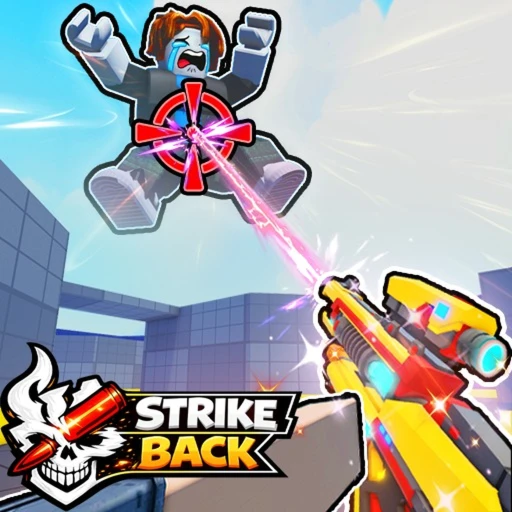
Strike Back is one of the best third-person shooters on Roblox right now. With a 94.22 rating, Season 2 content, and a growing community of 152K+ players in the Strike Squad group, it's the kind of game that hooks you fast and keeps you coming back. Whether you're grinding Team Deathmatch or testing yourself in Free-For-All, this guide covers everything you need to play smarter and climb the leaderboard in 2026.
1. What Is Strike Back on Roblox?
Strike Back is a third-person shooter (TPS) developed by Strike Squad, a Roblox group owned by beeapex with over 152,000 members. Unlike the first-person shooters that dominate Roblox's shooter category, Strike Back uses an over-the-shoulder camera that gives you a wider field of view and better spatial awareness. Think Gears of War meets Roblox — fast respawns, satisfying gunplay, and a pace that rewards both precision and aggression.
The game launched to strong reception and currently holds a 94.22 out of 100 community rating, which puts it among the highest-rated shooters on the platform. It's available on Windows, Mac, iOS, and Android with full cross-platform play, meaning your mobile friends aren't locked out of the fun.
What makes Strike Back stand out from games like RIVALS is its accessibility. The built-in aim assist, third-person perspective, and straightforward Team Deathmatch format make it easy for new players to jump in and start getting eliminations immediately. But there's real depth here too — Revenge Vision, weapon selection, and positioning all separate good players from great ones.

2. Getting Started in Strike Back (2026)
To play Strike Back, head to the Strike Back game page on Roblox and hit Play. The game loads quickly across all platforms, and you'll land in the main lobby within seconds. Here's what to focus on during your first session:
- Adjust your settings before your first match. Open the Settings menu and look at sensitivity, aim assist strength, and graphics quality. On PC, lower your sensitivity — the default is usually too high for consistent tracking. On mobile, keep aim assist at its default or increase it slightly until you're comfortable landing shots.
- Start with Team Deathmatch. TDM is the core mode and the best place to learn. You'll have teammates covering angles and drawing enemy attention, which takes pressure off while you figure out weapon handling, map layouts, and movement.
- Pay attention to the third-person camera. Unlike first-person shooters, your camera sits behind and above your character. This means you can see around corners and over cover without exposing yourself. Get used to positioning your camera to gather information before peeking.
- Don't ignore Revenge Vision. When someone eliminates you, they'll be highlighted briefly after you respawn. Use that highlight to track them down. This mechanic rewards aggressive play after a death instead of random wandering.
- Try every weapon at least once. Strike Back doesn't lock weapons behind paywalls — everything is accessible. Spend your first 3-4 matches experimenting with different loadouts to find what fits your playstyle.
3. Game Modes Explained in 2026
Strike Back currently offers two primary game modes, each in its own dedicated lobby as of the most recent update. Here's how they work and when you should play each one.
Team Deathmatch (TDM)
Two teams face off on a map, and the goal is simple — eliminate the other team more than they eliminate you. The team that reaches the kill target first wins the round. Respawns are fast, usually under 3 seconds, so the action is constant. TDM is where most of the playerbase spends their time, and it's the best mode for consistent XP and rewards.
The key to TDM isn't just individual fragging. Sticking with 1-2 teammates creates crossfire situations where enemies have to deal with multiple angles simultaneously. A coordinated duo will consistently outperform a solo player with better raw aim.
Free-For-All (FFA)
Every player for themselves. FFA was recently moved into its own dedicated lobby, which solved the old problem of FFA players accidentally queuing into TDM matches. In FFA, there are no teams and no safety net — if you're standing still, you're getting shot from behind.
FFA is the best mode for improving your individual gunplay. You'll get into 2-3x more fights per minute than TDM, and you'll learn to check your surroundings constantly. The downside is that spawns can occasionally put you in bad positions, so don't get frustrated by unavoidable deaths. Focus on your kill-per-minute rate rather than your death count.
4. Revenge Vision — How It Works in 2026
Revenge Vision is Strike Back's signature mechanic, and understanding it properly gives you a real edge. Here's the breakdown:
When an enemy eliminates you, that specific player gets highlighted through walls for a brief window after you respawn. The highlight appears as a colored outline around their character model, visible even through solid objects. This tells you exactly where your killer is and which direction they're moving.
How to Use Revenge Vision Effectively
- Sprint toward their position immediately. The highlight fades after a few seconds, so you don't have time to be passive. Close the distance while you can still see them.
- Pre-aim the angle. Since you know exactly where they are, set your crosshair on the corner or doorway they'll appear from. You'll have the jump on them because they don't know your exact position.
- Watch for bait. Good players know you have Revenge Vision. Some will intentionally hold an angle waiting for you to rush them. If you see them standing completely still and facing your direction, they might be baiting your aggression. Approach from an unexpected angle instead.
- Communicate in TDM. If you spot your killer near a teammate through Revenge Vision, call it out. That intel benefits the whole team, not just you.
How to Counter Revenge Vision
If you just got a kill, assume the player you eliminated can see you for the next several seconds. The counterplay is straightforward: reposition after every kill. Don't hold the same angle where you made the elimination. Move 10-15 steps in any direction, find new cover, and you'll break the enemy's pre-aim prediction.
This creates an interesting risk-reward dynamic. Camping one spot guarantees you'll be predictable when Revenge Vision kicks in. Aggressive players who constantly rotate after kills are much harder to pin down, even with the wall-hack effect.
5. Aim Assist & Sensitivity Settings for 2026
Strike Back's aim assist is one of the reasons the game feels so good across all platforms. Here's how to optimize your settings for maximum performance.
Understanding Aim Assist in Strike Back
The aim assist works by subtly pulling your crosshair toward enemies when you're aiming near them. It doesn't lock on automatically — you still need to place your crosshair in the general area of the target. Think of it as a magnet that activates within a small radius around enemy hitboxes.
On mobile and controller, aim assist is more aggressive to compensate for the lack of precision these input methods have compared to a mouse. On PC with mouse and keyboard, aim assist is lighter but still present.
Recommended Sensitivity Settings by Platform
| Platform | Sensitivity Range | Aim Assist | Notes |
|---|---|---|---|
| PC (Mouse) | 25-40% | Default or Low | Lower sens = better tracking at range |
| PC (Controller) | 35-50% | Medium-High | Increase if struggling with fast turns |
| iOS / Android | 40-60% | High | Higher sens compensates for small screens |
| Mac | 25-40% | Default or Low | Same as PC mouse settings |
5 Tips to Improve Your Aim
1. Track, don't flick. In a third-person shooter, enemies move across your screen at wider angles than in FPS games. Smooth tracking — keeping your crosshair glued to a moving target — beats flick shots 80% of the time in Strike Back.
2. Aim at upper chest height. Headshots deal bonus damage, but the head hitbox is small, especially at range. Aiming at the upper chest means you'll land consistent body shots and occasionally clip the head. This is more reliable than going for head-only and missing half your shots.
3. Strafe while shooting. Standing still makes you an easy target. Move side to side while firing — the third-person camera makes it easier to maintain aim while moving compared to FPS games.
4. Use cover constantly. The TPS camera lets you see enemies while your body is behind a wall. Peek out to shoot, then dip back. Repeat. Players who fight in the open die first.
5. Warm up in private servers. Spend 5 minutes shooting bots before jumping into public matches. Cold hands and cold aim lead to frustrating early deaths that tank your confidence for the rest of the session.
6. Winning Strategies for Team Deathmatch & FFA in 2026
Raw aim will only get you so far. These strategies separate players who occasionally top the scoreboard from players who consistently dominate.
Team Deathmatch Strategies
Spawn awareness. Learn where enemies spawn on each map. After your team gets a few quick kills, the enemy team's respawn points shift. Predicting where they'll come from gives you a 1-2 second head start on positioning.
Control the center of the map. The team that holds the middle of any map controls the flow of the game. From the center, you can rotate to respond to threats on either side. Staying pinned on the edges limits your options and lets the enemy team surround you.
Trade kills with teammates. If your teammate engages an enemy, position yourself to immediately shoot that enemy if your teammate goes down. This "trading" pattern means your team always gets a kill in return, preventing the enemy from building momentum.
Don't chase kills into enemy territory. Getting 3 kills and pushing deep into the enemy spawn sounds tempting, but you'll almost always die to multiple enemies respawning around you. Get your kills, then pull back to a defensible position.
Free-For-All Strategies
Keep your back to a wall. In FFA, threats come from 360 degrees. Position yourself so at least one direction is covered by a wall or obstacle. This cuts the number of angles you need to watch from 4 to 2-3.
Third-party fights. When you hear two players fighting, push toward the sound. The winner will be low on health, making them an easy cleanup kill. This is the fastest way to build killstreaks in FFA.
Don't reload in the open. After getting a kill, duck behind cover before reloading. The reload animation leaves you vulnerable for over a second, which is more than enough time for another player to finish you off.
7. Private Servers & Bot Practice in 2026
Strike Back's private server system is one of its best features. You can create a server and fill it with bots whose difficulty you control, making it a perfect training ground.
What You Can Customize
- Bot difficulty: Scale from easy targets that barely fight back to challenging bots that strafe, aim accurately, and use cover
- Team sizes: Set up anything from 1v1 scenarios to full team matches
- Match settings: Adjust kill limits, time limits, and game mode
- Weapon restrictions: Practice with specific weapon types by limiting what's available
How to Use Private Servers for Improvement
Start each session with a 5-minute private server warmup against medium-difficulty bots. Focus purely on crosshair placement and tracking — don't worry about winning. After 5 minutes, switch to a public match. The difference in your performance will be noticeable immediately.
For advanced practice, set bot difficulty to the highest level and try to maintain a 2.0+ kill/death ratio. If you can consistently beat hard bots, you'll outperform the majority of players in public lobbies.
8. Strike Back Codes (July 2026)
Strike Back codes are distributed through the Strike Squad Discord community and the developer's social media channels. Codes typically reward cosmetics, XP boosts, and in-game currency. Since codes change frequently and expire without much warning, we recommend the following approach:
How to Redeem Codes in Strike Back
- Launch Strike Back from the Roblox game page
- Look for the Codes button or input field in the main menu or settings
- Type or paste your code exactly as written — codes are case-sensitive
- Hit Redeem and check your inventory for the reward
Where to Find the Latest Codes
New codes have been released in May 2026, but specific active codes rotate frequently. The most reliable source is the Strike Squad Discord server where codes are posted first. You can also follow the developer beeapex's announcements within the Roblox group page, which has 152K+ members.
9. Recent Updates & Season 2 Content in 2026
Strike Back has been receiving consistent updates throughout 2026. Here are the changes that matter most for your gameplay:
Season 2 Overview
Season 2 introduced fresh content across the board — new weapons, updated maps, and cosmetic rewards tied to a seasonal progression track. The season pass gives players goals to work toward and keeps the meta shifting with each major patch.
Key Balance Changes
| Change | Details | Impact |
|---|---|---|
| Boss Health | Reduced by 33% | Boss encounters are faster and less punishing for under-geared players |
| Robot Damage | Nerfed across the board | PvE enemies are less likely to eliminate you before human players do |
| FFA Lobby | Separated into dedicated queue | Cleaner matchmaking; no more accidentally joining the wrong mode |
The 33% boss health reduction is a big deal. Previously, boss encounters dragged on and often ended with half your team eliminated by the boss rather than by other players. Now bosses go down faster, which keeps the focus on PvP where it belongs.
Robot damage nerfs follow the same philosophy. Robots (PvE enemies on certain maps) used to deal enough damage to two-shot players, which felt unfair when you were also dealing with human opponents. The nerfs bring them in line as environmental hazards rather than primary threats.
What's Coming Next
Based on developer activity in the Strike Squad Discord, expect more weapon balancing and potentially a new map in the coming weeks. The development team has been responsive to community feedback, which is a good sign for the game's long-term health.
10. Strike Back vs. Other Roblox Shooters in 2026
How does Strike Back stack up against the competition? Here's a head-to-head comparison with other popular Roblox shooters.
| Feature | Strike Back | RIVALS | Arsenal |
|---|---|---|---|
| Perspective | Third-Person | First-Person | First-Person |
| Main Mode | Team Deathmatch | 5v5 Tactical | Gun Game / TDM |
| Aim Assist | Yes (all platforms) | No | Limited |
| Mobile Friendly | Very (cross-platform) | Moderate | Good |
| Unique Mechanic | Revenge Vision | Economy/Buy System | Weapon Rotation |
| Game Passes | None (free to play) | VIP, Radio, Skins | Various cosmetics |
| Skill Floor | Low (accessible) | High (tactical) | Medium |
| Rating | 94.22 / 100 | ~90 / 100 | ~85 / 100 |
The Verdict
Strike Back is the best entry point for players who want a shooter that's fun from the first match. RIVALS offers deeper tactical gameplay but demands more time investment to enjoy. If you want casual-friendly gunfights with real strategic depth underneath, Strike Back hits the sweet spot. And since there are no game passes to buy, everyone starts on equal ground.
11. How to Earn Free Robux for Strike Back
Strike Back doesn't currently sell game passes, so you might wonder why you'd need Robux. The answer: cosmetics, future passes, and other Roblox games you play alongside Strike Back. If you're spending time on games like Blox Fruits or Jujutsu Shenanigans where passes do matter, having a Robux balance ready is always useful.
Earnaldo lets you earn Robux by completing simple tasks — surveys, app trials, and similar offers — and withdraw directly to your Roblox account. It's a straightforward way to build up Robux without spending real money.
Earn Free Robux for Your Favorite Games
Complete tasks on Earnaldo and withdraw Robux to spend on any Roblox game — Strike Back, Blox Fruits, RIVALS, and more.
12. Frequently Asked Questions About Strike Back (2026)
Strike Back is a third-person shooter developed by Strike Squad (owned by beeapex). It features Team Deathmatch and Free-For-All modes with built-in aim assist, Revenge Vision, and cross-platform support on Windows, Mac, iOS, and Android. The game has a 94.22/100 rating and the Strike Squad group has 152K+ members.
Revenge Vision is a mechanic that highlights the player who last eliminated you. After you respawn, your killer appears outlined through walls for a few seconds. This gives you a chance to track them down for payback, but skilled opponents will reposition after every kill to counter it.
Codes have been released in May 2026, but specific active codes change frequently. The most reliable way to get current codes is to join the Strike Squad Discord server where they're posted first. Codes are case-sensitive and can expire without warning.
Yes. Strike Back includes aim assist across all platforms. It works by subtly pulling your crosshair toward enemy hitboxes when you're aiming near them. Mobile and controller players get stronger aim assist than mouse-and-keyboard players to balance the input difference.
Yes. Strike Back supports iOS and Android with optimized touch controls and cross-platform matchmaking. Mobile players compete in the same lobbies as PC and Mac players, with aim assist helping bridge the gap between input methods.
As of May 2026, Strike Back does not have any game passes. The entire game is free to play with no paid advantages. This means every player starts on equal footing regardless of how much Robux they have.
Private servers let you create custom matches with configurable bot difficulty, team sizes, and match settings. They're perfect for warming up before public matches or practicing specific skills like tracking and positioning without the pressure of a real lobby.
Recent updates brought a 33% reduction in boss health, robot damage nerfs, and the separation of Free-For-All into its own dedicated lobby. Season 2 also added new weapons, maps, and cosmetic rewards to the game.
Strike Back is growing fast, and the development team behind it clearly cares about balance and player experience. If you're looking for a shooter that's easy to pick up but hard to master, it's worth your time. For more Roblox game guides, check out our articles on Grow a Garden and Jujutsu Shenanigans.