Custom PC Tycoon Roblox — Guides, Codes & Tips (2026)
Everything you need for Custom PC Tycoon in one place: the latest active codes, a full strategy guide, and head-to-head comparisons with other tycoons. This is the home base for our whole cluster on the game, updated for July 2026.
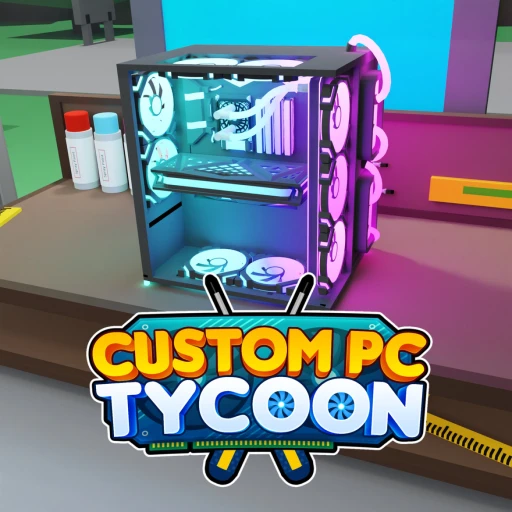
Custom PC Tycoon is a PC-building tycoon where you run a custom-computer business. You buy parts at the shop, assemble them into PCs at your home workspace, and display the finished builds to generate passive income. The defining rule is simple: the more expensive the components, the more income each computer earns. That makes reinvesting your cash into pricier parts the core of the whole game.
Around that loop, you can expand display slots so more PCs earn at once, upgrade your shed and workspace tier, build out a desk and server setup, and customize colors once your income has room to spare. Roblox Premium members get a 10% income boost that compounds across a session. It's a relaxed, economy-focused tycoon where the real skill is deciding where each dollar goes for the best return.
Codes are a big part of the early game here, handing out free parts and cash that jump-start a higher-earning build. As of June 17, 2026 there are 16 active codes and none have expired yet, so it's a great moment to grab the full set. The articles below cover the current state of the game.
💸 Playing Custom PC Tycoon? Get paid for it
Codes come and go — earning is forever. Earnaldo pays you real Robux for playing Roblox games and finishing simple tasks. Free to join, no human verification, cash out from your very first point.
Earn Robux instead →Quick Facts
Those facts capture what makes the game tick: it's a passive-income tycoon built around reinvesting cash into pricier PC parts, with 16 codes live right now and a 10% income boost for Roblox Premium members. For exact live stats like player counts, check the game's official Roblox page, since those numbers move daily.
All Custom PC Tycoon Guides & Articles
Tap any card below to jump to the full article.
Custom PC Tycoon Free Robux Guide (2026)
Buy parts, build PCs, scale passive income, redeem every code, and earn real Robux on the side.
CodesCustom PC Tycoon Codes (July 2026)
All 16 active codes for free PC parts and cash, plus how to redeem them through Settings.
ComparisonCustom PC Tycoon vs Game Company Tycoon (2026)
Two business-builder tycoons head to head. Which one fits how you like to play?
ComparisonForge a Weapon vs Custom PC Tycoon (2026)
Crafting and selling versus building and displaying. We break down which loop is more rewarding.
Earn Free Robux on Earnaldo
Complete quick tasks and earn Robux for Custom PC Tycoon and any other Roblox game.
Why Play Custom PC Tycoon?
The pull is a clean, satisfying money loop with a clear theme. If you've ever wanted to build computers for a living without the cost, this is that fantasy in tycoon form: source parts, assemble rigs, put them on display, and watch the income roll in. The fact that earnings scale directly with part price gives every purchase an obvious payoff, which makes the reinvestment loop genuinely compelling.
It also rewards smart play over grinding. A player who reinvests well, fills display slots with high-tier PCs, and times their workspace upgrades will out-earn someone who buys cheap parts and hoards cash. Layer in the Roblox Premium 10% income boost and the free parts from codes, and there's plenty of room to optimize. For newcomers, the on-ramp is gentle: redeem the codes, build and display a few PCs, and you've learned the loop in minutes.
How the Cluster Fits Together
If you're new, start with the codes page. Redeeming all 16 active codes hands you free parts and cash before you do anything else, which is the fastest possible head start on a higher-income build. From there, the full guide walks you through the income loop, the reinvestment order that grows your earnings fastest, the display-slot and workspace upgrades, the Premium boost, and what the monetization looks like.
Once you know the loop, the comparison pieces answer the question most tycoon fans ask: is this the right tycoon for me? Our Custom PC Tycoon vs Game Company Tycoon piece weighs two business-builders against each other, and our Forge a Weapon vs Custom PC Tycoon matchup pits a crafting-and-selling loop against this build-and-display one. Together the four articles cover setup, strategy, and the bigger-picture decision of where to spend your time.
If you enjoy the genre, our broader tycoon coverage is worth a look too. The Military Tycoon guide, Theme Park Tycoon 2 guide, Restaurant Tycoon 2 guide, and Car Dealership Tycoon guide all share the same reinvest-to-grow DNA, just with different themes.
Got a build strategy or a fresh code we should add? Drop it in our Discord and we'll keep this hub current as new updates and codes land.