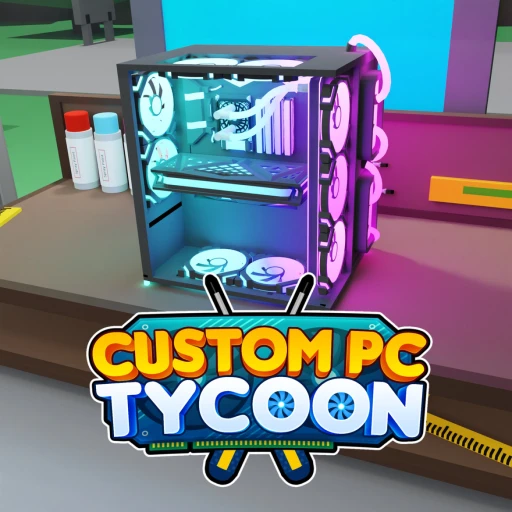
Custom PC Tycoon Free Robux Guide (2026) -- Tips, Codes & Strategy
Custom PC Tycoon is a PC-building tycoon where you run your own custom-computer business: buy parts at the shop, assemble PCs back at your workspace, display them to generate passive income, then upgrade to pricier components for even more. The whole game is one tight money loop, and the players who climb fastest are the ones who reinvest aggressively into better parts instead of buying cosmetics early. This 2026 guide walks through the core income loop, the smartest reinvestment order, every active code for free parts and cash, the Roblox Premium 10% boost, what the monetization looks like, and how to bank real Robux on the side.
What's in this guide
Getting Started
Custom PC Tycoon drops you into a custom-PC business with a simple promise: the better the computers you build, the more money they make while you do other things. You buy components at the in-game shop, carry them back to your home workspace, assemble them into finished PCs, and put those PCs on display so they generate passive income. That income funds your next round of parts, and the cycle repeats at a higher tier each time.
The single most important thing to understand on day one is that income scales with how expensive your components are. A PC built from cheap entry parts trickles out a little cash; a PC packed with high-end parts earns far more for the same display slot. That makes reinvestment the entire game. Every dollar you sit on is a dollar not compounding into a pricier part, so the fastest players keep their cash moving into upgrades almost constantly.
When you first load in, a couple of minutes of setup saves you a long slow start. Redeem the codes for free parts and cash, get your first PCs displayed, and start the income flowing before you worry about anything cosmetic. Here's the order we'd run on a fresh save:
- Open Settings on the side of the screen and redeem every active code for free parts and cash.
- Use the free code parts (a motherboard, CPU, or PSU) plus your starter cash to buy your first components at the shop.
- Assemble those parts into complete PCs back at your workspace.
- Display every finished PC so each one starts generating passive income.
- Reinvest your income into pricier parts as soon as you can afford them.
- Expand display slots and upgrade your workspace tier once income is steady.
Controls are standard Roblox tycoon fare. You walk around with WASD on PC or the on-screen stick on mobile, interact with the shop and display slots by touching or clicking them, and manage codes and settings through the Settings button on the side of the screen. There's no twitchy combat here; the skill is economic, all about deciding where each dollar goes for the best return.
The Income Loop
Everything in Custom PC Tycoon flows from one loop: buy parts, build PCs, display them, earn income, reinvest. Income scales with component price, so upgrading to more expensive parts is the core lever behind your earnings. Get comfortable with that loop and the rest of the game is just executing it faster and at a bigger scale.
Here's how the pieces connect. The shop is where you spend cash on components. Your workspace (the shed you can later upgrade) is where you assemble parts into complete computers. Display slots are where finished PCs sit to generate passive income, so the number of slots caps how many PCs can earn at once. And upgrades, both pricier parts and a higher workspace tier, raise the ceiling on how much your operation pulls in.
Why pricier parts matter most
The relationship between part price and income is the whole strategy in one sentence: the more expensive the components, the more income each computer generates. That means a single PC built from top-tier parts can out-earn several PCs built from cheap ones. So when you have spare cash, the question is almost always "what's the most expensive part I can afford that raises my income," not "how many cheap parts can I buy." Quality over quantity wins in this game because each display slot is a finite resource you want filled with the best PC possible.
Display slots and workspace tiers
Display slots and workspace tier are the two structural upgrades that let your income grow beyond what a single PC can do. More display slots mean more PCs earning at the same time, and a higher workspace tier supports a bigger, more profitable build. Both are worth buying, but timing matters: a new slot only helps if you can fill it with a decent PC, so balance slot expansion against keeping the parts in your existing PCs strong.
Tips & Strategy
Early game: redeem, build, display
Before anything else, clear the free rewards and get income flowing. The early game is won by speed, getting PCs onto display slots quickly so your money starts compounding while you're still learning the shop.
- Redeem all codes first. The free motherboard, CPU, PSU, RAM, coolers, cases, and the 1,500 cash from NewUpdate give you a head start no fresh player has.
- Display PCs as soon as they're built. A PC sitting in your inventory earns nothing. The faster it hits a display slot, the sooner it pays for your next upgrade.
- Buy the best part you can afford, not the most parts. One pricier component beats a pile of cheap ones because income scales with part price.
- Ignore cosmetics for now. Color customization and decoration look nice but add zero income, so park them until your earnings are healthy.
Mid game: reinvest and expand
Once income is steady, the goal shifts to compounding it. You want every dollar working: feeding pricier parts into existing PCs and opening new display slots to widen your earning base. This is where the reinvestment discipline really separates fast players from slow ones.
- Reinvest aggressively. Don't hoard cash. Each upgrade you delay is income you're leaving on the table, because better parts pay back their cost through higher earnings.
- Expand display slots in step with your budget. Add a slot when you can fill it with a solid PC, then upgrade that PC's parts over time rather than leaving the slot half-built.
- Upgrade your workspace tier. A higher-tier shed supports a larger, higher-income setup, so it's a strong mid-game purchase once your basic loop is humming.
- Track your income-per-dollar. When choosing between upgrades, favor the one that raises your income rate the most for its price.
Late game: optimize the whole setup
Deeper into a save, your operation becomes a machine you're fine-tuning rather than building from scratch. With plenty of display slots and a strong workspace tier, the focus moves to topping out every PC with the most expensive parts available and squeezing the most income out of each slot.
At this stage, the desk and server build-out the game lets you create become worth the investment, since they expand what your business can hold and display. Keep funneling income into the priciest components you can reach, and treat each display slot as a slot that should always hold your best possible PC. A late-game setup where every slot is maxed out earns dramatically more than one with a mix of strong and weak builds.
Cosmetics finally have a place here too. Once income is no longer your bottleneck, customizing colors and decorating your shed is a fine way to spend the surplus. Just keep the order right: income first, looks last. A good-looking but low-earning setup is a trap that a focused player will leave behind.
Make the Premium boost work for you
If you have Roblox Premium, you get a 10% income boost in Custom PC Tycoon, and that bonus compounds across a session. Ten percent on every payout doesn't sound huge in isolation, but over a long play session it meaningfully accelerates how fast you reach each pricier part. If you already pay for Premium for other Roblox perks, it pulls double duty here, speeding up your whole reinvestment loop without changing how you play.
If you don't have Premium, don't sweat it. The boost is a convenience, not a requirement. A free player who reinvests well and redeems every code will still build a strong, high-income operation. Premium just shaves time off the climb.
Game Passes & Monetization
The honest picture: Custom PC Tycoon's main paid perk is the Roblox Premium 10% income boost, and beyond that it likely sells optional convenience passes. We're not going to invent specific Robux prices for passes we can't confirm, so treat the table below as "what's typical for a tycoon," and check the in-game shop for the exact current passes and costs.
What's confirmed is that nothing about core progression is locked behind a purchase. Cash and parts are earned through building and displaying PCs, and codes hand you free parts and cash on top of that. The monetization is about speeding things up, not gating them.
| Perk / typical pass | What it does | Confirmed? |
|---|---|---|
| Roblox Premium boost | +10% income across your session | Confirmed -- requires Roblox Premium |
| Income / cash boost pass | Speeds up how fast you earn | Not confirmed -- check in-game shop |
| Extra display slots | More PCs earning at once | Not confirmed -- check in-game shop |
| Auto-collect / convenience | Quality-of-life perks | Not confirmed -- check in-game shop |
The takeaway: the only boost we can confirm is the Premium 10%, and even that isn't required to progress. If you decide to spend, open the in-game shop and read the actual current offers and prices rather than trusting made-up numbers. Tycoon monetization shifts with updates, so what's there today may differ next month.
Custom PC Tycoon Codes
Codes are the fastest free parts and cash in Custom PC Tycoon, and right now there are 16 active ones with nothing expired yet. They hand out everything from free PC parts and RAM to coolers, cases, a PSU, a motherboard, a CPU, and a cash drop, which is a serious early-game head start. Codes are case-sensitive, so enter them exactly as shown. Here's a quick look at what's live as of June 17, 2026:
| Code | Reward | Status |
|---|---|---|
| 70K Likes | Free PC Parts | Active |
| Lunar | 3000W Tiger PSU | Active |
| 7M Visits | SP 5CE Motherboard | Active |
| 30K Likes | 6Bit V0 CPU | Active |
| NewUpdate | 1,500 Cash | Active |
| Fan Power | Whoosh Cooling | Active |
That's a sample. The full set of 16 codes, the step-by-step redeem walkthrough, and any fresh drops live on our dedicated Custom PC Tycoon codes page. To redeem, tap the Settings button on the side of the screen, paste a code into the "Type Code Here" textbox, and hit Redeem. Because no codes have expired so far, you can grab every single one right now, but tycoon codes can be deactivated without notice, so don't wait too long.
Earning Real Robux
Codes and a well-run business hand you in-game cash and parts, but none of that is Robux. If you want actual Robux for the Premium boost, any convenience passes Custom PC Tycoon sells, or anything else across Roblox, that's a separate pipeline from the tycoon grind.
Earn Free Robux with Earnaldo
Earnaldo lets you rack up real Robux by completing simple tasks, offers, and surveys, then withdraw straight to your account. It's a clean way to fund the perks you actually want.
Run both tracks at once and you're covered. Let codes plus smart reinvestment handle your in-game cash, and use Earnaldo Robux for Premium or any optional passes you'd otherwise skip.
If you like tycoon and business-builder games, there's plenty more to read. Compare this game directly in our Custom PC Tycoon vs Game Company Tycoon piece and our Forge a Weapon vs Custom PC Tycoon matchup, or jump to the Custom PC Tycoon hub for every article in one place. For more tycoon strategy, our Military Tycoon guide, Theme Park Tycoon 2 guide, Restaurant Tycoon 2 guide, and Car Dealership Tycoon guide are all worth a look.
Frequently Asked Questions
You build PCs from parts and display them, and each displayed computer generates passive income over time. The more expensive the components inside a PC, the more income it produces, so upgrading to pricier parts is the main way to raise your earnings rate in Custom PC Tycoon.
Reinvest into pricier PC parts as fast as you can afford them, since better components directly raise the income each computer generates. Expand your display slots and upgrade your workspace tier next. Hold off on cosmetic customization until your income is rolling, because cosmetics do not boost earnings.
Yes. As of June 2026 there are 16 active codes that grant free PC parts, cash, coolers, cases, RAM, and more. A free motherboard, CPU, or PSU from a code can jump-start a strong early build. Redeem them through the Settings menu, and note that codes are case-sensitive.
Yes. Roblox Premium members get a 10% income boost in Custom PC Tycoon. That bonus compounds across a play session, so if you already have Premium it meaningfully speeds up how fast you can afford pricier parts and upgrades.
No. Cash and parts are earned through building and displaying PCs, and codes hand you free parts and cash on top of that. Premium gives a 10% income boost and there may be optional convenience passes, but none of that is required to progress through the game.
Tap the Settings button on the side of the screen, paste a code into the "Type Code Here" textbox, and hit Redeem. Codes are case-sensitive, so enter them exactly as shown. The reward parts or cash land in your account right away.
Redeem all codes for free parts and cash, build and display PCs immediately, then funnel every dollar back into pricier components. Expand display slots so more PCs earn at once and upgrade your workspace tier. Premium adds a stacking 10% income boost on top.
No codes have expired so far as of June 17, 2026. Every code on our list is currently active, but tycoon codes can be deactivated without warning, so redeem them sooner rather than later.
About This Guide
This guide reflects Custom PC Tycoon as of June 17, 2026, a PC-building tycoon where you buy parts, assemble computers, and scale passive income. Because tycoon games update over time, the part lineup, workspace tiers, code list, and any pass offerings can shift, so check the in-game shop and Settings menu for the latest. You can play it on its official Roblox page, where new parts and codes roll out with updates.