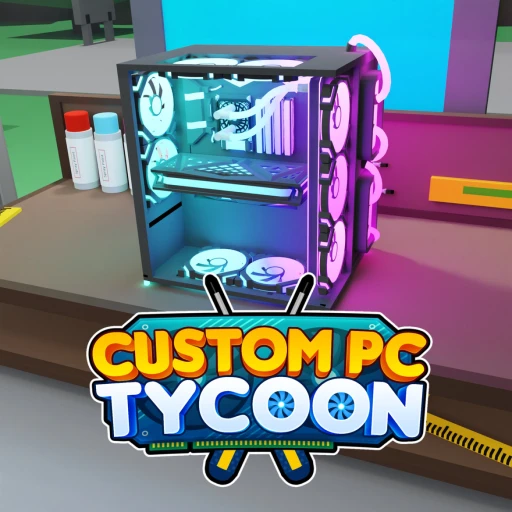
Custom PC Tycoon vs Game Company Tycoon (2026) -- Which Roblox Tycoon Wins?
Both of these are Roblox business tycoons, but they're built for different moods. Custom PC Tycoon is the cozy, focused one: buy parts, assemble custom PCs at home, and display them for passive income, then upgrade to pricier components as your money grows. Game Company Tycoon is the deeper one: start in a garage coding, study, buy an office, hire workers, build floors, and rebirth for multipliers while collecting pets and trading. If you want a relaxed themed build, play Custom PC Tycoon. If you want a meatier idle-tycoon grind with real rebirth depth, play Game Company Tycoon. The rest of this breakdown shows exactly why, side by side, across gameplay, progression, codes, and monetization.
What's in this comparison
At a Glance
Here's the shape of each game before the detail. Both are free Roblox tycoons, but their systems sit at very different depths.
| Feature | Custom PC Tycoon | Game Company Tycoon |
|---|---|---|
| Concept | Build and sell custom PCs for passive income | Run a game studio from garage to office tower |
| Developer | Custom PC Tycoon team | ady1111 |
| Visits | Niche, focused audience | ~37.8M visits |
| Currencies | Cash, plus earned PC parts | Cash, Gems, Rebirths |
| Progression depth | Lighter, upgrade parts for more income | Deeper, layered systems and endgame |
| Rebirths | No core rebirth loop | Yes, rebirth for multipliers |
| Pets & trading | No | Yes, hatch/earn pets and trade |
| Codes economy | Free PC parts and Cash | Millions of Gems, rebirths, pets |
| Premium perk | Roblox Premium gives 10% income boost | Standard tycoon passes likely |
| Best for | A relaxed, themed build sim | A long idle-tycoon grind with depth |
Gameplay & Concept
Both games hand you a business to grow, but the fantasy and the loop are different enough that most players will know within a session which one suits them.
Custom PC Tycoon is exactly what the name promises. You buy parts, assemble custom PCs at home, and put them on display so they generate passive income. The progression hook is upgrading: as your Cash climbs, you swap in pricier parts for more income, and you can customize colors to make your setup yours. It's a focused, single-theme sim with a clear, satisfying loop that appeals strongly to anyone who enjoys real PC building. There's a cozy rhythm to picking parts, slotting them together, and watching income tick up.
Game Company Tycoon is broader and more layered. You start small in a garage, coding your first projects and studying to improve, then buy an office, hire workers to boost output, and build out floors as the studio grows. The loop stacks more systems on top of the base income: you manage Cash and Gems, push toward rebirths, and fold in pets and trading. It's less a single themed build and more a sprawling studio-management idle game with several plates spinning at once. The garage-to-tower arc gives it a sense of scale Custom PC Tycoon doesn't reach for.
Edge: Focused theme vs broader systems
Split. Custom PC Tycoon wins on a tight, cozy theme that PC-building fans will love, while Game Company Tycoon wins on breadth, with a studio that scales from garage to office tower across more interlocking systems.
Progression & Grind
This is where the two games separate most. Both reward you for growing a business, but the length and texture of the climb are very different.
Custom PC Tycoon keeps progression clean. You earn Cash from displayed PCs, save up, and reinvest in better parts that raise your passive income, repeating that loop as the numbers grow. There's a clear ceiling to chase and a tidy sense of advancement, but the systems are intentionally light. Without a core rebirth loop, the endgame is shorter, which is part of the appeal for players who want a relaxed session rather than an open-ended grind. You can make real progress in a sitting and step away satisfied.
Game Company Tycoon is the heavier, longer grind by design. Cash funds your studio's growth, Gems power premium upgrades, and Rebirths are the backbone of the endgame: you reset for permanent multipliers, then climb faster than before. Layered on top are pets you hatch and earn for bonuses and a trading system that gives the late game a social, collection-driven edge. There's simply more to do over more hours, and the rebirth structure keeps pulling you back for one more multiplier. Players who like watching numbers compound across resets will find far more road here.
Edge: Progression depth and endgame
Game Company Tycoon. Rebirth multipliers, pets, and trading give it a deeper, longer endgame, while Custom PC Tycoon's lighter loop is cozier but runs out of road sooner.
Edge: Relaxed, low-pressure progress
Custom PC Tycoon. Its single clean upgrade loop lets you make satisfying progress in one sitting without juggling rebirths, pets, and trades, which suits players who want a calm build rather than a long grind.
Codes & Rewards
Both games lean on codes to give free players a boost, and the rewards line up neatly with each game's design.
Custom PC Tycoon codes are practical and on-theme. Active codes hand out free PC parts, motherboards, CPUs, and PSUs, along with Cash, which is a direct head start on your build. Because the parts are the same things you'd otherwise grind Cash to buy, a good code can jump you ahead a tier or two on income without much effort. It's a tidy, build-focused reward that fits the cozy loop.
Game Company Tycoon runs a bigger codes economy. Its codes can grant millions of Gems at a time, plus rebirths and pets, which feed directly into the systems that matter most for its deep endgame. Gems power your premium upgrades, free rebirths accelerate the multiplier climb, and pet rewards plug into the collection and trading side. In raw value, Game Company Tycoon's payouts are larger, and they compound because they slot into a multiplier-driven economy.
Edge: Codes economy and reward value
Game Company Tycoon. Codes that drop millions of Gems plus rebirths and pets outweigh Custom PC Tycoon's parts-and-Cash rewards in raw value, though the PC parts are a clean, direct boost for a simpler game.
Monetization
Neither game forces a purchase, and both progress through normal play plus codes. The details differ with each game's scope.
Custom PC Tycoon keeps monetization light and clear. Roblox Premium members get a confirmed 10% income boost, a straightforward perk that rewards Premium without gating core progress. Beyond that, like most tycoons it likely sells optional convenience passes such as income or speed boosts, but you should check the in-game shop for the exact current passes and their Robux costs rather than trust invented numbers. The simpler economy makes it easy to see what any purchase actually does for you.
Game Company Tycoon, with its deeper Gems-and-rebirth economy, has more surfaces where convenience passes can apply, from boosts to pet luck to faster progression. Its specific passes and prices aren't confirmed here, so the same rule holds: open the in-game shop to see current passes and Robux costs before buying. The larger codes economy means free players can still go far on Gems alone, but the deeper systems leave more room for optional spending if you want to accelerate the grind.
Edge: Simplicity vs flexibility
Split. Custom PC Tycoon's light economy and confirmed 10% Premium boost are easy to read, while Game Company Tycoon offers more optional ways to speed things up, backed by a generous Gems codes economy for free players.
How You Actually Play Them
The two games fit different moods, and that practical difference often decides it more than any single feature. Think about how you want to spend your time before you commit.
Custom PC Tycoon suits a relaxed session and players who genuinely like PC building. The single clean loop, the part-by-part upgrades, and the color customization make it a calm, satisfying build you can dip into without keeping a dozen systems in your head. If the theme alone excites you, that's a strong reason to pick it, and the lighter endgame means you can enjoy it in shorter bursts.
Game Company Tycoon suits players who want a tycoon to sink real hours into. The rebirth loop, pets, trading, and growing office give it a long, compounding arc that rewards coming back, and its big Gems codes keep free progress moving. It asks you to manage more at once, but it pays that back with depth and a genuine endgame. For grinders who love watching multipliers stack, it's the meatier pick.
Both run as standard Roblox experiences across PC, mobile, and console, and both are free to start. Custom PC Tycoon's simpler interface is comfortable anywhere, while Game Company Tycoon's many menus and systems are a touch easier to manage on a larger screen.
Earn Free Robux with Earnaldo
Whichever tycoon you pick, any passes or boosts cost Robux. Earnaldo lets you earn real Robux by completing simple tasks and withdraw straight to your account.
The Verdict
Our take
There's no single winner here, because these games aim at different players. Custom PC Tycoon is the cozier, more focused build: a clean upgrade loop, a theme PC-building fans will love, and a lighter endgame you can enjoy in short sittings. Game Company Tycoon is the deeper grind: rebirth multipliers, pets, trading, a garage-to-tower arc, and a codes economy that hands out millions of Gems. Pick Custom PC Tycoon for a relaxed themed build; pick Game Company Tycoon for a meatier idle-tycoon grind with real rebirth depth.
If you're still torn, the deciding question is simple: do you want a calm, themed build you can finish in a sitting, or an open-ended grind that keeps compounding across rebirths? That single preference splits these two cleanly, and since both are free, there's no harm in sampling each.
Who Should Play What
Here's the short version, sorted by the kind of player you are.
Play Custom PC Tycoon if…
- You love PC building and want a game built around that exact theme.
- You prefer a single clean upgrade loop over juggling many systems.
- You want a relaxed game you can make real progress in during one sitting.
- Free PC parts and Cash from codes sound like the head start you want.
Play Game Company Tycoon if…
- You want a deep idle tycoon with rebirths, pets, and trading.
- You enjoy watching multipliers compound across resets over many hours.
- A big codes economy with millions of Gems appeals to you.
- You like managing a business that scales from a garage to an office tower.
Plenty of players keep both installed, treating Game Company Tycoon as the deep main grind and Custom PC Tycoon as the cozy build they relax with. They cost nothing to try, so sampling each before committing your time is the easy call.
Want the full strategy for either game? Read our Custom PC Tycoon guide and our Game Company Tycoon guide, grab codes from our Custom PC Tycoon codes and Game Company Tycoon codes pages, or browse every article in the Custom PC Tycoon hub and the Game Company Tycoon hub. For more in the genre, see our Restaurant Tycoon 2 guide.
Frequently Asked Questions
It depends on the experience you want. Custom PC Tycoon is the simpler, cozier game: you buy parts, assemble PCs at home, and display them for passive income. Game Company Tycoon is the deeper one, with rebirths, pets, trading, and an office full of hired workers. Pick Custom PC Tycoon for a relaxed themed build, Game Company Tycoon for a meatier idle-tycoon grind.
Both are Roblox business tycoons. In Custom PC Tycoon you build and sell custom PCs, buying parts and assembling rigs for passive income. In Game Company Tycoon you run a game studio, starting in a garage coding and growing into an office with workers, pets, and rebirth multipliers. One is a focused build sim, the other a layered idle tycoon.
Game Company Tycoon has more depth. It layers rebirths for permanent multipliers, hireable workers, multi-floor offices, pets you hatch and earn, and trading on top of its core income loop. Custom PC Tycoon is intentionally lighter, focused on upgrading to pricier parts for more passive income, which makes it cozier but shorter on long-term systems.
They reward differently. Custom PC Tycoon codes give free PC parts like motherboards, CPUs, and PSUs plus Cash, which is a direct head start on your build. Game Company Tycoon codes run a bigger economy, handing out millions of Gems along with rebirths and pets. If you want raw code value, Game Company Tycoon's Gems payouts are larger.
Yes, both are free to play and progress through normal play and codes. Custom PC Tycoon gives Roblox Premium members a 10% income boost, and like most tycoons both likely sell optional convenience passes. Check each game's in-game shop for exact current passes and Robux costs rather than rely on guessed prices.
Game Company Tycoon is the heavier grind. Its rebirth loop is built around resetting for multipliers and climbing again, with pets and trading extending the endgame. Custom PC Tycoon's grind is gentler, centered on saving up for better parts to raise passive income, which suits a relaxed session rather than a long multiplier climb.
About This Comparison
This comparison reflects both games as of June 17, 2026. Codes, content, and economies shift with updates, so live figures and code payouts are labeled approximate where they apply. You can try Custom PC Tycoon on its official Roblox page and Game Company Tycoon on its official Roblox page, both free to play.