Plane Crazy Free Robux Guide (2026) — Building Tips, Game Passes & Strategies
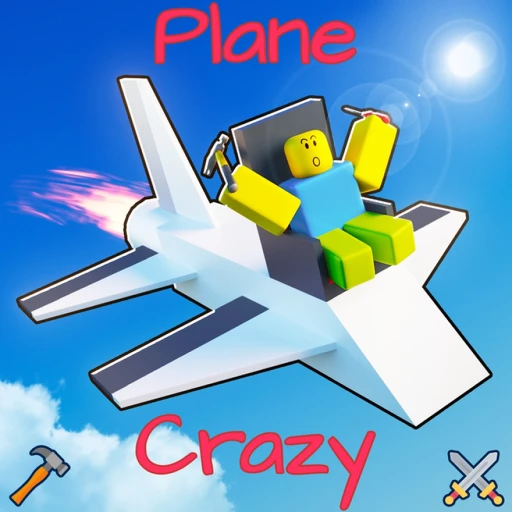
Plane Crazy, created by madattak and rickje139, has been one of Roblox's most technically impressive sandboxes since its launch in July 2014. With over 453 million visits, an 80.3% approval rating, and a peak of nearly 12,000 concurrent players, the game attracts builders who want real aeronautical physics rather than a scripted flight system. This guide covers everything required to build aircraft that actually fly, the full game pass catalog with honest value assessments, the most popular community creations, and strategies for getting the most out of every session.
Table of Contents
- What Is Plane Crazy?
- Physics Fundamentals: The Four Forces
- Center of Mass vs. Center of Lift
- Block Types and Their Uses
- Engine Guide: Propeller, Jet, and Rocket
- Control Surfaces and Steering
- Step-by-Step: Building Your First Stable Plane
- Advanced Building Techniques
- Popular Build Categories
- All Game Passes Ranked
- Why Plane Crazy Has No Codes
- Frequently Asked Questions
What Is Plane Crazy?
Plane Crazy is a physics-based building sandbox on Roblox where players construct aircraft, ground vehicles, watercraft, mechs, rockets, and virtually anything else they can imagine from a library of blocks, engines, and control surfaces. Unlike most Roblox games, Plane Crazy does not use simplified scripted movement. Every vehicle is subject to genuine four-force physics simulation — lift, gravity, thrust, and drag all act on your creation in real time.
Each player receives a private plot roughly 51x51 blocks in size (127.5x127.5 studs) with a default height ceiling of 39 blocks. You build on this plot, test your creation, rebuild, and test again. When you are ready, you can fly or drive off the plot into the shared map where up to 11 other players in the same server can see and interact with your creation. Server capacity is capped at 12 players, which keeps the environment manageable and the physics simulation consistent.
The game has been updated continuously since 2014. The core building system remains stable, but the developers regularly introduce new block types, materials, and quality-of-life improvements. As of 2026, the game sits comfortably at around 2,900 concurrent players at any given time, with a dedicated community that shares blueprints, tutorials, and showcase videos.
Physics Fundamentals: The Four Forces
Every build in Plane Crazy is governed by four physical forces. Understanding what each force does and how to balance them is the difference between a vehicle that flies predictably and one that spins into the ground immediately after launch.
Lift
Lift is the upward force generated by wing panels, delta wings, and control surfaces as they move through the air. The amount of lift a block produces depends on its surface area, angle relative to the airflow, and current velocity. More surface area and higher speed both increase lift. Wing panels produce more lift per block than control surfaces, which is why dedicated wing panels are the preferred choice for main lift surfaces rather than using control surfaces as wings.
Gravity
Gravity pulls your entire build downward at a constant rate proportional to its total mass. Heavier builds require more lift to stay airborne and more thrust to accelerate. Helium blocks partially offset gravity for the volume they occupy, which makes them useful for lighter-than-air craft or for reducing the effective weight of large builds. The Gravity Slider game pass allows per-plot gravity adjustment, which opens up entirely new build categories.
Thrust
Thrust is the forward force generated by your engine. Propeller engines produce steady, moderate thrust at lower speeds. Jet engines generate substantially more thrust, enabling higher top speeds and steeper climb angles. Rocket engines deliver the highest raw thrust of all three types but burn out quickly and cannot be throttled with the same precision. W increases throttle; S decreases it. Mouse direction steers the vehicle.
Drag
Drag opposes forward motion and scales with the cross-sectional area of your build and its velocity. Boxy, wide builds experience significantly more drag than narrow, streamlined ones. At high speeds, drag becomes the primary limiting factor on acceleration. Sleek fuselages, swept wings, and tapered noses all reduce drag and allow your engines to push your creation faster.

Center of Mass vs. Center of Lift
The two most important concepts in Plane Crazy are the Center of Mass (yellow sphere) and the Center of Lift (blue sphere). Activating the physics indicator from the build menu displays both spheres overlaid on your creation. Their relative positions determine whether your aircraft will fly straight, pitch, roll, or immediately tumble.
What the Yellow Sphere Means
The yellow sphere marks the single point where the combined weight of your entire build acts as if concentrated. It shifts based on where you place heavy blocks. Adding a large engine to the nose moves the yellow sphere forward. Adding blocks to the tail moves it backward. The yellow sphere is the pivot point around which all rotational forces act.
What the Blue Sphere Means
The blue sphere marks the point at which total lift acts on your build. It shifts based on wing placement and surface area distribution. Moving your wings forward shifts the blue sphere forward; adding surface area near the tail moves it backward.
How to Align Them
For a stable, neutral aircraft, the blue and yellow spheres should overlap. When they align, changes in speed do not cause the aircraft to pitch up or down on their own. In practice, a slight center-of-lift position just behind the center of mass creates gentle nose-down pitch tendency at low speed, which most pilots find easier to control than the reverse. Avoid placing the blue sphere far ahead of the yellow sphere — this creates an unstable condition where any disturbance causes immediate and irreversible pitching.
Adjust the alignment by sliding your wing panels forward or backward along the fuselage, or by adding small horizontal stabilizer panels at the tail. Small adjustments have large effects, so move wings in single-block increments and check the sphere positions after each change.
Block Types and Their Uses
Plane Crazy provides a range of block types, each with distinct physical properties. Choosing the right block for each part of your build affects weight, lift, drag, and overall performance.
Standard Blocks
Standard rectangular blocks form the backbone of most builds. They contribute mass and structural volume but generate minimal lift on their own. Use standard blocks for fuselage sections, cockpit enclosures, and any structural element where aerodynamic contribution is not the priority.
Wedge Blocks
Wedge blocks provide a tapered profile that reduces drag at the leading edges of your build. Placing wedges at the nose of a fuselage, the leading edge of wings, and anywhere your build meets airflow head-on reduces drag and improves top speed noticeably. Wedges also improve the visual appearance of finished builds significantly.
Wing Panels
Wing panels are the primary lift-generating surface in Plane Crazy. They produce more lift per block than any other block type, making them the correct choice for main wings on aircraft. Arrange wing panels symmetrically on both sides of the fuselage and adjust their fore-aft position to align the Center of Lift with the Center of Mass.
Delta Wings
Delta wings offer a triangular planform that is aerodynamically efficient at higher speeds. Delta configurations reduce induced drag compared to straight wing panels at supersonic velocities, making them the preferred wing type for jet-powered fighter designs. Delta wings require careful Center of Lift management because their geometry shifts lift distribution differently from rectangular wing panels.
Control Surfaces
Control surfaces respond to steering inputs and provide directional authority. They generate less lift than wing panels but are essential for pitch, roll, and yaw control. The single most important rule for control surfaces: the grey face must point toward the rear of your build. Installing a control surface backward causes inverted or non-functional control responses. Always verify grey-face orientation before test flying.
Helium Blocks
Helium blocks have negative effective weight, partially counteracting gravity within their volume. They are the basis for blimps, airships, and lighter-than-air craft. Mixing helium blocks into a standard build reduces overall weight, which can improve climb rate and reduce the engine power required to maintain altitude.
Beam Blocks
Beam blocks are structural elements with a high strength-to-weight ratio. They allow you to create long, rigid connections between parts of your build without adding significant mass. Beams are particularly useful for wing spars, landing gear struts, and any place where structural integrity over distance is needed without excess weight.
Engine Guide: Propeller, Jet, and Rocket
Engine selection is one of the most consequential decisions in any Plane Crazy build. Each engine type has a distinct thrust profile, optimal speed range, and design implication.
Propeller Engines
Propeller engines are the best starting point for new builders. They spin up gradually, produce consistent thrust across a wide throttle range, and operate at speeds that give you time to react to stability problems during early test flights. Propellers are ideal for low-speed trainers, biplanes, propeller-driven fighters, and any build where gentle, controllable flight is the goal. Multiple propellers can be mounted for additional thrust, but always balance them symmetrically to prevent thrust-induced yaw.
Jet Engines
Jet engines deliver substantially more thrust than propellers and push builds to speeds where aerodynamic forces are far more significant. Jet-powered builds require more refined Center of Mass and Center of Lift alignment because small imbalances that feel manageable at propeller speeds become violent at jet velocities. For fighter jet builds like F-22 or F-35 replicas, jet engines are mandatory. Position them at the rear of the fuselage, centered on the vertical midline to prevent yaw from asymmetric thrust.
Rocket Engines
Rocket engines provide the highest instantaneous thrust but operate differently from propeller and jet engines. They do not require forward velocity to generate thrust, which makes them suitable for vertical launches, missiles, and orbital rockets. Rocket-powered builds accelerate extremely quickly and require precise Center of Mass alignment and robust steering authority to prevent tumbling. The Gravity Slider game pass pairs well with rocket builds, allowing reduced-gravity environments that extend flight times and enable more gradual acceleration.

Control Surfaces and Steering
Control surfaces translate your mouse inputs into physical forces that rotate your aircraft around its three axes: pitch (nose up/down), roll (wing tilt), and yaw (nose left/right). Correct installation and placement of control surfaces determines whether your build responds predictably or chaotically to your inputs.
The Grey Face Rule
Every control surface block has a grey face. This grey face must point toward the rear of your vehicle. When the grey face points backward, the control surface deflects in the correct direction relative to your steering input. When installed with the grey face pointing forward or sideways, the surface deflects incorrectly, producing inverted controls, unresponsive steering, or constant unwanted rotation. Check every single control surface orientation before your first test flight.
Elevator Placement
Elevators control pitch — nose up and nose down. Place them at the tail of your aircraft, on horizontal surfaces parallel to the ground. The farther the elevators sit from the Center of Mass, the more leverage they have and the more responsive pitch control becomes. Elevators too close to the Center of Mass produce sluggish pitch response.
Aileron Placement
Ailerons control roll — the tilting of the wings. Mount them toward the wingtips on the trailing edges of your wing panels. Wingtip placement maximizes the moment arm, giving you strong roll authority. Placing ailerons too close to the fuselage reduces roll responsiveness significantly.
Rudder Placement
Rudders control yaw. Place them on vertical surfaces at the tail, perpendicular to the ground. Most aircraft builds include a vertical stabilizer fin with a rudder surface on the trailing edge. Without a rudder, your build will have no yaw control, making coordinated turns impossible and increasing the risk of spin entry.
How Many Control Surfaces to Use
More surface area means more control authority but also more drag. For small, light aircraft, two elevator surfaces and two ailerons are often sufficient. For large, heavy builds or high-speed jets, additional control surface area is needed to overcome inertia and aerodynamic forces at speed. Start with the minimum required and add more if the build feels unresponsive during testing.
Step-by-Step: Building Your First Stable Plane
Follow these steps to build a controllable aircraft in Plane Crazy. This design prioritizes stability and ease of control over speed or appearance, making it the ideal starting point for players new to the game's physics system.
- Open Plane Crazy and spawn on your plot. Select standard blocks from the build menu and place a row of 10 blocks in a straight line to form the fuselage. Keep the fuselage 1 block wide and 1 block tall.
- Attach wing panels on both sides of the fuselage, centered at block 5 or 6 from the front. Start with 3 wing panels extending outward from each side. Symmetry is non-negotiable — left and right sides must be mirror images of each other.
- Open the physics indicator to display the yellow Center of Mass and blue Center of Lift spheres. Slide the wing panels forward or backward one block at a time until the spheres overlap or sit within one block of each other.
- Add a horizontal tail surface at the rear using two small wing panels or control surfaces, mounted parallel to the ground. This stabilizes pitch passively before you add active control surfaces.
- Place control surface blocks on the trailing edge of the tail horizontal surfaces. Verify the grey face on each control surface points toward the back of the fuselage. These are your elevators.
- Add a vertical fin at the very tail of the fuselage — stack two standard blocks vertically. Place a control surface on the trailing edge of the fin with grey face pointing backward. This is your rudder.
- Mount a propeller engine at the nose of the fuselage, centered on the vertical midline. Place a seat block on the fuselage near block 4 from the front, where you will sit to pilot the plane.
- Apply throttle slowly with W. Watch the behavior at 25% throttle before increasing. If the nose pitches up or down consistently, shift wing panels one block forward or backward accordingly. Iterate until the plane flies level at moderate throttle.
Advanced Building Techniques
Once basic stable flight is achievable, several advanced techniques allow for more refined, complex, and realistic builds.
Motor Lock
Motor Lock is a build mode that compresses connected blocks to 0.5 of their normal size. Activating Motor Lock before attaching blocks creates a finer grid that allows much more detailed construction within the same plot footprint. Community builders use Motor Lock to construct scale aircraft replicas with interior detail, functioning landing gear bays, and surface panel lines that would be impossible at normal block scale. The tradeoff is that Motor Lock builds take longer to construct and require more precise placement.
Landing Gear Design
Functional landing gear requires beam blocks for the struts, standard blocks for the wheel hubs, and careful placement to ensure the gear absorbs landing forces without collapsing the entire fuselage. Tricycle gear (two main wheels plus a nose wheel) is the most stable configuration for takeoff and landing. Taildragger configurations (two main wheels plus a tail wheel) look more authentic on vintage aircraft but require more skill to land without ground-looping.
Weight Optimization
Every block adds mass. For high-performance builds, scrutinize each block and ask whether it is contributing to lift, control, structure, or aesthetics. Remove any blocks that serve no functional purpose. Replace standard blocks with beam blocks where structural integrity over distance is needed at lower mass. Consider helium blocks in cavities within the fuselage to reduce total weight without reducing external dimensions.
Asymmetric Builds
Most aircraft are symmetric, but Plane Crazy physics can handle asymmetric designs if you deliberately account for the resulting Center of Mass offset. One-wing aircraft, offset-engine designs, and unusual fuselage geometries are all possible with careful Center of Mass and Center of Lift management. These builds require significantly more testing and adjustment than conventional symmetric designs.

Popular Build Categories
The Plane Crazy community has developed a rich vocabulary of build categories over the game's twelve-year history. Knowing these categories helps you find tutorials, reference builds, and community feedback targeted at your specific creation type.
Fighter Jets
Fighter jet replicas are the most popular build category. The F-22 Raptor, F-35 Lightning II, and B-2 Spirit are consistently among the most replicated aircraft. Successful fighter jet builds require delta or swept wing configurations, twin rear-mounted jet engines, functional control surfaces on all three axes, and a fuselage shaped with wedge blocks to minimize drag. The Motor Lock technique allows the surface panel detail and intake geometry that make the best replicas recognizable from a distance.
Guided Missiles
Guided missiles combine a rocket engine, aerodynamic control surfaces, and a seat block that allows the builder to ride the missile after launch. The challenge is achieving sufficient stability to steer the missile accurately over distance. Builders use tail fins for passive stability and control surfaces for active guidance. Guided missile builds are among the most technically demanding in the game due to the high velocities and the need for precise aerodynamic balance.
Mechs
Mech builds are wheeled or walking bipedal machines that operate using multiple motors, wheels, and carefully tuned weight distribution. The complexity of mech construction in Plane Crazy is substantial — joints must move in coordinated patterns and the center of mass must stay within the support polygon of the feet. The Motor Lock technique is almost universally used for mech builds to achieve the proportions and articulation that make them look like functional machines.
Boats and Watercraft
Plane Crazy supports watercraft physics alongside aeronautics. Boats use standard blocks for hull buoyancy and propeller engines for propulsion. The Summer Blocks game pass adds Pontoons and Water Wheels, which expand the range of watercraft designs. Hovercrafts that operate on both water and land are a particularly creative cross-category build that combines elements of aircraft and boat design.
Trains
Rail vehicles in Plane Crazy use wheel blocks running along player-constructed track sections. Train builds require precise wheel spacing and track geometry to prevent derailment. The builds are complex to construct but produce some of the most visually impressive showcase vehicles in the community because of the detail that Motor Lock enables.
Rockets
Vertical-launch rockets use rocket engines, helium blocks for staging effects, and complex control surface arrangements for attitude control during ascent. The Extra Build Height game pass is essentially mandatory for serious rocket builders, as the default plot height of 39 blocks is insufficient for multi-stage rocket designs. Players with the Gravity Slider pass can reduce plot gravity to simulate space-like conditions once the rocket leaves the lower atmosphere.
All Game Passes Ranked
Plane Crazy offers thirteen game passes ranging from 50 to 999 Robux. None of them are pay-to-win in a traditional sense — the core building system is fully accessible without any purchases. The passes either expand what types of builds are possible, add quality-of-life features, or unlock cosmetic options. Here is an honest assessment of every pass ranked by overall value.
| Game Pass | Price | What It Does |
|---|---|---|
| Jetpack | 499 R$ | Personal jetpack for flying around without a vehicle. Best first purchase for new players. |
| Extra Build Height | 499 R$ | Raises the plot height ceiling significantly. Essential for rockets and tall builds. |
| Drag Selector | 499 R$ | Precise drag-box selection for complex builds. Speeds up editing sessions substantially. |
| Hover Block | 399 R$ | Adds hovering and levitation blocks. Enables hovercraft, maglev trains, and floating platforms. |
| Neon Material | 350 R$ | Glowing neon surface material. Purely aesthetic but visually striking for showcase builds. |
| Winter Blocks | 999 R$ | Skis, Snow Blaster, Sparkler, Winter Wheel, Fireworks. Best for winter-themed builds and seasonal events. |
| Summer Blocks | 799 R$ | Water Jet, Lava Spitter, Pontoons, Water Wheels. Enables proper watercraft and amphibious builds. |
| Speaker | 599 R$ | Plays audio from the Roblox library on your build. Popular for showcase and entertainment builds. |
| Gravity Slider | 299 R$ | Adjustable gravity for your plot. Enables low-gravity physics experiments and space simulations. |
| Faster Run | 199 R$ | Increases on-foot movement speed. Convenience pass for faster traversal of the build map. |
| Golden Bars | 150 R$ | Gold blocks immune to bullets (not rocket fire). Useful for combat-oriented builds. |
| Parachute Colours | 99 R$ | Colored parachutes for bailing out of vehicles. Cosmetic quality-of-life pass. |
| Tips Jar | 50 R$ | Support pass for the developers with no in-game benefit. Pure donation. |
Best Passes for New Players
Start with the Jetpack at 499 Robux. Flying around the map freely without needing to construct a vehicle first speeds up the entire building and testing process. The Extra Build Height pass is the second-best investment for most players, particularly those interested in rockets or any build category that benefits from vertical space. The Drag Selector at 499 Robux becomes increasingly valuable as your builds grow more complex and editing time becomes significant.
Passes for Specialists
The Hover Block pass at 399 Robux is essential for anyone interested in hovercraft, maglev, or anti-gravity builds. The Summer Blocks pass at 799 Robux is the correct choice for dedicated watercraft builders because Pontoons and Water Wheels enable boat designs that standard blocks cannot replicate. The Gravity Slider at 299 Robux is highly recommended for rocket enthusiasts and anyone who wants to explore physics experimentation beyond normal Earth gravity conditions.
Cosmetic Passes
The Neon Material, Speaker, Parachute Colours, and Golden Bars passes are all cosmetic or minor convenience upgrades. They are worth purchasing if you have a specific use case in mind — Neon Material for visual showcase builds, Speaker for performance or entertainment vehicles, Parachute Colours for personality when bailing out. None of them are high priority compared to the functional passes above.

Earn Free Robux for Plane Crazy Game Passes
Earnaldo is a platform where Roblox players complete simple tasks to earn free Robux, which can then be spent on Plane Crazy game passes or any other Roblox purchase. The Jetpack pass, Extra Build Height, and Drag Selector are all within reach without spending real money.
Why Plane Crazy Has No Codes
Many Roblox games use promotional codes to distribute free items, currency, or cosmetics. Plane Crazy does not. The game has never included a code redemption system, and neither madattak nor rickje139 has announced plans to add one. The game's design philosophy centers on the building and physics simulation rather than reward systems that incentivize daily check-ins or social sharing.
Any website, YouTube video, or social media post claiming to offer working Plane Crazy codes in 2026 is publishing inaccurate information. There are no codes to redeem because the mechanism for redeeming them does not exist in the game. Save your time and skip any "codes" content for this title.
Frequently Asked Questions
No. Plane Crazy does not have a code redemption system. The developers madattak and rickje139 have never implemented codes into the game. Any source claiming to have working Plane Crazy codes is providing false information.
The yellow sphere represents your build's Center of Mass, and the blue sphere represents the Center of Lift. For a stable aircraft, these two spheres should overlap or sit very close together. If the Center of Lift is far behind the Center of Mass, the plane pitches down. If it is too far forward, the plane pitches up and stalls.
Align your Center of Mass and Center of Lift by adjusting wing panel placement. Add wing panels symmetrically on both sides of the fuselage and slide them forward or backward until the blue sphere overlaps the yellow sphere. Verify that all control surfaces have their grey face pointing backward, and test at low throttle before pushing to full power.
Propeller engines are the best starting point. They provide steady, controllable thrust at lower speeds, giving you more time to correct mistakes during flight. Jet engines deliver higher thrust and top speed but require a more refined design to remain stable at those velocities.
The Jetpack pass at 499 Robux is the most universally useful first purchase. It lets you fly around the map without building a vehicle, which makes testing builds much faster. The Extra Build Height pass is an excellent second choice for players who want to build larger aircraft or rockets beyond the default plot ceiling.
Motor Lock is a building mode that compresses connected blocks down to 0.5 of their normal size. This allows more detailed and compact creations within plot limits. It is especially popular for scale model builds where interior detail and surface accuracy matter.
A guided missile uses a rocket engine at the rear, control surfaces at the fins or nose for steering, and a seat block so you can ride it after launch. Symmetrical fin placement keeps the missile stable in flight. Make sure all control surfaces have their grey face pointing backward so steering inputs deflect in the correct direction.
Yes. Despite the name, Plane Crazy supports any vehicle type. Players regularly build cars, tanks, trains, boats, submarines, mechs, and rockets. The same four-force physics applies to all builds. Ground vehicles need proper weight distribution and propulsion, while watercraft benefit from the Pontoons and Water Wheels added by the Summer Blocks game pass.
Each Plane Crazy server supports a maximum of 12 players. With the game consistently running around 2,900 concurrent players, you will almost always find an active server immediately upon joining.
Plane Crazy was created by madattak and rickje139, operating under the Plane Crazy Developers group on Roblox. The game launched in July 2014 and has since accumulated over 453 million visits, making it one of the most enduring building sandboxes on the platform.
An immediate flip usually means the Center of Mass and Center of Lift are severely misaligned, or control surfaces are installed backward. Check that the grey face on every control surface points toward the tail of the build. Also verify that wing panels are symmetric and the blue lift sphere sits close to the yellow mass sphere before launching.
Each player plot is approximately 51x51 blocks (127.5x127.5 studs) with a default height limit of 39 blocks. The Extra Build Height game pass raises this ceiling substantially, which is useful for rockets, tall mechs, and any vertically oriented build category.
Plane Crazy remains one of the most technically rewarding sandboxes on Roblox because the physics simulation demands genuine understanding of aerodynamics and structural engineering rather than pattern memorization. Every build teaches something, and the community of dedicated builders continues to push what the engine can produce more than a decade after launch.
For more Roblox building and sandbox guides, explore our walkthroughs on Build a Boat for Treasure, Theme Park Tycoon 2, Natural Disaster Survival, Arsenal, and Phantom Forces. Each guide covers the mechanics, strategies, and game passes specific to that experience.